


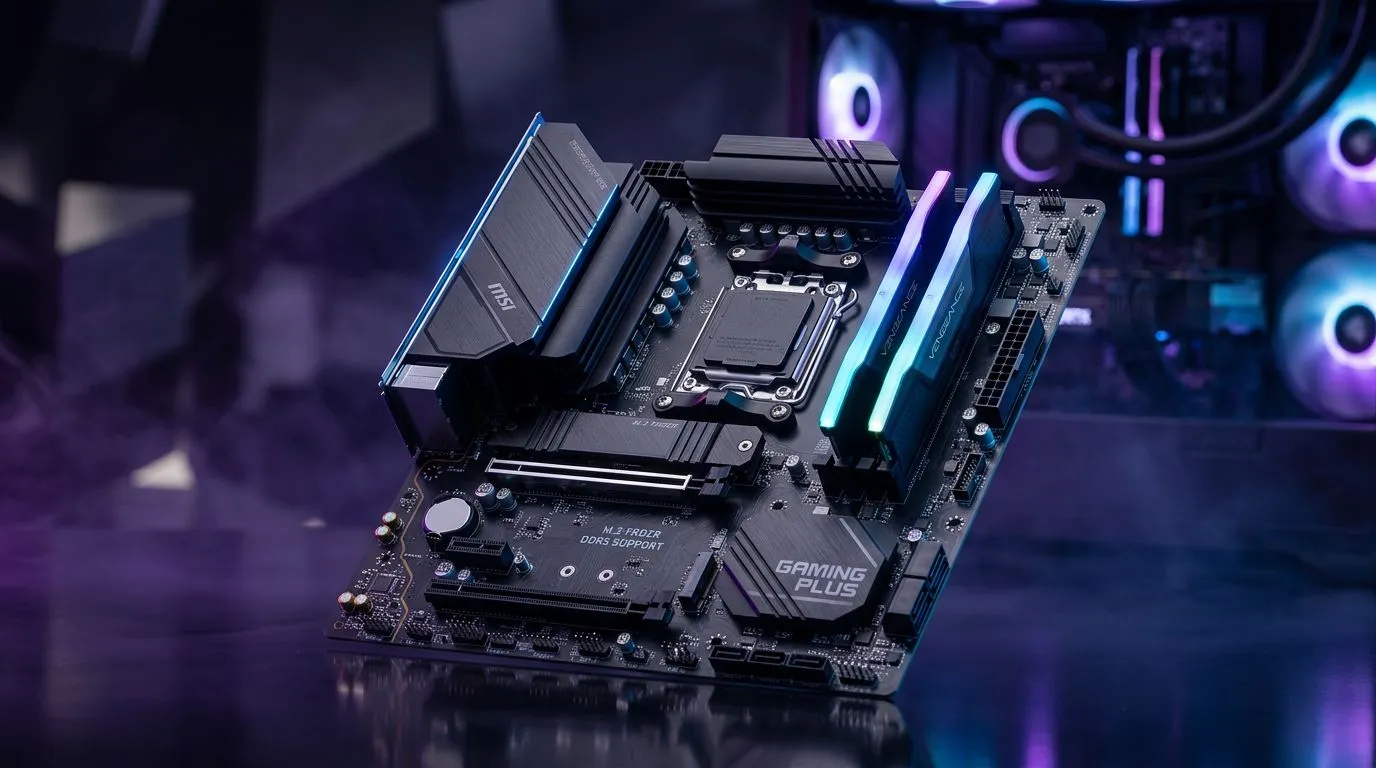
Best DDR5 RAM Kits for MSI B850M Gaming Plus WiFi: Pick the Right Speed for Your Games 🎮
If you’re building (or upgrading) in South Africa, you want stable FPS, smooth loads, and no random crashes after a BIOS update. DDR5 helps… but only when it’s the right kit for your motherboard. The MSI B850M Gaming Plus WiFi is a popular choice for a reason, and matching it with the best DDR5 RAM kits means you’ll get the performance your CPU can actually feed.
In this Build Lab guide, I’ll show you what to look for in DDR5 kits, how to avoid compatibility headaches, and how to choose a kit that’s realistic for everyday gaming and productivity.
Best DDR5 RAM Kits for MSI B850M Gaming Plus WiFi: What Actually Matters 🔧
DDR5 kits are more than just “faster is better”. On a board like the MSI B850M Gaming Plus WiFi, you’ll typically see the biggest wins from the right combination of speed, capacity, and timings.
Speed: Aim for “sweet spot”, not marketing
DDR5 kits are often listed at 6000 MT/s, 6400 MT/s, and higher. In practice, your final speed depends on CPU memory controller support and BIOS memory profile stability. If you’re buying without testing, going too aggressive can cost you stability and time.
Evetech approach: choose a kit that’s commonly supported on modern AM5/Intel platforms and then enable the relevant XMP/EXPO profile in BIOS.
Capacity: 32GB is the safe gaming baseline
For modern titles plus Discord, browser tabs, launchers, and background apps, 32GB (2x16GB) is a sweet spot for most players. If you do streaming, editing, or mod-heavy gaming, 64GB can make life easier.
Timings: Don’t ignore them
Lower primary timings (like CL30/CL32) can improve latency, but the real-world difference depends on your whole system. If two kits are similarly priced, you usually pick the better balance of speed and timings.
Consider voltage and thermals
DDR5 runs at higher effective frequencies than DDR4, and high-speed kits can be warmer under sustained load. If you’re running a compact airflow build, make sure your case and cooler setup can handle it.
Productivity Pro Tip ⚡
"If you’re using a DDR5 kit with a new profile, update BIOS first, then enable XMP EXPO. After booting, run a quick stability check (even 10–15 minutes) before you start a long gaming session. It saves you from the “why is my PC crashing only at night?” mystery."
Where motherboard compatibility fits
Your motherboard’s QVL (Qualified Vendor List) is the closest thing to a guarantee. If you want fewer surprises, use the MSI motherboard’s official supported memory guidance, then match a kit that’s widely available in South Africa.
If you want to explore motherboard options for your build plan, you can browse:
- AMD boards: AMD motherboards on Evetech
- Intel boards: Intel motherboards on Evetech
- Budget-friendly picks: Cheap Intel or AMD-based motherboards
Best DDR5 RAM Kits for MSI B850M Gaming Plus WiFi: Recommended Buying Targets (By Use Case) 🚀
Here’s a practical way to choose a DDR5 kit without falling into “spec chasing”.
For competitive gaming + streaming
- Target: 32GB (2x16GB)
- Typical kit profile: 6000 MT/s class, reasonable timings
- Why: Keeps background overhead low and helps avoid hitching when you alt-tab between recording tools and games.
For AAA gaming + long mod lists
- Target: 32GB minimum, 64GB if you want comfort
- Typical kit profile: stable speed with tighter timings if the price difference is small
- Why: Modpacks and launchers pile up, and memory headroom matters more than you think.
For creators and heavy multitasking
- Target: 64GB (2x32GB) if your workflows are RAM-hungry
- Typical kit profile: focus on stability and BIOS support rather than “maximum” frequency
- Why: Rendering, asset libraries, and browser-based workflows can eat memory fast.
Best DDR5 RAM Kits for MSI B850M Gaming Plus WiFi: A Quick Setup Checklist ✅
This is where most DIY builds win or lose.
- Update BIOS first (especially when you’re moving to a new RAM kit).
- Install RAM in the recommended slots (usually the board’s “A2/B2” style guidance, depending on your manual).
- Enable XMP/EXPO only after a successful boot.
- Confirm in BIOS that the profile is actually applied (speed and timings).
- Run a stability test before your big weekend session.
Micro-story: “It booted… but didn’t feel right”
A common scenario I’ve seen: the PC boots, the RAM shows the right frequency, but you get occasional stutters in games that should be smooth. Usually it’s a profile mismatch, load order issue, or an unstable secondary timing. Re-checking BIOS, toggling the profile once, and re-testing fixes it most of the time.
Best DDR5 RAM Kits for MSI B850M Gaming Plus WiFi: The Smarter Choice in South Africa ✨
The best DDR5 RAM kit isn’t the highest number on the box. It’s the one that stays stable with your motherboard and gets you consistent performance in the games you actually play.
If you’re buying locally, also watch for:
- Kit availability (the same “type” of kit should be in stock)
- Reasonable pricing in ZAR
- Clear return options in case stability takes a couple tries
CALLTOACTION
Ready to Find Your Perfect Match? If you want the smoothest DDR5 experience with your build, the right RAM kit plus the right motherboard setup matters. Browse Evetech’s parts range and build with confidence in South Africa. Explore our massive range of laptop specials and grab the gear you need to power through your next upgrade.











