


Stuck Pixel Checks for a Mechanical Keyboard Setup
Stuck pixel on a Mechanical Keyboard is likely a display symptom around that setup, not the part itself. Check the monitor, cable, GPU output, drivers, and warranty path first.
Read moreBuilding a PC for Cyberpunk Phantom Liberty on a R20,000 needs a cautious look at fit, budget, workload, support, and timing. Use the title as a planning prompt, then compare practical specs, setup limits, and South African buying context before deciding.
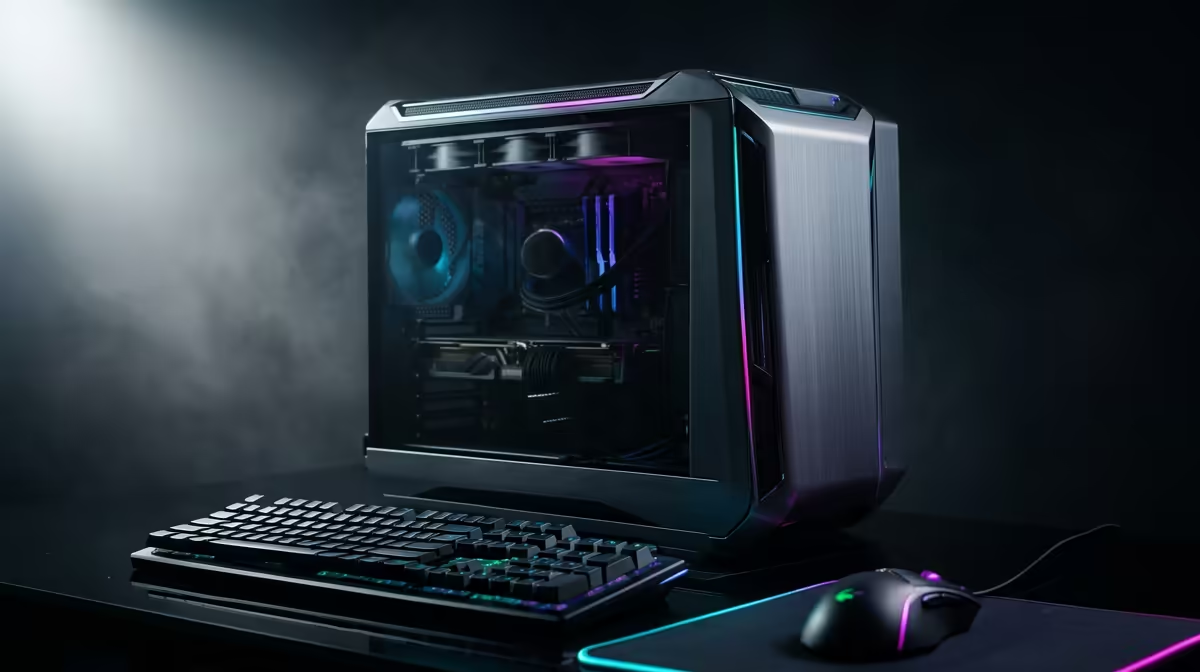
For Cyberpunk 2077 Phantom Liberty at R20,000, build around AMD Ryzen 5 7500F or Ryzen 5 7600 and GeForce RTX 4060 Ti or Radeon RX 7700 XT class GPU with 32GB DDR5 and a 1TB NVMe SSD. The honest target is 1080p Ultra near 75-95 fps or 1440p High around 55-75 fps, with exact results shaped by settings, patches and the monitor.
Start with AMD Ryzen 5 7500F or Ryzen 5 7600, GeForce RTX 4060 Ti or Radeon RX 7700 XT class GPU, 32GB DDR5 and a 1TB NVMe SSD. A broad SA parts split is CPU R3,000-R4,500, B650 board R2,500-R3,800, GPU R7,500-R10,500, 32GB DDR5 R1,800-R2,700, 1TB SSD R900-R1,500; use it to spot unbalanced listings where the GPU is weak but the case and lighting look expensive.
Phantom Liberty is CPU-heavy in Dogtown and wants an SSD, 16GB RAM minimum, and upscaling for ray tracing. For South African buyers, a stocked Evetech configuration with a tested PSU and clean cable routing is often easier than chasing every part separately, especially when delivery goes outside major city centres.
Set the monitor goal before choosing extras. For this budget, the sensible pairing is a 144 Hz 1080p or 1440p monitor, and the performance target is 1080p Ultra near 75-95 fps or 1440p High around 55-75 fps.
Use clear Rands when comparing builds: R20,000 should buy the CPU, GPU, RAM and storage listed above before cosmetic upgrades. Exact live prices change, but a GPU that sits one tier too low will be visible every time the frame rate drops.
For deliveries around Johannesburg, Cape Town, Durban and regional towns, keep the order simple, confirm the GPU is secured for transport, and keep the packaging until the first full gaming session is complete. Also check that the SSD has room for Windows, launchers and at least 80GB to 150GB of game installs.
Use 1080p Ultra near 75-95 fps or 1440p High around 55-75 fps as the practical target for this budget. Lower shadows, RT and crowd density before cutting texture quality, because textures usually preserve the look of the game better.
Yes for this budget class. It gives a stronger frame-rate lift than spending the same money on premium case extras, while AMD Ryzen 5 7500F or Ryzen 5 7600 keeps frame pacing steady.
It is only too much when the game is older and you will not play newer titles. If the PC must also handle modern AAA games, streaming or a 1440p monitor, the extra spend is easier to justify.
Stuck pixel on a Mechanical Keyboard is likely a display symptom around that setup, not the part itself. Check the monitor, cable, GPU output, drivers, and warranty path first.
Read more
How to fix stuck pixel Windows 11 USB DAC issues starts with display-only tests. Check HDR, scaling, monitor input, USB cable movement, and safe South African support options before connecting the pixel issue to audio hardware.
Read more
Windows 11 Steam Deck monitor issues often start with display mode, USB-C output, drivers, or dock power. Use this how to fix monitor not detected windows 11 steam deck checklist for SA handheld PC setups.
Read more
Stalker 2 Heart of Chornobyl PC build planning at R100,000 should stay cautious about parts and settings. Balance GPU, CPU, RAM, storage, cooling, and upgrade room before picking a South African gaming PC.
Read more
RX 9070 XT build stuttering needs a step-by-step check before replacing parts. Review drivers, settings, thermals, power, background apps, display limits, cables, and game options before changing hardware.
Read more
GTA 6 on R15,000 needs careful part balance. This SA build guide frames CPU, GPU, RAM, SSD, cooling, and upgrade trade-offs without promising live prices, stock, or exact FPS.
Read more
NVIDIA lists 550W required system power for the RTX 5060 reference specification, based on a high-end test system. A quality 550W unit can be enough, but CPU draw, transient load, connectors and ageing decide real headroom.

80+ Gold vs 80+ Platinum for couch co-op gaming is about PSU efficiency, heat, fan behaviour, quality, and wattage headroom, not direct FPS. SA buyers should compare the whole build.

Upgrade your setup with the best USB-C hubs for creators. Discover why high-capacity card readers and dual 4K output are essential for professional South African content production. 🚀💻

B850 motherboard FPS drops needs a methodical troubleshooting pass. Review drivers, thermals, power settings, background apps, cables and game settings before replacing parts in an SA gaming setup.
NVIDIA lists 550W required system power for the RTX 5060 reference specification, based on a high-end test system. A quality 550W unit can be enough, but CPU draw, transient load, connectors and ageing decide real headroom.

OpenRGB's master branch now carries changes labelled for 1.0 final, including translation and platform work, but the official tags page still lists 1.0rc3.1 as the newest packaged release. Stable users should wait for the signed release channel.

A motherboard can remain useful for many years when power, cooling and connectors stay healthy. Replace it for confirmed faults, damaged power delivery or a blocked platform need, not simply because the calendar reaches a fixed age.

The VAIO T combines a 13.3-inch display with a multi-flip mechanism for laptop, tablet and outward-facing viewing modes. Orders begin in Japan on 18 September; South African availability is unconfirmed.

The smallest ATX case 2026 buyers should choose is the smallest chassis that still fits their exact graphics card, cooler, power supply and airflow plan. ATX support alone does not prove a case has the smallest footprint or volume.

In a 6 bit + FRC vs 8 bit comparison, native 8-bit panels can produce 256 levels per colour channel directly, while 6-bit plus FRC rapidly alternates nearby values to approximate the wider palette. Panel quality still depends on more than bit depth.

The UGREEN LinkStation Pro eGPU dock combines Thunderbolt 5 and OCuLink connections with an integrated 850W ATX 3.1 power supply and up to 140W laptop charging. South African availability is unconfirmed.

Windows 11 KB5124008 can leave some USB Audio Class 1.0 devices with no sound, Code 10 or failed multichannel output. Microsoft confirms the issue and says switching to two-channel stereo can restore audio for some users.