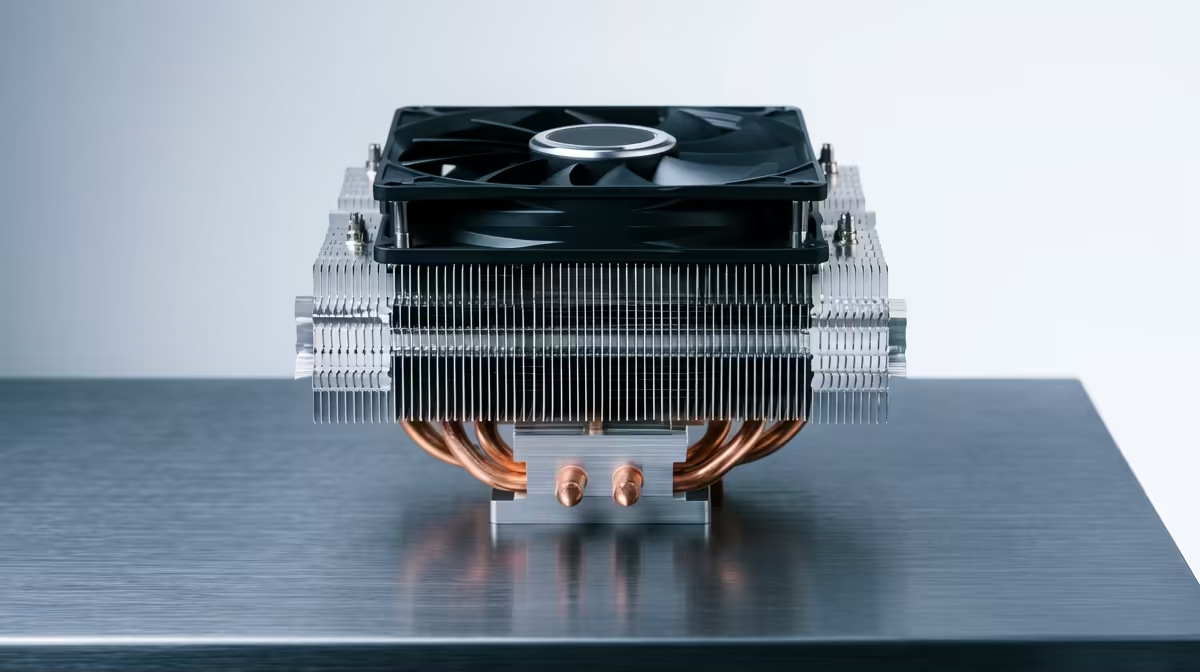
So, you’ve picked out a beast of a CPU for your new rig. Awesome. Now for the cooler. You see a massive, RGB-lit tower cooler that looks like it could chill a Jozi summer... but will it actually fit? Getting CPU cooler compatibility right is one of the most overlooked steps in a PC build. It’s the difference between a smooth, successful boot and the massive frustration of having to return a part that just won’t work.
The Three Pillars of CPU Cooler Compatibility
Before you click "add to cart," you need to verify three key things. Nailing your CPU cooler compatibility check comes down to the socket, your RAM, and your case dimensions. Get these three right, and you're golden. With the massive selection of modern CPU coolers available, finding one that fits perfectly is easier than you think... if you know what to look for.
1. The Socket: The Non-Negotiable Match
This is the most critical check. Your motherboard's CPU socket must match the cooler's mounting hardware. Modern Intel CPUs typically use sockets like LGA 1700, while AMD uses AM5. Most cooler manufacturers include brackets for both platforms in the box, but you must always confirm.
- Intel Sockets: LGA 1700, LGA 1200
- AMD Sockets: AM5, AM4
Checking the cooler's spec sheet on the product page is essential. There’s no workaround for an incompatible socket.
2. RAM Clearance: The Silent Obstacle
This one catches so many builders by surprise, especially with large air coolers. Those towering heatsinks and big fans can overhang the DIMM (RAM) slots on your motherboard. If you've invested in RAM with tall, flashy heat spreaders (like Corsair's Vengeance RGB series), a bulky air cooler might physically block one or more slots. 🔧
How to check?
- Look for the cooler's "RAM clearance height" in its specifications.
- Check your RAM module's height.
- Brands like Corsair offer a wide range of coolers with different profiles, including low-profile options and AIOs that completely avoid this issue.
Quick Compatibility Check ⚡
Use a tool like PCPartPicker to get a preliminary idea of compatibility. It's great for flagging major issues. However, always treat the manufacturer's official spec sheet on the Evetech product page as the final source of truth, especially for physical dimensions like cooler height and RAM clearance.
AIO vs. Air Cooler Compatibility Challenges
The type of cooler you choose introduces different compatibility questions.
- Air Coolers: Your main concern is vertical height and RAM clearance. The cooler must be shorter than your case's maximum "CPU Cooler Height" specification.
- AIO (All-In-One) Liquid Coolers: Here, you're worried about radiator size and placement. AIO radiators come in standard sizes like 120mm, 240mm, and 360mm. Your case must have corresponding fan mounts (e.g., 2 x 120mm mounts for a 240mm radiator) in a location that doesn't interfere with your motherboard's VRM heatsinks or tall RAM. When considering an AIO, you'll find great options from brands like Gamdias that balance performance and aesthetics.
Mastering Case and Cooler Compatibility 📏
This is the final check. Your PC case specifications are your best friend here. Look for two key numbers on the case's product page:
- Max CPU Cooler Height: This is for air coolers. If your chosen tower cooler is 165mm tall, but your case only supports up to 160mm... it simply won't fit. You won't be able to put the side panel on.
- Radiator Support: This is for AIOs. The case specs will list where you can mount different radiator sizes (e.g., "Front: 360mm, Top: 240mm"). For example, many modern cases support popular 240mm AIO liquid coolers at the top or front, providing excellent thermal performance.
Beyond just fitting, think about airflow and aesthetics. You can explore some fantastic-looking Gamdias AIO liquid coolers that feature vibrant RGB, which you'll want to place where they can be seen and breathe easily. ✨
Taking a few extra minutes to check these details ensures your build process is smooth and your powerful new CPU stays cool and quiet.
Ready to Find Your Perfect Match?
Don't let compatibility concerns hold you back. By checking the socket, RAM, and case specs, you can build with confidence. Explore our massive range of CPU coolers and find the perfect cooling solution for your rig today.