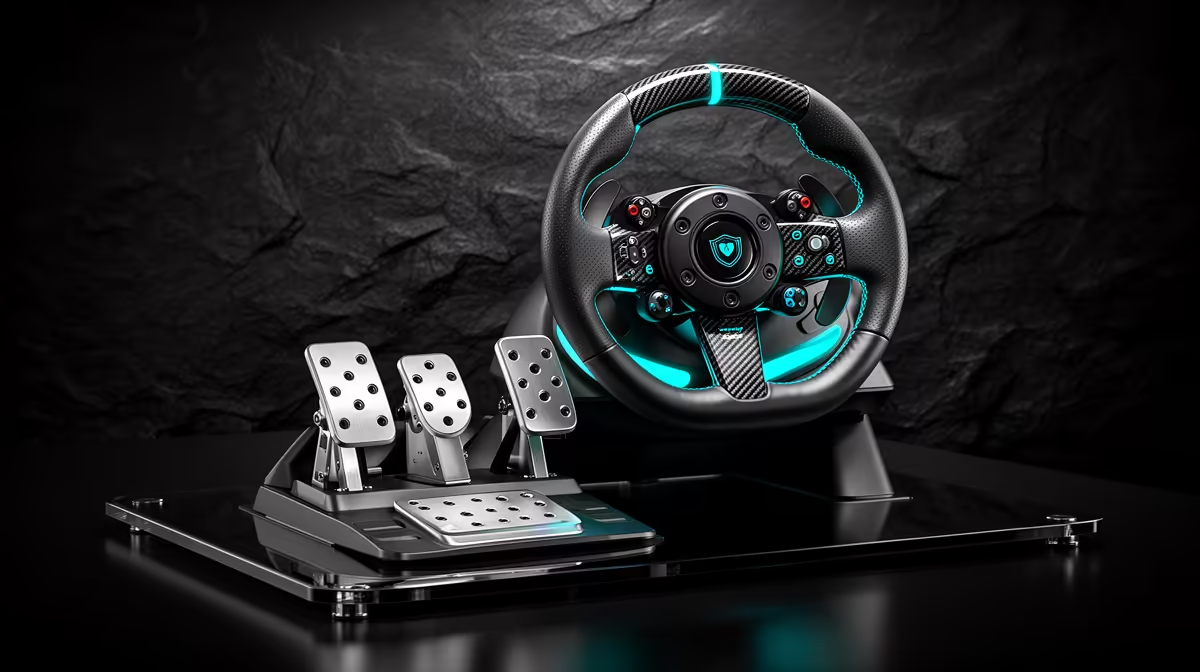
Gran Turismo 7 needs a wheel that is supported by your PlayStation console and recognised by the game. PC compatibility alone is not enough. Choose the exact PlayStation version, then confirm the wheelbase, rim and pedals work together without an unapproved adaptor. A complete licensed bundle is the cleanest first route.
Quick Answer
For PS5, shortlist a PlayStation-supported force-feedback wheel set with pedals and a clamp. Check the maker's current GT7 compatibility and firmware guidance. Connect it to the console as instructed, calibrate in the game and begin with moderate force. Keep the desk and chair only when they remain stable under steering and braking.
Step 1: verify the whole compatibility chain
The wheel product page should name the PlayStation generation it supports. Then check the maker's current game list for Gran Turismo 7. A wheel that operates on PS4 may have conditions on PS5, and a PC-only model will not gain console licensing through a normal USB cable.
Pedals and shifters often connect through the wheelbase on console. Mixed-brand USB devices may not be recognised. Confirm every accessory before buying.
Browse the sim-racing range and open exact box contents, platform icons and support notes. The linked catalogue includes accessories as well as complete wheels, so compare named products rather than a bare category price.
Step 2: check the physical mount
Measure desk thickness and clamp clearance. The surface must be flat and strong enough for the wheel's feedback. Follow furniture guidance with glass or hollow tops.
Place the wheel near lower-chest height, keep elbows bent and align the screen with your seated view. Secure pedals against a wall, mat or mount designed for them. Use caster cups or locks so the chair does not roll under braking.
A fold-away stand is useful when the lounge cannot keep a permanent rig. Check its supported wheelbase, pedal plate and storage dimensions with gear attached.
Step 3: update through supported channels
Some wheels need a PC utility for firmware updates even when used on console. Follow the manufacturer's current process and do not disconnect power during an update. Confirm the hardware mode switch is set for the correct console before connection.
Use the supplied power adaptor and USB cable. Connect directly to the console for the first test. A hub adds another fault point and may not be supported.
Step 4: calibrate GT7
Open the game's controller and force-feedback settings after the wheel is detected. Centre the rim and confirm throttle, brake and steering reach their full range. Check whether the game applies the correct steering rotation for each car.
Begin with moderate feedback torque and sensitivity. Stronger is not more accurate when the wheel clips or the desk moves. Drive a road car on a familiar circuit and adjust one setting at a time.
Map frequently used functions to reachable buttons. Keep pause and menu navigation easy. Avoid filling every button before you know which controls you use during a race.
Step 5: tune the pedals
Entry pedals often measure travel. Secure the base and practise pressing to the same point. Where GT7 exposes calibration or sensitivity, use a setting that allows full braking without forcing the mechanism.
A load-cell pedal upgrade needs console-compatible connection through the supported ecosystem and a rigid mount. Do not buy the pedal in isolation and hope the console sees its USB plug.
Check that your seating position stays fixed. A rolling chair turns brake pressure into movement and makes calibration feel inconsistent.
Step 6: add hardware in the right order
Upgrade mounting when the wheel or pedals move. Upgrade pedals when braking points vary despite practice. Upgrade the wheelbase when feedback clips, feels coarse or lacks the response you need.
A shifter suits road cars that use one, while paddle shifters cover a broad GT7 garage. A handbrake is discipline-specific. Confirm console and game support for either before ordering.
Keep a note of the working firmware, console mode and in-game settings. If an update changes behaviour, that record gives you a clean baseline to restore. Test changes in a licence event or time trial before entering an online race.
The flight-simulator gear page is a separate control family. If one stand must hold racing and flight gear, verify removable side mounts and console USB limits rather than combining devices without a plan.
Frequently Asked Questions
Will any USB racing wheel work with GT7 on PS5?
No. The exact wheel must support the console and be recognised by Gran Turismo 7 under current guidance.
Do I need a cockpit for GT7?
No. A stable compatible desk, secured pedals and fixed chair can support an entry wheel.
Can I mix a PC pedal set with a PlayStation wheel?
Only when the wheel ecosystem and game support that connection. Console setups often require accessories to route through the wheelbase.
Verify the exact PlayStation and GT7 compatibility chain, then mount and calibrate the wheel before adding console racing accessories.