


Quick Answer
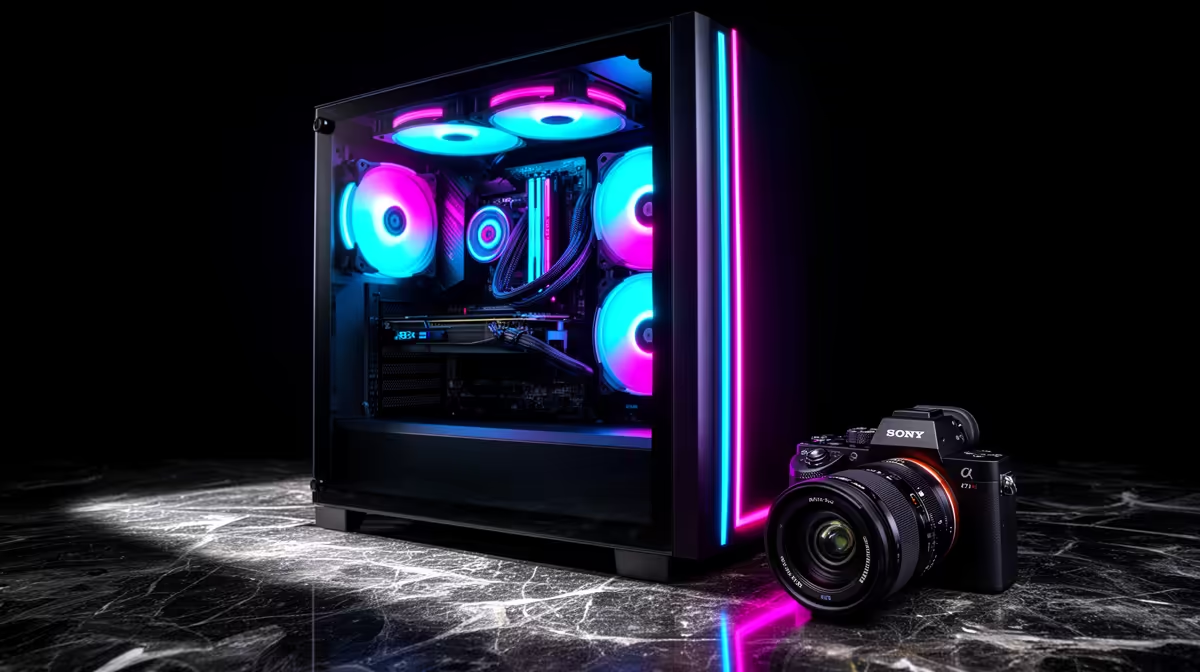
Building a clean mid-tower ATX PC with tempered glass and ARGB fans comes down to three decisions made before a single component is installed: choosing a case with strong cable management behind the motherboard tray, selecting ARGB fans that share a single controller header, and routing every cable before the side panel goes on.
Choosing the Right Mid-Tower Case 🖥️
A clean build starts with a case that has ample PSU shroud coverage to hide the power supply and lower cables, at least 20mm of clearance behind the motherboard tray for bundled cables, and integrated ARGB headers that centralise lighting control. Cases in the R900 to R2,200 range from brands like Corsair, NZXT, Phanteks, and DeepCool offer tempered glass side panels on hinges or with thumbscrews for easy access.
Cable Management and ARGB Routing 🔧
The single biggest visual difference between a clean build and a messy one is how cables are routed before the glass panel goes on. Bundle the 24-pin ATX cable tight against the bottom of the motherboard tray and route it behind the tray rather than across the front. Run GPU power cables through the PSU shroud cutouts instead of directly across the case floor. ARGB fan cables should be routed through the tray cutouts closest to each fan header on the motherboard or controller hub, keeping the visible interior free of loose cables. Velcro cable ties are far more reusable and forgiving than zip ties when you need to adjust later.
Lighting and Final Build Checks ✨
Once components are seated and cables are managed, the visual payoff of a tempered glass build comes down to lighting balance. A common mistake is running ARGB fans at full brightness with no other light sources inside the case, which creates an uneven look. Matching the colour profile of the fans to the CPU cooler ARGB ring and the RAM sticks creates a cohesive aesthetic. Most modern motherboards from ASUS, MSI, and Gigabyte include ARGB headers and their own software (Aura Sync, Mystic Light, RGB Fusion) to unify the lighting ecosystem. Set all zones to the same static colour or a single slow breathing effect for a cleaner look than rainbow wave modes. Before fitting the tempered glass panel, do a full power-on test with the side open to confirm all fans spin, POST completes, and no cables are fouling any fan blades.
Hide the 24-Pin Cable Cleanly ⚡
The 24-pin ATX power cable is the thickest bundle in the build and the hardest to hide. If your case has a cable cover or a gap between the PSU shroud and motherboard tray, thread the 24-pin through that gap from behind rather than routing it across the front of the board. This single change removes the most visually disruptive cable from the tempered glass view.
FAQ
How many ARGB fans should a mid-tower ATX build have?
Three fans is the practical minimum for good airflow and acceptable aesthetics: two front intake and one rear exhaust. Adding a fourth fan at the top exhaust improves airflow in larger cases and adds to the visual impact. Going beyond four fans adds marginal airflow benefit but significant cable complexity.
Do I need a separate ARGB controller if my motherboard has RGB headers?
Not if your motherboard has at least two addressable (5V ARGB) headers and the number of fans you are running does not exceed the header current limit (usually 3A per header). If you have four or more ARGB fans plus a CPU cooler ring and RAM sticks on the same header, use the case's built-in hub or a standalone controller to avoid overloading the header.
What is the typical cost of a clean mid-tower ARGB build in SA?
A complete mid-tower build with ARGB case, CPU, GPU, RAM, NVMe SSD, PSU, and AIO cooler runs from around R12,000 for a budget gaming setup to R25,000 for a high-end configuration with an RTX 5070 or RX 9070 XT. The case itself typically represents R900 to R2,200 of that total.
Planning a clean ARGB gaming build? Find the right mid-tower ATX case with tempered glass panels and preinstalled fans at Evetech, with the full range of compatible components available in one place.









