Quick Answer
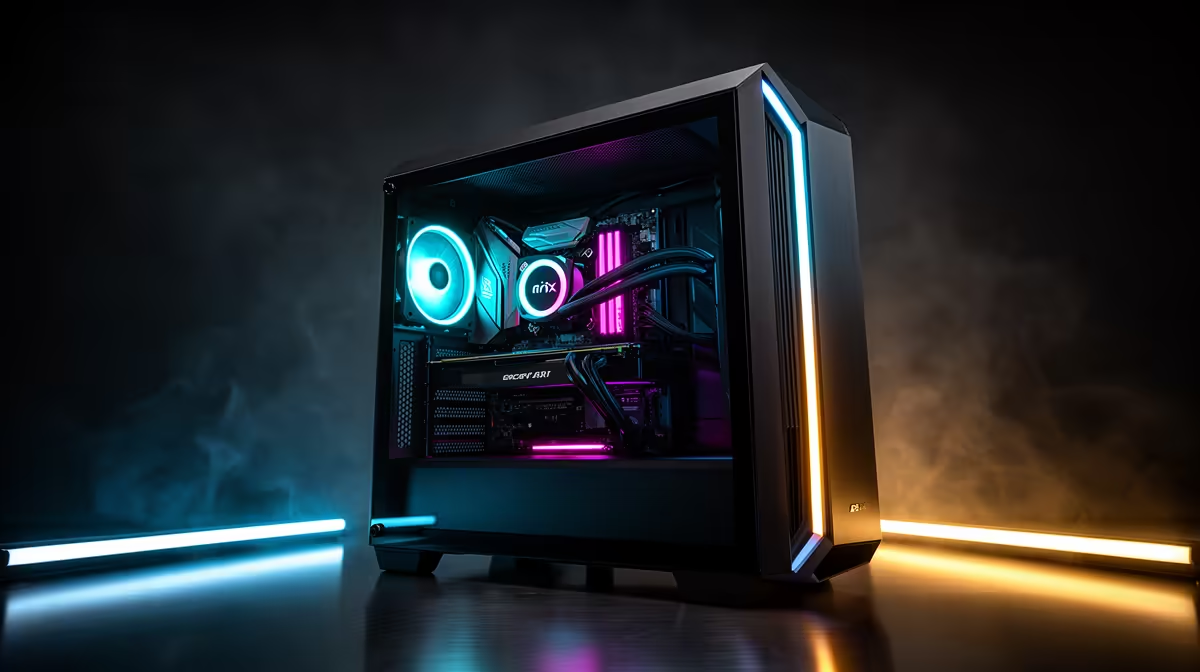
Building a clean showcase PC in a panoramic ATX mid-tower requires planning cable routes before installing any component, choosing sleeved extension cables in your colour theme, routing all power and data cables through the rear chamber grommets before the GPU goes in, and mounting the GPU vertically with a PCIe 4.0 riser cable. Done in this order, the process takes three to five hours and results in a build that looks deliberate from every visible angle.
Planning the Build Before You Touch a Component 📋
A showcase build is designed from the outside in. Before unboxing any hardware, decide on your colour scheme and verify every visible component fits it. White cases pair well with white RAM heat spreaders, white CPU coolers or AIO pump heads, and matching white GPU shrouds. Once colour is confirmed, lay out your cable extensions next to the case and ensure they reach the motherboard connectors with enough slack to route cleanly through the grommets. Measure the GPU clearance in your specific panoramic case and confirm your GPU fits before installing the motherboard. Planning this before any component touches the board tray avoids having to disassemble 40 percent of the build because a cable was installed before routing it behind the tray.
Step-by-Step Build Order for a Showcase Result 🔧
Start by installing the PSU in the secondary chamber and routing its cables through the rear-side grommets before any other component enters the main chamber. Next, install the CPU, RAM, and M.2 drives on the motherboard outside the case, then lower the populated board into the case. Secure the 24-pin and EPS power cables through the designated grommets and tuck the excess behind the board tray. Install the AIO radiator at the front intake or top exhaust. Install GPU last using the vertical riser mount if included. A PCIe 4.0 x16 riser cable should be no longer than 300mm for signal integrity and should fold with a smooth curve.
Finishing Details That Elevate a Showcase Build ✨
Use cable combs to align parallel cables from the PSU into neat bundles before they enter the grommet holes. Velcro straps look cleaner than zip ties because they are repositionable and leave no cut-off stub. Add a small magnetic LED light strip inside the case if the included ARGB fans do not illuminate the lower portion of the chamber near the PSU shroud. Before the first power-on, photograph the cable run from behind the board tray as a future reference for any service access.
Test Before the Glass Goes On ⚡
Always boot and stress-test the system for at least 30 minutes with the side panels removed before fitting the tempered glass. Running Cinebench R24 and a brief GPU benchmark confirms that cooling works correctly and all power connections are secure, so you are not removing glass panels to fix a missed connection after the build is sealed.
FAQ
How long does a clean showcase build actually take?
Allow five to eight hours for a first showcase build in a panoramic ATX case, including planning, cable management, and test-booting. Experienced builders reduce this to three to four hours. Rushing cable management is the most common reason showcase builds look less clean than expected.
Do I need special tools for a showcase build?
A standard Phillips-head screwdriver, flush-cut zip tie clippers, and a set of velcro cable straps cover the essentials. Cable combs for PSU bundles are optional but useful. Anti-static wrist straps are recommended for handling the motherboard, RAM, and M.2 drives.
Can I achieve a showcase look without buying new cables?
Yes, partially. Bundling and routing existing cables neatly through the rear chamber improves appearance significantly even without sleeved extensions. The most impactful single cable upgrade is replacing the 24-pin motherboard power extension with a sleeved version in your build's colour.
Ready to build your showcase PC?
Evetech stocks panoramic ATX mid-tower cases, ARGB fans, AIO coolers, and sleeved cable extensions to complete a clean showcase build. Browse the full range at Evetech.