


Quick Answer
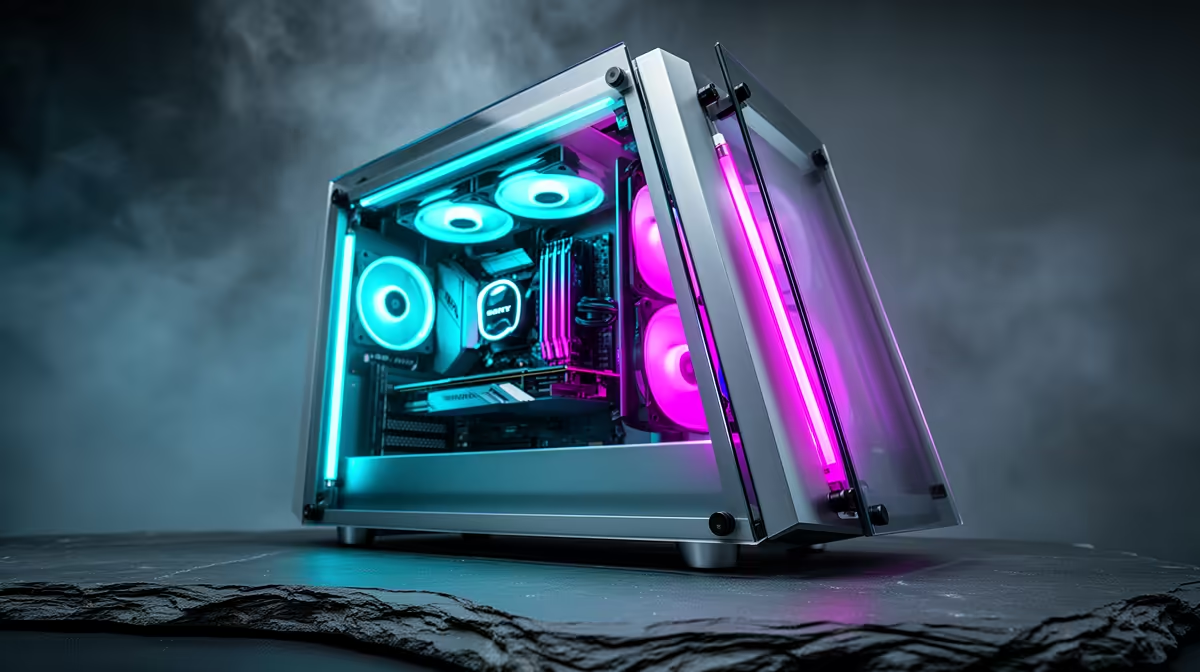
Building a clean showcase PC with dual tempered glass panels requires meticulous cable management behind the motherboard tray, matching component colours, and ARGB lighting positioned to illuminate hardware rather than create hot spots. The dual glass design means both sides of the build are visible, so no shortcuts are possible on either side of the motherboard tray.
Choosing a Case Designed for Dual Visibility 🖥️
Dual tempered glass cases expose both the main chamber and the cable management zone behind the motherboard tray. Cases with this layout include a second 4mm glass panel on the rear side, which means your PSU cables, SATA connections, and storage drives are also on display. Before purchasing, evaluate whether the case includes cable routing channels with dedicated covers, cable tie-down points, and a clean PSU shroud on the rear chamber. Cases that treat the rear chamber as an afterthought will look cluttered regardless of how carefully you route cables. At the R3,000 to R6,000 price point in South Africa, several dual-glass cases provide a genuinely finished rear chamber design.
Cable Management Techniques for a Glass Build 🔧
Fully modular PSUs are essential for a dual-glass build because they allow you to connect only the cables the build requires. Flat or ribbon-style modular GPU power cables lie flatter against the GPU and reduce visual bulk at the rear connector. Route the 24-pin ATX cable behind the tray through the highest grommet and down to the board's connector, keeping it parallel to the tray edge. Use hook-and-loop straps at 100mm intervals rather than cable zip ties, as straps are reusable and adjust cleanly when you change a component. Sleeve extensions in black or white unify the cable colour if your PSU ships with mixed-colour cables, and they cost R300 to R700 for a full extension kit locally.
Lighting Strategy for Maximum Visual Impact 💡
ARGB lighting inside a dual-glass case should illuminate the components, not just the interior space. Mount ARGB fans at the front intake to backlight the GPU from the front. A vertical GPU mount bracket rotates the GPU to face the glass panel directly, positioning the card's own ARGB lighting toward the viewer. RAM with integrated ARGB heatspreaders adds illumination near the top of the main chamber. Avoid placing LED strips inside the cable chamber as they highlight routing imperfections. Synchronise all ARGB components through your motherboard's software ecosystem for a unified lighting theme.
Clean Glass Before Closing the Case Finally ⚡
Fingerprints on 4mm tempered glass panels show prominently under ARGB lighting. Keep a microfibre cloth and isopropyl alcohol solution nearby during the build process. Wipe the interior-facing surface of each glass panel before closing the case for the final time, as dust and fingerprints trapped inside are difficult to remove without disassembling the case.
FAQ
Is 4mm tempered glass strong enough for a daily-use case?
Yes. 4mm tempered glass is the standard thickness for premium PC cases and is significantly stronger than acrylic. It resists casual knocks, does not scratch from normal handling, and maintains optical clarity for years. The main risk is a sharp impact at the edge or corner.
Do dual glass panels affect case cooling?
Dual glass panels do not restrict airflow because air enters and exits through front, top, rear, and bottom panels. Mesh or perforated front panels remain the primary airflow determinant. A dual-glass case with a mesh front cools as effectively as a standard single-glass case with the same fan configuration.
What component colour scheme works best for a showcase build?
All-white or all-black builds with matching ARGB lighting are consistently the most visually clean. Choosing a single accent colour for ARGB and matching it to RAM and cooler creates a cohesive look.
Ready to build something worth showing off? Evetech stocks dual tempered glass cases alongside ARGB fans, vertical GPU mounts, and the components to make your showcase build shine.











