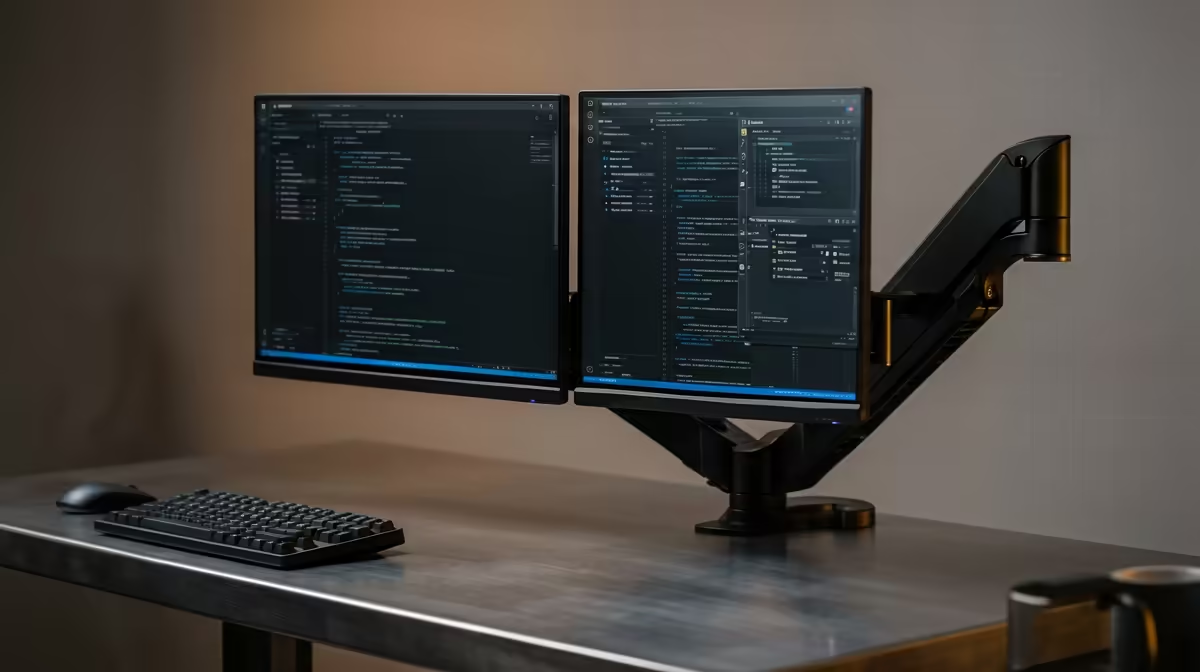
A laptop sitting flat on the desk next to a monitor is an ergonomic compromise nobody chose on purpose. Mounting both screens on a single arm fixes it, lifting your notebook to the same eye level as your display and clearing the entire desk surface underneath. Mounting a monitor and laptop together on one arm takes a combo arm, a VESA laptop tray and about twenty minutes, and the result is a tidier, healthier two-screen setup.
Quick Answer
A monitor-plus-laptop combo arm uses one clamp base with two heads: a standard VESA mount for your display and a flat tray that cradles the laptop. Most trays take 11 to 17 inch notebooks up to roughly 4 to 5 kg, and the monitor side handles screens to about 32 inches on 75x75 or 100x100 VESA. Confirm both weight limits before you buy.
Check the numbers before you order
Two specifications decide whether a combo arm works for your gear. The first is the laptop tray's weight rating, commonly around 4 kg, with a size window that typically spans 11 to 17 inch machines. A heavy 17 inch gaming laptop can sit near or above that limit, so weigh yours rather than guessing.
The second is the monitor side. Each arm usually supports a display up to roughly 8 to 10 kg and around 32 inches, on the standard 75x75 mm or 100x100 mm VESA hole pattern. Critically, do not mount the laptop tray to the back of the monitor itself: a monitor's VESA mount is rated only for the monitor's own weight, so the tray must hang from its own dedicated arm.
A clear desk changes how a workspace feels, and pairing a mounted setup with the right surface from the ergonomic desk range at Evetech handles the other half of building a comfortable station for long sessions.
Step-by-step assembly
- Pick your mount type. Most combo arms use a desk clamp that grips the rear edge, with a grommet option for desks with a cable hole. Check your desk thickness against the clamp's range, usually around 10 to 80 mm.
- Fit the clamp base. Position it near the back edge where the arm can reach your seating distance, and tighten until the base is solid with no wobble. A loose base is the most common cause of arm sag later.
- Attach the monitor. Screw the VESA plate to the back of your display using the correct 75 or 100 mm screws, then click or bolt the plate onto its arm head. Support the monitor with one hand until it is locked.
- Mount the laptop tray. Fix the flat tray to the second arm head. Set your laptop into it, secure the retaining lip or strap, and make sure the screen hinge clears the arm at full open.
- Set the heights. Raise both screens until the upper edge of each display lands at roughly your seated eye height. The whole point is matching the laptop to the monitor so your neck is not dropping to one side.
- Tension and tidy. Adjust the arm's gas-spring or friction tension so each screen holds position without drifting, then route cables through the arm's channels for a clean finish.
Getting eye level right
Aim for the top of each screen to sit at about your seated eye height, with the displays an arm's length away. When the laptop and monitor are raised to the same level, your gaze stays consistent as you switch between them -- which is the ergonomic win the flat-on-desk arrangement never gives you.
Single arm or two separate arms
A true combo arm shares one clamp base, which is neatest and frees the most desk space. If your laptop is heavy or unusually large, two independent single arms on one desk can be sturdier and more flexible, at the cost of a second clamp footprint. For most 13 to 15 inch notebooks beside a single monitor, the one-base combo is the simpler buy.
If you are rebuilding the whole station around this, the best-selling workspace accessories at Evetech are worth a look to finish the ergonomic picture once your screens are off the desk and at the right height.
Frequently Asked Questions
What size laptop fits a VESA laptop tray?
Most trays take 11 to 17 inch notebooks, but check the weight limit too, commonly around 4 kg. A large, heavy gaming laptop can sit at the top of that range, so weigh yours before buying.
Can I clamp the laptop tray to the back of my monitor?
No. A monitor's VESA mount is rated only for the monitor's own weight. The laptop tray needs its own dedicated arm so the load is carried by the base, not the display.
Will a combo arm fit my desk?
Check the clamp's thickness range, usually about 10 to 80 mm, against your desk edge. Most desks fit, and many arms include a grommet option if you have a cable hole instead of a clampable rear edge.
How do I set the right height for both screens?
Raise each screen so its upper edge sits at roughly your seated eye level, an arm's length away. Matching the laptop to the monitor keeps your gaze level as you switch between them.
Does mounting both screens really clear the desk?
Yes. With the laptop lifted into a tray and the monitor on its arm, the desk surface beneath is completely free, which is the main practical reason people switch from a flat laptop stand.
Reclaiming your desk space? Pair your new dual-screen mount with the right desk from the ergonomic desk range at Evetech and get the whole setup working for your posture.