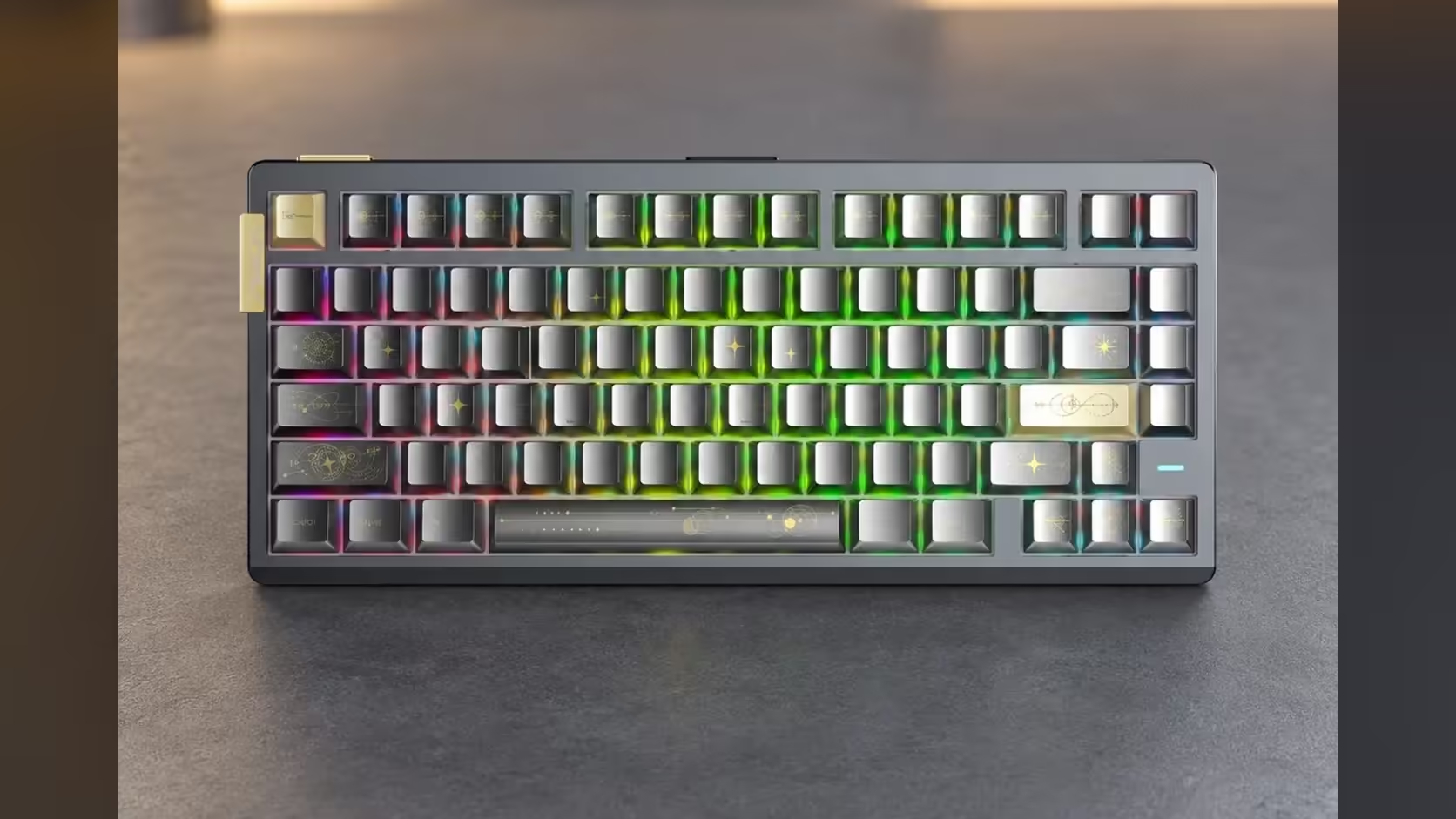
A heavy aluminium keyboard and a big cloth pad raise a small but real layout question: does the board go on the fabric with the mouse, or on the bare desk beside it? The answer changes your wrist height, how the keys feel under a hard press and how much sweep the mouse keeps. This walk-through covers keyboard on mouse pad placement using the AULA AG75 and the AULA MP-XL as the working example.
Quick Answer
Put the AG75 on the MP-XL. At 900 x 400mm the pad has room for a 319.8mm-wide 75% board and a full mouse lane, and it keeps both hands on the same 3mm surface. The AG75 weighs about 1.5kg without its cable, so it will not wander on cloth, and its switchable spring base still does its job on top of the pad. The MP-XL is R129 at Evetech, and the AG75 is R2,399, or R2,799 for the Armor Silver Pro.
📐 Measuring the MP-XL against the AG75
Start with the numbers, because they settle most of the argument. The MP-XL is 900mm wide, 400mm deep and 3mm thick. The AG75 has 81 keys in a 75% layout and measures 319.8 x 143.8 x 42.1mm. Subtract the keyboard from the pad width and roughly 580mm is left over, even before you account for the gap you want between the board and the mouse.
Depth is the easy part. A 143.8mm board uses little more than a third of the 400mm front-to-back space, which leaves room below the keys for your palms and room above for a notepad or a phone stand if you want one on the fabric.
Where the board should sit
For a right-handed player, slide the AG75 to the left of centre. That hands the mouse the long stretch of cloth on the right. Left-handers flip it. Keep a hand-width gap between the right edge of the keyboard and the mouse's resting spot, so a wide swipe never clips the arrow cluster.
Straight or angled
Many players turn a 75% board a few degrees clockwise so the left forearm lines up with the movement keys. The AG75 is compact enough to angle without a corner falling off the pad, which matters more than it sounds: a corner hanging over the edge rocks when you lean on it.
🧱 Pad under the board or bare desk: the trade-offs
Both options work. They just give different results.
On the pad. Keyboard and mouse sit at the same height, so your two wrists stay level. The cloth also takes the edge off the sound of a hard bottom-out on a solid desk. The anti-slip rubber base holds the MP-XL still, and the stitched edges stop the fabric lifting where a heavy board's rear feet rest.
On the bare desk. The keyboard ends up 3mm lower than the mouse surface. That is not much, but some people notice the change as they move between the two. You also give up the cloth under the board, so any desk knock goes straight into the case.
For most desks the pad wins. The main reason to leave the board off is a desk too narrow for a 900mm pad, in which case you would pick a smaller mat anyway.
🪨 What the AG75's weight and base bring to the table
The AG75 is built in a full CNC-machined aluminium case with a carbon fibre plate and six layers of dampening inside. At about 1532g it is a heavy board for its size, and that mass is exactly why it behaves well on a cloth surface. Light plastic keyboards can creep across a pad during frantic typing; a board this heavy stays where you put it.
The base is the other detail worth knowing. AULA fits a switchable spring shock-absorbing structure, and you can turn it on or off. With it on, each keystroke lands a little softer. With it off, the feel is firmer and more direct. The pad does not replace that setting, and it does not fight it either: choose the firmness you prefer, and let the cloth handle desk noise.
The case opens tool-free through a ball-catch quick release for anyone who likes to customise, and the magnetic switches are hot-swappable, so the board can stay on the pad while you tinker. The three editions share that build: two AG75 Pro colours, Shadow Grey and Armor Silver, and the AG75 Ultra in Battle Shine Orange.
🖱️ Giving the mouse its share of the cloth
The MP-XL's surface is a Speed-type polyester weave, tuned for a quick glide with consistent sensor tracking. AULA rates it for optical and laser sensors, so any mouse you pair it with will read the surface. On the leftover 580mm or so, a player on low sensitivity has space for full arm swings, and someone on higher sensitivity barely touches the far edge.
A few habits keep the setup tidy over time:
- Route the AG75's USB-C cable off the back edge of the pad so it never drapes across the mouse lane.
- Leave the mouse's resting position roughly level with the keyboard's home row, not the spacebar, so your arm stays relaxed.
- Wipe the fabric now and then; AULA describes the surface as easy to clean.
If you want to see which mice and boards other buyers are pairing up, Evetech keeps a running list of peripheral best sellers, and the full range of gaming mouse pads covers smaller mats for tighter desks. Evetech gives the AG75 a 2 Years Local Warranty, and the MP-XL's local cover runs for 1 year; the price of each sits on its product page at Evetech.
Frequently Asked Questions
Will a 1.5kg keyboard dent or crease the cloth?
Not in normal use. The weight spreads across the AG75's feet, and a 3mm pad with a rubber base sits flat again once the board moves.
Is there enough room left for a large mouse?
Yes. With a 319.8mm board at one end of a 900mm pad, the mouse keeps well over half the width, which suits both small and large shells.
Should the spring base be on or off when the board sits on the pad?
That is personal. Turn it on for a softer landing on each key, off for a firmer feel; the pad affects neither setting.
Does the keyboard need to be centred on the pad?
No. Offset it towards your non-mouse hand so the mouse gets the longer stretch of fabric.
Can a smaller board use the same layout?
Yes. A 65% or 75% keyboard frees even more width on the MP-XL, and the same left-of-centre placement applies.
Ready to lay out a desk with one surface for both hands?
Browse Evetech's gaming mouse pads and keyboards and pair an extended mat with the board you type on every day.