Mix and Match Keyboard Switches for Ultimate Customisation
Looking to transform your typing or gaming setup? 🎮 South African gamers and tech enthusiasts are increasingly exploring how to mix and match keyboard switches for a personalised feel. Rather than settling for a standard keyboard, why not craft one that perfectly suits your typing speed, feedback preference, or gaming style? This guide dives into how mixing keyboard switches can elevate your experience.
Why Mix and Match Keyboard Switches?
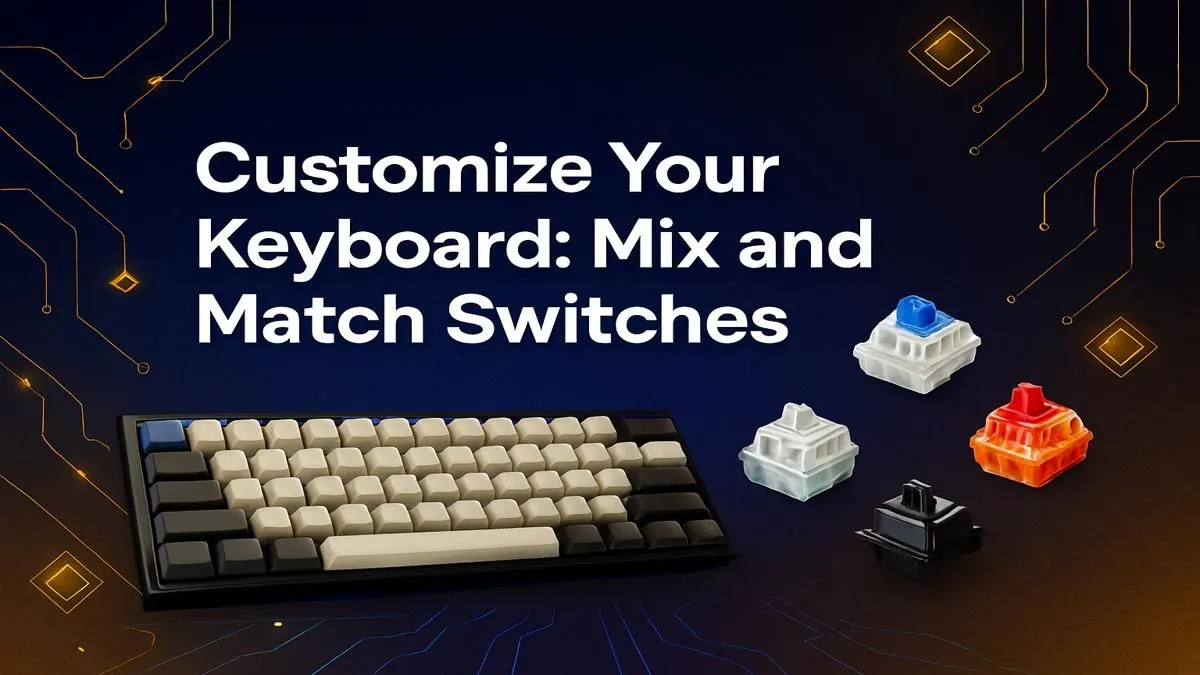
Keyboard switches determine how each keypress feels—from the tactile bump to the sound and force required. Mixing switches enables you to customise parts of your keyboard for different tasks. For example, you could equip your WASD cluster with linear switches for gaming, but use tactile switches elsewhere for typing. This kind of granular control isn’t common in pre-built keyboards but is accessible with some DIY know-how.
If you’re after options, check out Evetech’s wide range of keyboard switches to start your customisation journey.
Popular Switch Types and Where to Use Them
- Linear switches offer smooth keystrokes and are quieter—great for fast-paced games or streamers avoiding noisy keys.
- Tactile switches give a noticeable bump mid-press, ideal if you want feedback while typing.
- Clicky switches add a sharp click sound for that satisfying feedback, but may get loud over longer sessions.
Pro tip: Match switch type to the key’s role. Use clicky or tactile switches for frequently typed letters and linear on less-used keys to reduce finger fatigue.
Pro Tip: Start Small
Try swapping switches on just a single row or cluster first. This lets you test different feels without committing to a full overhaul. Adjust your setup gradually until it’s just right. 🔧
How to Mix Switches Safely and Effectively
Mixing switches requires a hot-swappable keyboard or desoldering if fixed. Hot-swappable models give you freedom with no soldering risks. If you’re building from scratch or upgrading, browse Evetech’s selection of the cheapest gaming keyboards that support hot-swap switches.
Pair your switches with complementary keyboard keycaps to enhance both aesthetics and feel. Don’t forget wrist support—ergonomic wrist rests help reduce strain during late-night raids or work marathons.
Where to Buy & Deals You Shouldn’t Miss
South African gamers want quality without breaking the bank. Evetech offers competitive pricing and frequent specials. For gamers after a reliable combo, explore their keyboard and mouse combos with great bundle value.
Also, keep an eye on the best gaming keyboard deals to optimise your setup affordably. Combining deals on switches, keyboards, and accessories unlocks serious value for your ZAR.
Final Thoughts on Keyboard Switch Customisation
Mixing and matching keyboard switches is not just a trend—it's a functional upgrade for your rig. Whether you’re typing up assignments or pushing high scores, this custom approach makes your keyboard an extension of you.
Ready to tweak your setup? It’s easier than you think with the right gear and knowledge.
Craft Your Keyboard Your Way
Experience custom comfort and precision firsthand—Shop now at Evetech for keyboard switches and accessories that suit your style and budget.