



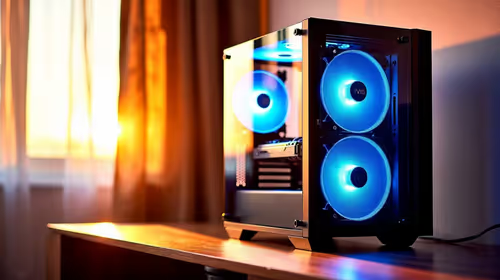
Is a high-airflow case actually worth buying for a bedroom gaming setup in SA?
For a bedroom gaming setup in SA, a high-airflow case is worth considering when heat and fan noise would bother the room.
Read moreSet the seat height first so your feet sit flat, then move the lumbar pad into the small of your back. Then set the desk so your elbows bend near 90 degrees. In a small Johannesburg flat, a footrest beats raising the keyboard when the desk runs high.

A chair with lumbar support only helps when it is set up for your body, and the order matters. Set the seat height first, then the lumbar pad, then the desk. A proper office chair setup for lumbar support takes about ten minutes, and skipping a step leaves the pad pushing against the wrong part of your back.
Set the seat height first so your feet sit flat, then move the lumbar pad into the small of your back and set the desk so your elbows bend near 90 degrees. In a small Johannesburg flat where the desk runs high, a footrest usually beats raising the keyboard. If you are buying, the HBADA P Series at R2,399 lists 8cm of height adjustment, so check that range against your desk before you order.
Sit all the way back against the backrest and adjust the seat height until your feet rest flat on the floor. Your thighs should run level or slope slightly down toward the knees, so your weight sits on your sit bones rather than on the front edge of the cushion. Only after this step should you touch the lumbar pad or the backrest.
The height range decides whether the setup works at all. The HBADA P Series lists 8cm of height adjustment, and that is the number to match against your desk. A short range leaves a tall user perched at the keyboard, while a short user with no footrest ends up with feet dangling off the floor.
If you are comparing models first, the office chairs range is the quickest way to see the height figures side by side.
Set the lumbar pad in the small of your back, just above the belt line, so the curve of your lower spine rests against it. Pressure under your shoulder blades means the pad is too high, and a gap at the waist means it is too low. Move it in small steps until the curve fills the gap without pushing your chest forward.
Lumbar controls differ across the range. The Enova model with 3-level tension adjustable lumbar support, the Sparta 3 ESP3-003A-HS, is priced at R4,199, while the HBADA P5-Pro at R2,799 carries 2D lumbar supports. Pick the chair whose controls you can actually reach from the seat.
Once the pad sits right, set the recline. The HBADA P5-Pro lists a 135 degree tilt angle, and the recline you choose should keep the pad in contact with your back as you lean. If you lean back and lose the pad, the recline is set too far for that chair. The office chairs under R4,000 page is a practical place to compare these controls at budget prices.
Set the desk so your forearms rest level on the keyboard with your elbows near 90 degrees. If the keyboard sits above elbow height, your shoulders climb and the lumbar work you just did is undone. Keep the top of the screen at or just below eye level, roughly 50 to 70cm from your face.
In a small flat in Johannesburg, a desk tucked into a lounge corner often runs higher than the chair can go down. The usual fix is a footrest under the feet, not a keyboard raised on books, because lifting the keyboard lifts your shoulders with it. Lower the chair first, add the footrest if your feet still dangle, and then recheck the elbows.
Seat height comes first, so your feet sit flat and your thighs run level or slightly downward. Only then move the lumbar pad and set the backrest recline, because a pad set on a seat at the wrong height lands on the wrong part of your back.
Set it in the small of your back, just above the belt line, so your lower spine is supported without pushing your chest forward. If you feel it under your shoulder blades, the pad is sitting too high.
Set the desk so your forearms rest level on the keyboard with your elbows near 90 degrees. If the desk runs too high for that, lower the chair first, then add a footrest rather than raising the keyboard.
Yes. The HBADA P Series in White is R2,399, with 155 degree angle locking, 8cm height adjustment and 360 degree rotation. Those are the figures to match against your desk before you choose.
Recheck it after any desk or screen change, and stand up roughly once an hour. A setup that felt right on Monday can drift once you start leaning on the armrests or moving the screen.
Ready to pick a chair that holds its setting? Browse Evetech's ergonomic chairs and check the height range and lumbar controls against your desk before you order.
Seat height comes first, so your feet sit flat and your thighs run level or slightly downward. Only then move the lumbar pad and set the backrest recline, because a pad set on a seat at the wrong height lands on the wrong part of your back.
Set it in the small of your back, just above the belt line, so your lower spine is supported without pushing your chest forward. If you feel it under your shoulder blades, the pad is sitting too high.
Set the desk so your forearms rest level on the keyboard with your elbows near 90 degrees. If the desk runs too high for that, lower the chair first, then add a footrest rather than raising the keyboard.
Yes. The HBADA P Series in White is R2,399, with 155 degree angle locking, 8cm height adjustment and 360 degree rotation. Those are the figures to match against your desk before you choose.
Recheck it after any desk or screen change, and stand up roughly once an hour. A setup that felt right on Monday can drift once you start leaning on the armrests or moving the screen.
For a bedroom gaming setup in SA, a high-airflow case is worth considering when heat and fan noise would bother the room.
Read more
A first-time SA buyer should pick a video-editing PC that is understandable, upgrade-friendly and strong enough for work and play. The provided creator options include RTX 5070 Ti 16GB R12,700 through RTX PRO 4000 24GB R16,700, so avoid paying for complexity that the user will not use.
Read more
Medical students in South Africa should get a streaming setup built around study reliability first, then creator PC power if rendering, AI or large media work is real. The provided options cite RTX 5070 Ti 16GB R12,700 through RTX PRO 4000 24GB R16,700, with higher workstation scaling noted.
Read more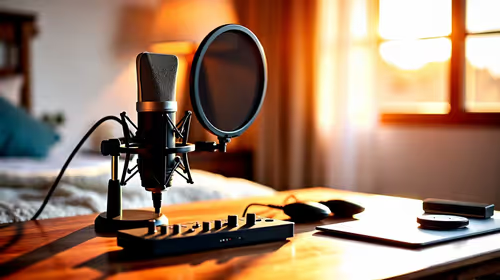
In a quiet bedroom, a USB microphone can cope well if the room stays controlled and the setup remains simple. The purchase should focus on clean voice capture, convenient placement and whether the existing device can record without adding noise or clutter.
Read more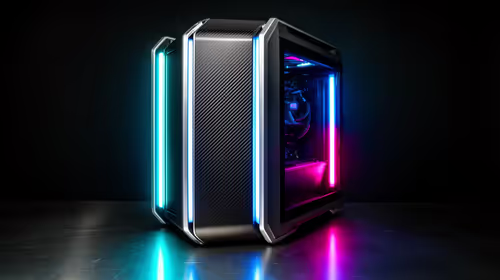
A first-time entry gaming PC setup in South Africa should start with a balanced tower, enough desk space, and a realistic upgrade plan.
Read more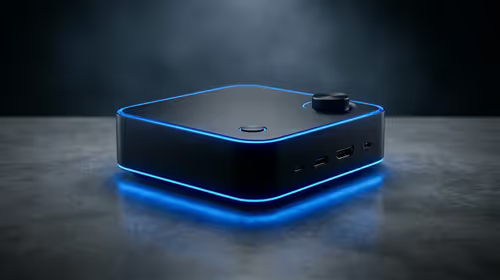
For a bedroom gaming setup, a mini PC media box is worth considering when space and tidy cabling matter more than tower-style expansion. Minisforum NAB6 Lite is listed at R4,150, with UM750L and AI-X1-255 around R4,600 for buyers comparing nearby options.
Read more
Firefox can mute one noisy tab using its speaker button or context menu. Check the tab control before changing Windows volume or replacing a working headset.

ASUS PA329CDV combines a 4K 120Hz QD-OLED panel with USB-C charging and Auto KVM. Compare colour work, laptop power and desk connections before treating overseas availability as an SA offer.

Teclast N30 Pro pairs Core 3 304 with 12GB memory and USB4. Its expansion connection is useful, but an external graphics plan needs a complete cost and compatibility check.

Firefox private browsing separates a temporary session from normal browsing history. It does not make you anonymous online, and files or bookmarks you deliberately save can remain after the last private window closes.

Set Firefox as the default browser to open normal web links from other apps in it. Use Firefox Settings or Windows Default apps, then test an outside link; opening Firefox manually does not prove the default changed.
Firefox can mute one noisy tab using its speaker button or context menu. Check the tab control before changing Windows volume or replacing a working headset.

Firefox has a startup-cache control on its Troubleshooting Information page. Use it for a focused interface test and keep it separate from clearing website data or refreshing the profile.

Firefox Primary Password protects access to locally saved logins. It is separate from a website or Mozilla account password, and forgetting it can put saved credentials at risk during reset.
Set Firefox as the default browser to open normal web links from other apps in it. Use Firefox Settings or Windows Default apps, then test an outside link; opening Firefox manually does not prove the default changed.
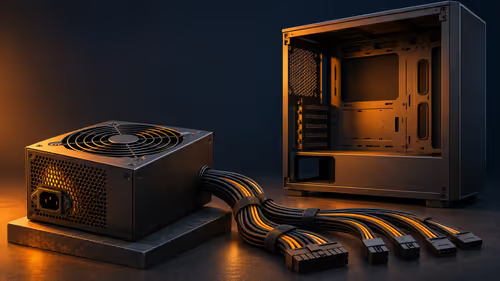
FSP1200-50ADA is a 1200W fixed-cable ATX 3.1 power supply announced in November. Compare the exact build requirements, connector layout and cable space before choosing capacity from a graphics-card headline.
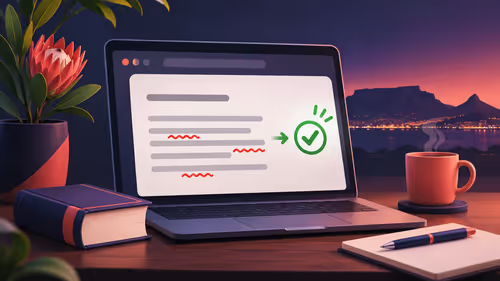
Firefox spell check uses an installed dictionary to underline unfamiliar words. Check the text field and dictionary language before switching it off, especially when South African spelling is being marked as an error.
Firefox can show bookmarks in a sidebar beside the current page. Open that tool and adjust its position separately from vertical tabs; a hidden panel does not mean saved bookmarks have been deleted.