Windows says 16GB, but you installed 32GB. Before you declare a module dead, shut the PC down and look at the latches. A RAM stick not detected after a build or move often needs one clean reseat, and a methodical slot test can separate the module from the motherboard in half an hour.
Quick Answer
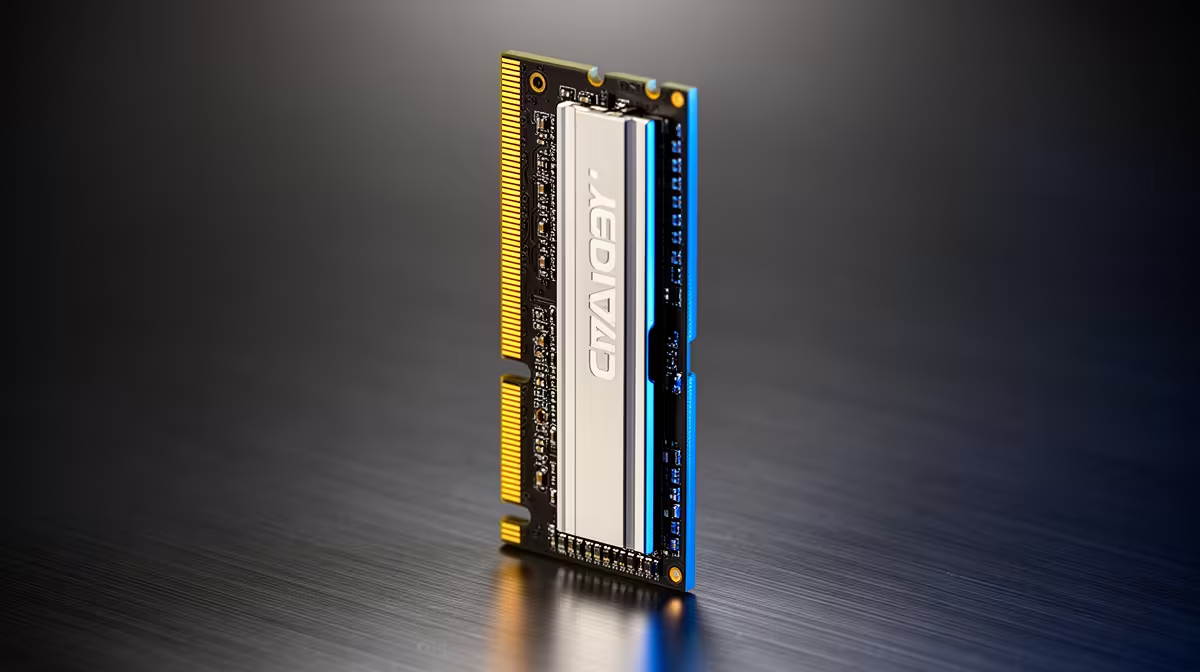
Confirm the missing capacity in BIOS, power down and reseat both modules in the manual's preferred slots. Test one stick at a time in A2, then swap sticks and slots to see whether the fault follows the module or stays with the socket. A Kingspec 8GB DDR4-3200 module was R1,499 at Evetech in July 2026; complete the slot test before buying a replacement.
🔎 Confirm what the firmware sees
Open Task Manager and note the installed memory, then restart into BIOS. Check total capacity and the board diagram showing which slots contain a module. Windows cannot use memory the firmware never detected.
Take a photo of the screen and load optimised defaults if you were using an XMP or EXPO profile. A failed profile can prevent a stick from training even when the hardware works at base speed.
Use Evetech's DDR5 memory category to identify replacement capacity later. Keep the shopping decision out of the diagnosis for now.
🧤 Reseat the modules without rushing
Switch off the power supply, unplug the PC and press the case power button once. Release the DIMM latches and lift each module by its edges. Check the slot for dust or packing material under good light.
Align the notch and press the module down with even force until the latch closes. Some boards have a fixed latch on one side, so watch the moving side and confirm the module sits level. Install two sticks in A2 and B2 unless the manual specifies another pair.
Avoid rubbing the gold contacts with an eraser or household cleaner. Skin oil and abrasive residue can create a second problem. If a contact has a visible mark, photograph it and use the module maker's cleaning guidance. Blow loose dust from the empty slot with the PC unplugged, keeping the can upright if you use compressed air.
🧪 Make the fault follow one part
Place the first stick in A2 and boot. Record the result. Replace it with the second stick in the same slot and boot again. If one works and one fails in A2, the module becomes the main suspect.
If both work alone in A2, test a known-working stick in B2. A failure that stays with B2 points toward the slot, memory channel, CPU seating or cooler pressure. Clear CMOS before repeating the final comparison.
Label the modules with a removable note during the test. "Stick 1 in A2 passes" and "Stick 2 in A2 fails" gives support a usable result. Swapping parts without a written grid becomes confusing after the fourth boot, and you may repeat a combination while missing the one that isolates the fault.
Keep XMP or EXPO disabled throughout this grid. Re-enable the profile only after both modules appear together at stock speed and pass a memory test.
🪛 Check the CPU side when a channel disappears
Desktop memory channels connect through the CPU socket. A bent socket contact, uneven cooler pressure or poorly seated processor can remove a whole channel. This is a deeper step, so photograph cable and cooler positions before disassembly.
Loosen the cooler in a cross pattern and inspect the socket according to the motherboard and CPU instructions. Do not touch contacts. If the PC is under warranty or you are uncomfortable removing the cooler, stop with your module-and-slot results and ask for a hardware assessment.
When a stick fails in every known-good slot at stock settings, run a memory test on the surviving module and document the failed one. Evetech's memory best-sellers can help you price a matched replacement kit if support confirms the need.
Frequently Asked Questions
How do I fix one RAM stick not being detected?
Load stock memory settings, reseat both modules and test each stick alone in the preferred slot.
Does mixing RAM kits cause one stick to disappear?
Mixed modules can fail training together. Test each at stock speed, then use one matched kit for a dependable setup.
Which BIOS screen shows detected RAM?
The main system-information or memory page shows total capacity, and many boards include a slot map.
Is a missing RAM stick always dead?
No. Poor seating, a failed memory profile, a bad slot or a CPU socket issue can produce the same symptom.
Should you clean RAM contacts?
Handle modules by the edges and avoid abrasive cleaning. Remove visible dust from the slot with the PC unplugged.
Where can you get a memory stick tested in South Africa?
Use the retailer or system builder's support process and provide the module-and-slot test results with proof of purchase.
Replacing a confirmed failed memory module?
Compare matched RAM kits at Evetech by generation, capacity and module count, then retest the new kit at stock speed before enabling its profile.