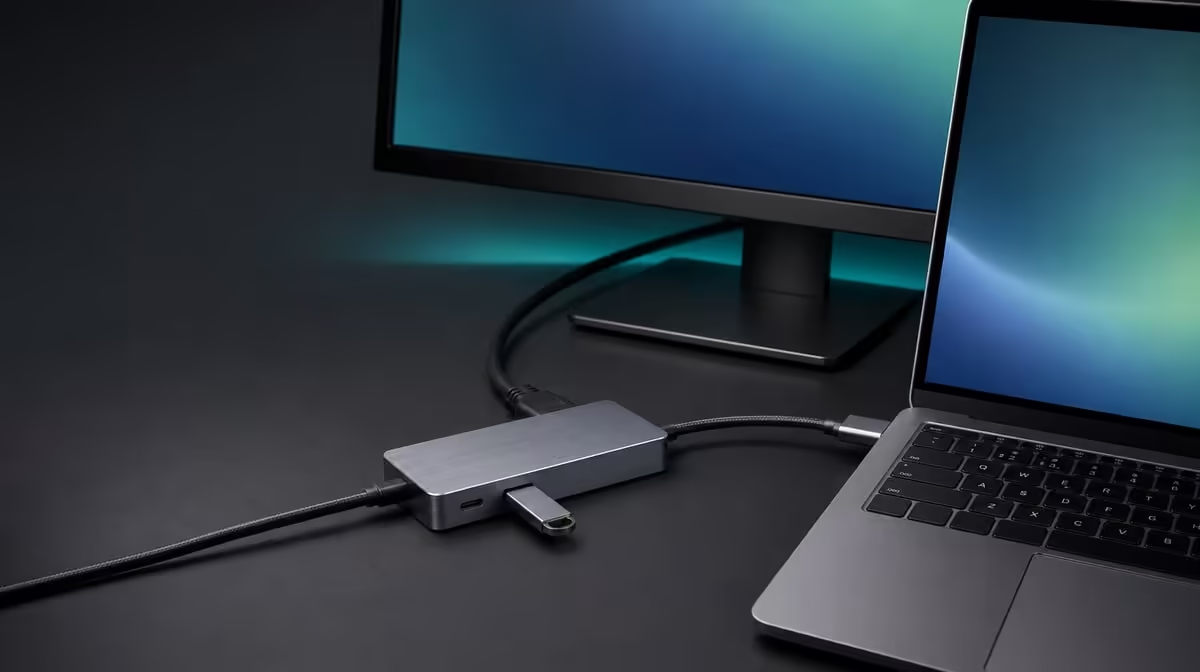
Charging, video, and file movement can share one hub connection, but they should not be treated as one undivided feature. Using 60W Power Delivery with video and data works best when the charger, cable, host, display path, and storage devices are confirmed separately before the full workload begins.
Quick Answer
Connect a compatible charger to the R399 UPERFECT UExtend, attach the hub to a host that supports the required modes, and verify charging before adding 4K video and USB data in sequence. The hub supports up to 60W passthrough, 4K output, and two fast-data USB ports, while the equipment and workload around it shape practical performance.
🔋 Establish the charging agreement
The UExtend does not generate 60W on its own. It provides a Power Delivery path with a stated ceiling of 60W, so the upstream charger must provide compatible power, the lead must support the route, and the laptop decides what it accepts. A higher charger label does not force the host to take more than the negotiated amount.
Start without a display or storage transfer running. Connect the charger, hub, and laptop, then observe the operating system's charging state. If the battery does not behave as expected, inspect the charger, cable, host requirement, and physical connection before adding other work.
Use Evetech's USB hub category to compare charging ceilings only after confirming what the laptop needs. A 60W path is useful when it matches the machine; a bigger figure has little value if the device cannot use it.
🖥️ Add the 4K display path
With charging established, connect the monitor through the UExtend's stated 4K output using a suitable cable. The host USB-C port must support display video, and the screen must accept the chosen mode. Select the correct input and confirm detection before requesting the intended resolution.
Watch whether the laptop's charging indication changes when the display becomes active. A system under heavier demand may use power differently, but this observation does not prove a fault by itself. Compare like with like, keeping screen mode and workload stable while examining the power state.
💾 Introduce data activity deliberately
Attach one USB storage device to a data port and complete a small known transfer. Eject it safely, then test the second port or SD reader as required. Record the result with the device, media, host resources and simultaneous activity because each can affect observed speed.
After individual tests, run the actual combination: monitor active, laptop charging, and a representative file operation in progress. Note whether each task completes normally. If something changes, remove the most recent workload and repeat rather than replacing all cables and settings at once.
A fixed station with broader requirements may justify looking at Evetech's docking-station options. The comparison should focus on the required charging ceiling, display path, data devices, and network role rather than on the largest port total.
🧭 Save a repeatable working profile
Record the charger, host socket, hub connection, display lead, screen mode, and storage devices used in the successful test. Repeat a cold connection or restart to confirm the arrangement does not rely on an accidental sequence. Keep high-movement leads routed so the hub and removable media stay still during transfers.
If the battery level falls under a demanding task, compare laptop consumption with the negotiated input and decide whether 60W suits that workload. The correct conclusion may be that the hub works as stated while the machine needs a different power plan.
Evetech's gaming-accessories selection can help frame the keyboards, controllers, or other devices that might occupy the data ports. At R399, the UExtend earns its place when the combined profile is compatible and routinely useful.
Read battery behaviour over time
A charging icon is only one observation. Note the battery percentage at the start of an idle period, after the 4K display is active, and during the representative data transfer. The direction and rate of change show whether the negotiated input covers each workload.
Keep screen brightness, applications, and transfer task consistent when comparing results. If the battery holds during ordinary work but falls during a brief heavy operation, decide whether that temporary behaviour is acceptable. If it declines throughout the normal day, the 60W ceiling may not match the machine's power needs.
Protect storage while power changes
Do not disconnect the charger, hub, or host cable during an active write. Finish the transfer, eject removable storage, and close files before changing the power chain. A sudden interruption can create a data problem that looks unrelated to the original charging test.
After establishing the full profile, repeat the session from battery power first and then with compatible passthrough active. This comparison helps show what the power route changes without altering every peripheral. Keep the known display mode and storage devices the same.
Create a small result table with rows for idle, video, one data transfer, combined data, and normal full use. Record charging state rather than inventing a wattage received by the laptop. The practical decision is whether the R399 hub's 60W path supports the routine predictably.
Review the result after the laptop has been used on battery and then returns to the desk. Confirm that Power Delivery, the external screen, and storage devices resume without an unsafe reconnection during active work.
Frequently Asked Questions
Does the UExtend produce its own charging power?
No. It passes compatible charger power towards the laptop up to its 60W ceiling.
Should video and storage be attached during the first charging test?
No. Confirm the simple power path first, then add display and data workloads one by one.
Is an exact USB transfer speed promised?
Test performance with the real host, devices and representative files.
Why can battery level still fall?
The laptop's demand can exceed what the negotiated charging path supplies during a heavy workload.
Can the hub keep Ethernet available too?
The UExtend also includes 1000Mbps Ethernet, subject to the compatible host and network chain.
Ready to combine charging, 4K output, and data without guesswork?
Compare Evetech USB hubs by the power your laptop accepts, the display route it supports, and the storage workload you actually run.