



Build a Hollow Knight-Ready Gaming PC for R40,000
Hollow Knight R40,000 PC build planning starts with balanced parts. For SA gamers, compare CPU and GPU fit, RAM needs, SSD space, PSU headroom and cooling before buying.
Read moreMaster your Ryzen 7000 gaming build with our step-by-step guide. Unlock the power of the AM5 platform, DDR5 memory, and PCIe 5.0 speed. Secure your rig's performance for years to come! 🚀🛠️

Tired of building a beast of a PC, only to watch it struggle with new games a few years down the line? We get it. In South Africa, every rand counts, and you want a machine that lasts. That’s where a smart Ryzen 7000 gaming build comes in, offering a true 'future-proof' foundation for years of elite performance. It's not just an upgrade; it's a long-term investment in your gaming future. Let's dive in. 🚀
The secret sauce behind a future-proof Ryzen 7000 gaming build isn't just the raw power of the chip itself... it's the platform it's built on: AM5. This is AMD's latest socket, and it brings two massive upgrades to the table for everyday gamers.
First, there's support for DDR5 RAM. This is the new standard for memory, offering much faster speeds and more bandwidth than the old DDR4. This means quicker loading times and smoother performance in demanding open-world games. Second, you get PCIe 5.0. While graphics cards and SSDs that use this full speed are still emerging, building on an AM5 motherboard means you're ready to drop in next-generation components without needing a full system overall. Choosing the right CPU processor is the first step to unlocking this potential.
When planning your build, it's easy to think you need the most expensive chip. But the beauty of the Ryzen 7000 series is its incredible range. For most gamers, a Ryzen 5 7600X offers a phenomenal sweet spot of price and performance, easily handling modern titles at high frame rates.
Of course, if you're into streaming, content creation, or just want maximum power, stepping up to a Ryzen 7 or Ryzen 9 from AMD's latest CPUs gives you more cores and threads to crush any task you throw at it. While there are always strong options from Intel to consider, the AM5 platform's longevity gives AMD a serious edge for anyone building a PC they want to last. You can find some seriously powerful CPUs under R7000 that will form the core of an incredible system.
When you first build your Ryzen 7000 system, your DDR5 RAM will likely run at a default low speed. Don't panic! Just reboot, enter your motherboard's BIOS, and look for a setting called 'EXPO' (Extended Profiles for Overclocking). Enabling this with one click will automatically set your RAM to its advertised speed, giving you a free and significant performance boost.
A great processor needs a great team. For your Ryzen 7000 build, pairing it with the right components is crucial.
By focusing on a balanced selection of parts, your Ryzen 7000 gaming build won't just be powerful on day one... it'll be a reliable and upgradable platform for years to come.
Ready to Build Your Future-Proof Rig? A Ryzen 7000 gaming build is more than just an upgrade; it's an investment in years of top-tier performance. Stop worrying about falling behind and start planning your dream machine. Browse all PC Components at Evetech and find the perfect parts for your new build today.
The AM5 socket guarantees support through 2025 and beyond, allowing easy CPU upgrades without changing your motherboard.
Yes, Ryzen 7000 exclusively supports DDR5 memory, ensuring higher speeds and bandwidth for next-gen gaming titles.
High-end cards like the Radeon RX 7900 XTX or RTX 4080 pair perfectly to maximize the CPU's processing power and frame rates.
While entry costs are higher due to DDR5, the long-term upgrade path saves money on future motherboard replacements.
Yes, selected AM5 motherboards offer PCIe 5.0 support for the fastest NVMe SSDs and future graphics cards.
The Ryzen 7 7800X3D is currently the top choice for gamers due to its massive 3D V-Cache performance boost.
Hollow Knight R40,000 PC build planning starts with balanced parts. For SA gamers, compare CPU and GPU fit, RAM needs, SSD space, PSU headroom and cooling before buying.
Read more
iRacing R80,000 builds should target smooth sim racing, not vanity specs. This recommended build for iRacing at R80 000 SA buyer's guide should weigh CPU strength, GPU headroom, triples or VR plans, cooling, and reliable peripherals.
Read more
A podcast recording setup is worth buying for a small SA online store when clear product audio will support listings, clips or customer explainers.
Read more
A USB-C dock is a practical first setup buy when one laptop must feed desk accessories cleanly. Start with Promate EZHUB-7 at R270 or TransHub-Lite at R305, while VersaHub-MST at R1,500 and Minisforum TB4-01 at R2,600 suit more demanding desks.
Read more
In a face-brick house in SA, a fanless mini PC setup should be planned around the room, cabling, and network spot where the machine will actually be used. The Minisforum NAB6 Lite is R4,150, while UM750L and AI-X1-255 sit around R4,600 for heavier work.
Read more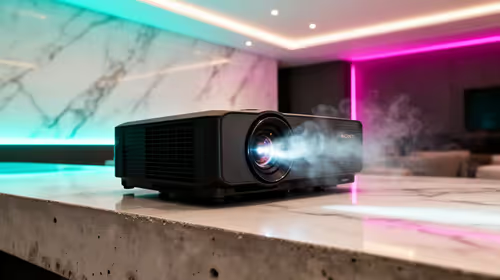
A townhouse short-throw setup works best when the projector can create a large picture from a close wall position without taking over the lounge. The Yaber T1 Pro Full HD HDR10 at R2,900, ViewSonic M1X portable LED at R5,996, and ViewSonic PA502X XGA short-throw at R7,493 suit different room setups.
Read more
Firefox private browsing separates a temporary session from normal browsing history. It does not make you anonymous online, and files or bookmarks you deliberately save can remain after the last private window closes.
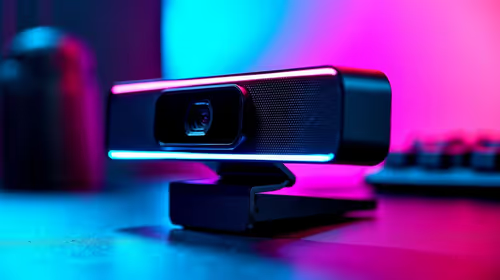
Where bryanston gamers buy a webcam that's needs careful context before choosing parts. Use this guide to compare options, trade-offs, platform fit, and upgrade timing for a South African gaming PC without relying on live stock, price, or benchmark promises.
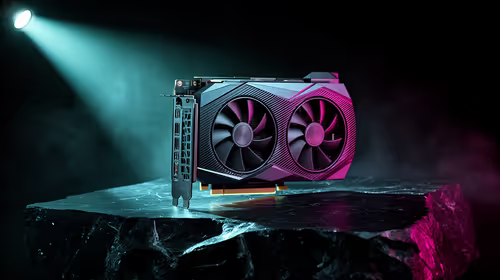
RTX 5080 build low FPS after a GPU driver update needs a careful rollback path. Check drivers, firmware, cables, USB ports, overlays, and recent settings before replacing hardware in an SA gaming setup.
Cheapest 180Hz 1440p build for cinematic story games in SA helps SA readers plan hardware, settings, compatibility, and upgrade trade-offs. Check GPU, CPU, RAM, storage, monitor, and stability needs without risky performance claims.
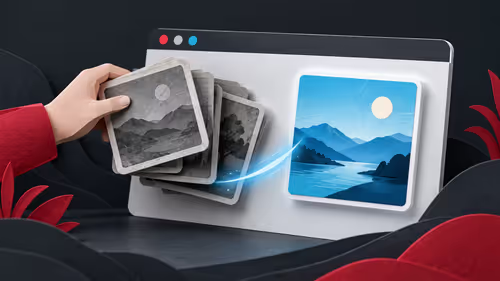
Firefox can clear temporary page files without clearing cookies. Select the cached-files option carefully, then reload the affected page before changing unrelated browser settings.

Firefox PDF viewer opens documents in the browser and provides annotation and form tools. Check the PDF action, work on a saved copy and reopen the final file to confirm the information you entered survived before submitting an application or assignment.

Learn how to share WiFi password on iPhone using nearby Apple devices. Keep Wi-Fi and Bluetooth on, check contacts and the connected phone, then use Share Password; separate this process from sharing a mobile-data hotspot or changing a router password.

Firefox screenshot offers a selected region, visible-page capture and full-page capture. Choose the smallest useful area, copy or download the result, and inspect the saved image before sharing account details or assuming every part of a page was captured.

8000Hz and 1000Hz polling differ in competitive esports through input timing, CPU load, and consistency. SA players should test whether the higher rate improves aim feel without hurting frame pacing.
Better value alternatives to the RTX 4080 help SA esports buyers focus spend on frames, latency, and system balance. Weigh GPU tiers against your monitor, CPU, case cooling, and upgrade path before paying for unused power.
Hollow Knight R40,000 PC build planning starts with balanced parts. For SA gamers, compare CPU and GPU fit, RAM needs, SSD space, PSU headroom and cooling before buying.
iRacing R80,000 builds should target smooth sim racing, not vanity specs. This recommended build for iRacing at R80 000 SA buyer's guide should weigh CPU strength, GPU headroom, triples or VR plans, cooling, and reliable peripherals.