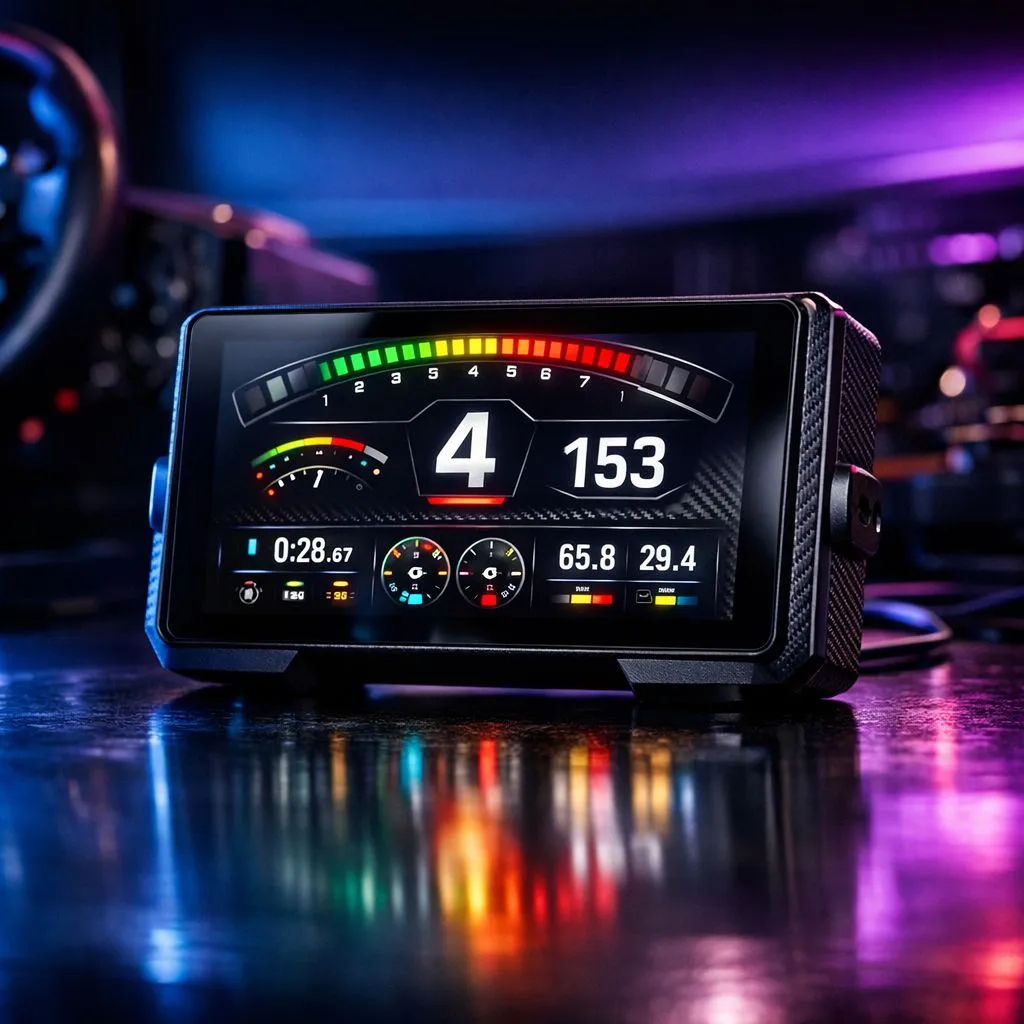
Every millisecond counts when you are flying through Kyalami’s Sunset corner. You need your revs, tyre temps, and fuel levels visible at a glance. But cluttering your main screen with HUD elements ruins the immersion. That is where a SimHub dashboard comes in. By creating custom second-screen displays, you turn an old tablet or phone into a professional racing telemetry tool without breaking the bank.
Why You Need a SimHub Dashboard for Your Rig
Sim racing is about precision. When you are deep into a league race, looking away from the apex to check your fuel level is a recipe for disaster. A dedicated SimHub dashboard offloads all that vital data to a secondary device. This keeps your primary monitor clean for the action.
The software is incredibly versatile. It supports almost every major title, from Assetto Corsa Competizione to iRacing. You can design a display that mimics a real GT3 car or a minimalist drift overlay. If you have already invested in high-quality Thrustmaster peripherals, adding a second screen is the logical next step for professional-grade telemetry. 🔧
Choosing the Right Hardware for Your Second Screen
You do not need an expensive monitor for this. An old Android tablet, an iPhone, or even a cheap 5-inch HDMI screen from a local hobby shop works perfectly. The goal is to mount it where it sits naturally in your line of sight.
Most South African racers mount their screens directly onto their wheel base. If you are sitting in one of the many premium Playseat chairs available today, you can easily find or 3D print a bracket that brings the dashboard right behind your rim. This creates a seamless, integrated look that feels like a real cockpit. 🏎️
Performance Pro Tip ⚡
When running SimHub on a secondary USB or network-based display, ensure your PC is connected via Ethernet rather than Wi-Fi. This reduces telemetry lag to near-zero levels. It ensures your shift lights sync perfectly with your engine RPMs during high-intensity gear changes.
Customising Your Second-Screen Displays
The real magic happens in the SimHub editor. You can drag and drop widgets for lap times, delta to the lead car, and even track maps.
- Download SimHub: It is free to use, though a small donation unlocks higher refresh rates.
- Select Your Layout: Choose from thousands of community-made dashboards online.
- Map Your Buttons: Use your wheel buttons to toggle between different pages on your display.
If you want to take your setup to the elite level, consider browsing the latest sim racing gear specials to find tactile transducers or load-cell pedals. These components, combined with a custom display, provide the ultimate feedback loop for your brain. 🚀
Final Touches for Immersion
Once your SimHub dashboard is running, spend time tweaking the brightness and colour. You want the data to be readable but not blinding during night races. Many racers prefer a "dark mode" aesthetic with high-contrast neon text for better visibility in low-light rooms.
Setting up custom second-screen displays is one of the most cost-effective ways to level up your hobby. It provides the same data-driven edge used by real-world GT drivers... right from your home in South Africa. ✨
Ready to Build Your Dream Rig?
Creating the ultimate sim racing experience requires the right foundation and the best hardware. Whether you need a new wheel, a sturdy cockpit, or the latest pedals, we have the gear to put you on the podium. Explore our full range of Sim Racing equipment and start shaving seconds off your lap times today.