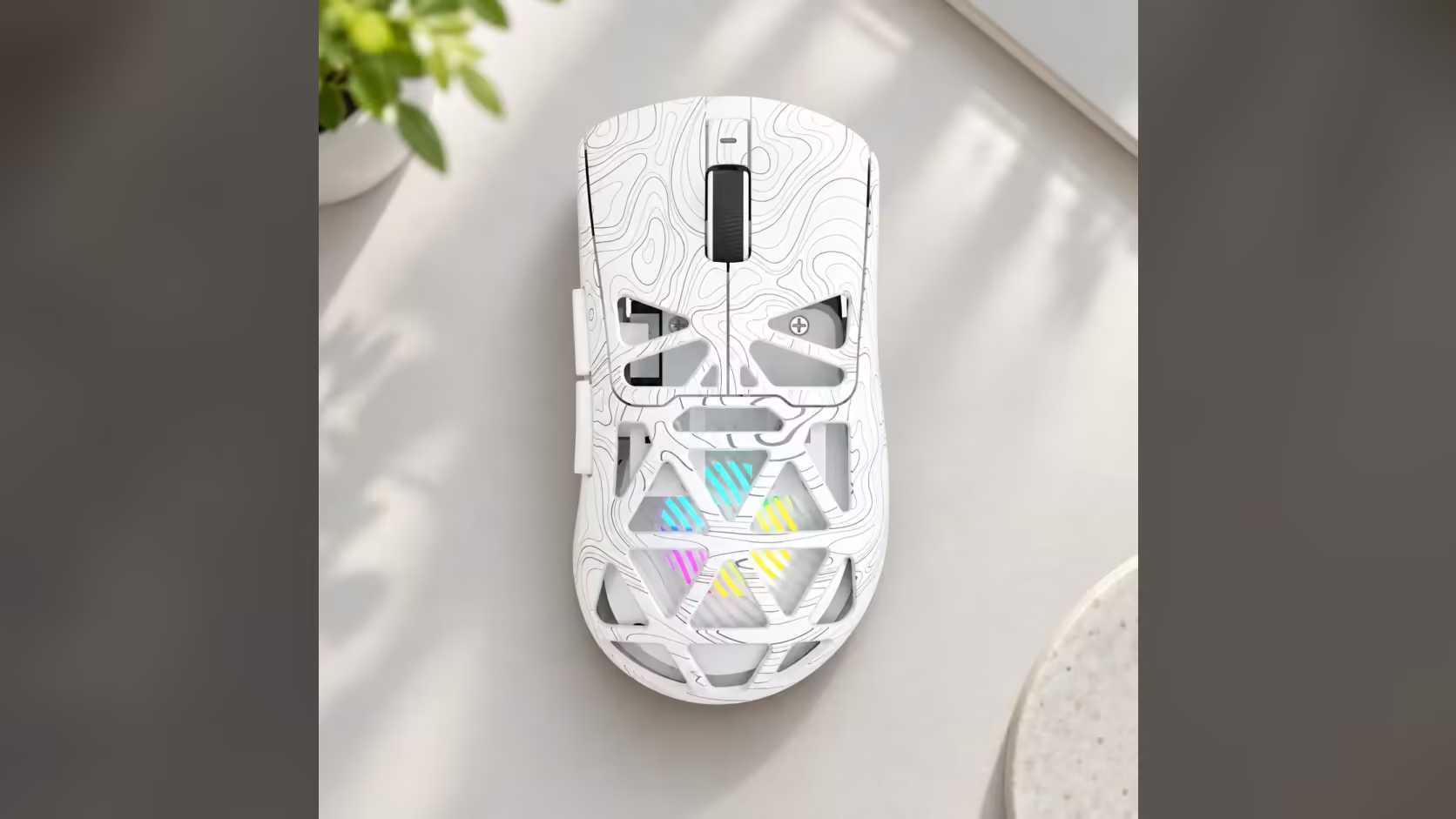
A wireless mouse that dies halfway through the evening is a small annoyance that adds up. With the AULA SC620 Contour, the fix is mostly in your own hands. AULA does not publish an hour rating for its 400mAh battery, so the two settings you control in the driver, sleep time and lighting, do most of the work of extending wireless mouse battery life. This guide walks through both, plus the habits that help.
Quick Answer
To stretch the SC620 Contour's 400mAh battery, shorten its sleep time and dim or slow the RGB in AULA's driver. You change both on a Windows PC through the dongle or a USB lead; the software cannot reach the mouse over Bluetooth 5.3. Since AULA gives no runtime figure, your lighting and sleep choices largely decide how long a charge lasts. Evetech charges R349 for the mouse.
🔋 Where the charge actually goes
A wireless mouse spends power in three main places: the sensor tracking your movement, the radio sending that data to the PC, and anything extra like lighting. You cannot switch off the sensor or the radio while you are using the mouse, but lighting and idle time are both yours to manage.
The SC620 Contour's RGB sits inside its honeycomb shell and glows through the openings. It looks great, and it is also the biggest optional power draw on the mouse. The second quiet drain is time spent awake while you are not touching it: reading, watching a video, or walking away from the desk.
⏱️ Setting the sleep timer
What it does
Sleep time decides how long the mouse waits without movement before powering down. A long timer keeps it instantly ready, but it also keeps the lighting and radio running while the mouse sits idle.
How short is sensible?
There is no single correct number. A good starting point is a few minutes: long enough that it does not doze off while you read a page, short enough that it is not glowing away while you make coffee. If you find it sleeping mid-task, lengthen it a little. If you often forget to switch it off, shorten it.
Waking it up
When the mouse sleeps, a click or a nudge brings it back. If you notice a small delay on waking, that is the trade for the saved charge.
🌈 Tuning the lighting without losing the look
The driver sets RGB brightness and effect speed. Brightness is the big one: a dimmer glow still shows through the honeycomb but draws less power. Speed matters less, though calmer effects are easier on the eye during long sessions and can be part of a low-power profile.
Options worth trying:
- Dim for daily use, bright only when you want the full show.
- A static colour instead of a fast cycle.
- Lighting off for travel days, when nobody is looking at the mouse anyway.
Getting into the driver
AULA notes that its driver works with the SC620 Contour on Windows in 2.4GHz and wired modes. Over Bluetooth 5.3 the mouse works fine, but the software cannot see it. So before changing sleep time or lighting, plug in the receiver or connect the cable. Once saved, the mouse keeps working on whichever link you use next.
🧰 Other habits that help
- Switch it off each night rather than relying on sleep alone.
- Keep the cable nearby on a long session, since the wired mode is always an option.
- Keep the receiver close. A receiver plugged into the back of a PC under the desk has a harder path to the mouse. A front port gives a cleaner signal.
- Top up regularly. Charging in short sessions saves you from a sudden stop.
The rest of the specification is strong. The mouse weighs 67g, tracks with a PAW3311 sensor at six DPI levels from 800 to 12,000 and polls at 1000Hz. It also has a dedicated Fire button for one mapped command per press. You can compare it with other rechargeable options in Evetech's wireless mouse listing or across the wider gaming mice range. Evetech carries both colours with a 1 Year Local Warranty.
Frequently Asked Questions
Which driver settings affect battery life most?
RGB brightness and sleep time. Dimmer lighting and a shorter idle timer both reduce how much charge the mouse uses.
How short should the sleep timer be?
Start with a few minutes and adjust. Shorten it if the mouse is often left idle, lengthen it if it sleeps mid-task.
Does effect speed matter as well as brightness?
Less than brightness does, but a calm static colour is a sensible part of a low-power setup.
Can these settings be changed over Bluetooth?
No. Plug in the dongle or the lead on a Windows PC for any changes; Bluetooth is not supported by the software.
Once the RGB is dimmed, what else saves charge?
Switching the mouse off at night and keeping the receiver in a nearby port both help.
Why is no runtime listed for the SC620 Contour?
AULA publishes the 400mAh capacity but not an hour figure, so real runtime depends on your settings.
Want more hours from every charge?
Explore Evetech's wireless mouse range and compare battery-powered options, including the SC620 Contour.