A CPU swap should be the final step in a prepared process, not the first time the motherboard support page is opened. Upgrade an AM4 PC with a Ryzen 7 5800X3D by confirming firmware, cooling and graphics before touching the socket. The R7,199 processor can retain a supported AM4 platform while adding eight Zen 3 cores, 16 threads and 100MB cache.
Quick Answer
Confirm the exact motherboard model, its Ryzen 7 5800X3D support entry and the required BIOS. Prepare an AM4 cooler for the 105W CPU, retain a discrete GPU for display output and keep the old processor available during validation. The new processor costs R7,199 and contains no cooling hardware.
🧾 Prepare the board and workspace
Record the motherboard model, revision and current BIOS while the PC is working. Compare that information with the board maker's processor support documentation. If an update is needed, complete it with the existing CPU installed when required, then verify the resulting version before dismantling the system.
Back up important files and photograph internal connections. Gather the cooler mounting parts, thermal material and appropriate tools. A clear workspace and a written sequence reduce the temptation to force a component or skip a connection when the PC is already apart.
Evetech's AMD processor range can be used to confirm the intended CPU choice once the board support is established.
🔧 Change the processor without rushing
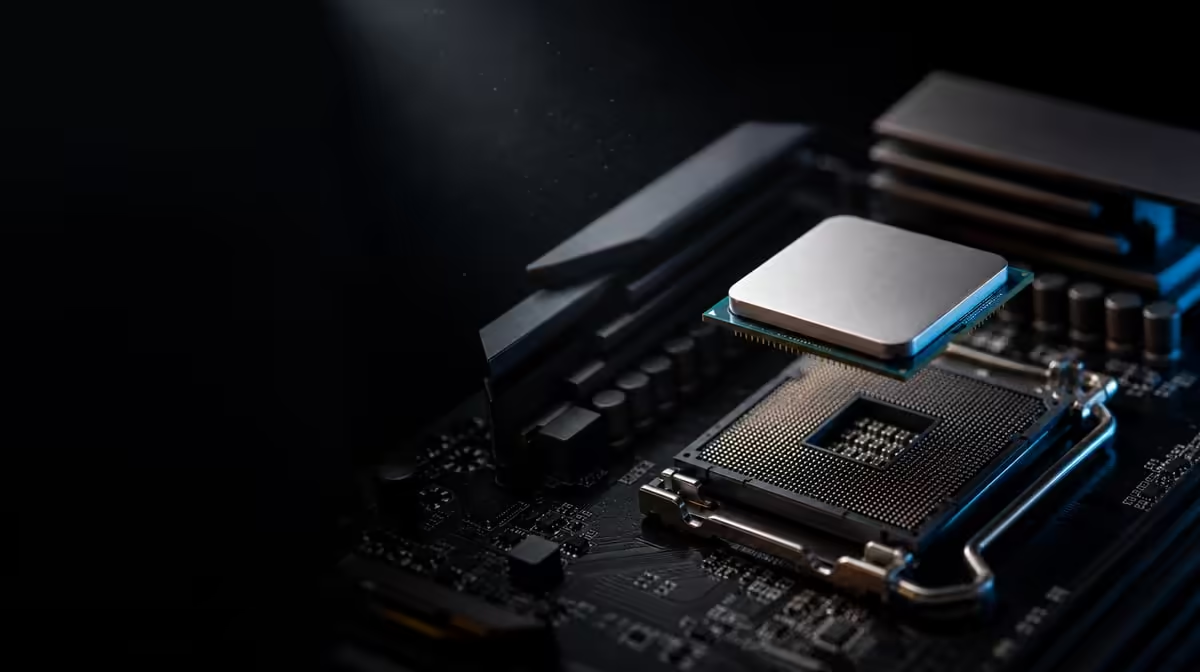
Disconnect power and let the hardware cool. Release the existing cooler carefully so dried thermal material does not turn removal into a sharp pull against the socket. Open the AM4 retention mechanism, lift the old CPU by its edges and protect its pins immediately.
Align the Ryzen 7 5800X3D using the socket and processor markers. It should settle into place without pressure. Lock the socket, clean the cooler contact surface where applicable, apply thermal material and follow the cooler maker's mounting order. Even contact matters more than excessive tightening.
The 105W CPU includes no cooler. The selected unit must support AM4, fit beneath the case panel and work with the chassis airflow. Evetech's CPU cooler options can be compared using measured clearances.
Recheck fan or pump headers, motherboard power, memory seating and the graphics card after the work. This processor needs a discrete GPU, so connect the monitor to the card and verify its power leads.
✅ Treat first boot as validation
Allow the motherboard time to complete its initial sequence. Enter the BIOS and confirm processor identity, full memory capacity and cooling operation. Begin from stable settings rather than restoring every old tuning value immediately.
Observe temperatures at idle and under a controlled load. The CPU's base specification is 3.5GHz, with boost reaching a maximum of 4.5GHz. That ceiling is not an all-core promise, so judge health through stable operation, safe temperatures and repeatable behaviour.
Run a memory check and a representative application before extended gaming. If the machine does not display, inspect the monitor connection, GPU seating, power, memory and BIOS support in a disciplined order. Change one variable per test.
🎮 Prove that the upgrade solved its brief
The processor contributes eight cores, 16 threads and 100MB cache, but a graphics limit can still hide the change. Repeat a game route captured before installation using the same build, resolution and settings. Compare frame consistency alongside average FPS.
Use Evetech's complete processor category to keep alternative CPU routes in view when assessing the R7,199 total. Add cooling and any installation costs, then decide whether reusing the board and memory delivered the expected value.
Keep the old CPU safe until firmware, temperature and game testing are complete. Record the final BIOS and baseline results for future maintenance.
The validation result should answer the original reason for upgrading. If the old system showed uneven frame delivery in a particular title, use that title and the same test route after the swap. If the goal was smoother concurrent work, repeat the actual application combination rather than substituting a short synthetic peak.
If the result is weaker than expected, return to the known sequence. Confirm the final BIOS version, check that memory is operating in the intended stable configuration, inspect CPU temperatures and verify that the GPU is still being used by the game. A changed graphics preset or frame cap can obscure the processor effect.
Document each correction and retest separately. This preserves cause and effect, which is especially useful after a job that changed firmware, cooling and CPU at nearly the same time. Once the build is stable and the target workload improves, keep the record with the PC for later maintenance.
Frequently Asked Questions
What should be confirmed before ordering the new processor?
Verify the full motherboard model and revision, locate its 5800X3D support entry and note the required BIOS. Also confirm cooler fit and discrete graphics readiness.
How should firmware preparation be timed?
Perform any necessary BIOS update while the old processor can still boot the system, following the exact motherboard instructions. Check the installed version before the hardware swap.
What cooling equipment must be ready for the swap?
Have an AM4-compatible cooler suited to a 105W CPU, with correct mounting hardware, thermal material and verified case clearance. No cooler comes with this processor.
Where will the upgraded PC obtain display output?
The discrete graphics card provides it. Install and power the GPU, then attach the monitor to one of the card's outputs.
What handling step protects the AM4 processor during installation?
Hold the CPU by its edges, keep pressure away from the pins and align the orientation markers. It should enter the socket without force.
What checks follow the first successful startup?
Confirm CPU and memory detection, cooling operation, stable temperatures and repeatable workload behaviour. Benchmark only after that baseline is dependable.
Ready to carry out the AM4 swap from firmware check to final test?
Compare Evetech's Ryzen processors and cooling options, then prepare every requirement around the R7,199 installation.