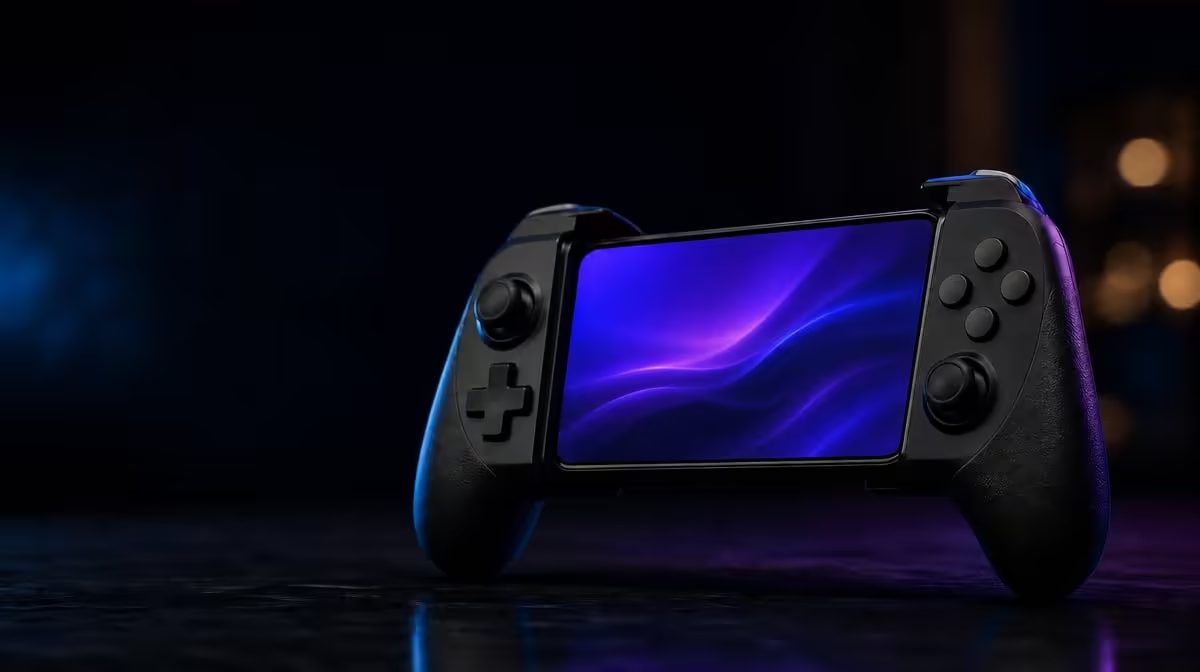
Motion aim works best as a quiet correction, not a dramatic wave of the controller. Set up the GameSir X5s 6-axis gyro while the controller is still, start with moderate response, and practise the same tilt several times. The R699 X5s combines gyro input with Hall Effect sticks, allowing broad thumbstick turns and finer physical adjustments in games that support the feature.
Quick Answer
Calibrate the controller on a stable surface, enable motion input in a supported game, and begin with a restrained gyro sensitivity. At R699, the GameSir X5s provides 6-axis gyro control, but the game must recognise that input for it to affect aiming. Keep the Hall sticks active for larger turns while using tilt for small corrections.
🧭 Calibrate from a genuinely still position
Gyro setup starts before the first shot. Rest the X5s on a level, unmoving surface and follow the calibration option provided by the controller software or game. Do not hold it in the air and try to remain still by feel; natural hand movement can become part of the reference and create a confusing result later.
After calibration, lift the controller into your normal playing position and leave the sticks untouched. Watch a stationary scene for unintended motion. Then return it to rest and repeat the check. A consistent neutral point matters more than immediately pushing sensitivity higher.
Six-axis describes motion sensing that can interpret movement and rotation across multiple directions. It does not guarantee that every Android game will expose the same controls or offer identical tuning. Confirm support in the title you plan to play before treating a missing response as a controller fault.
The Evetech gaming controller category provides a useful comparison point for players deciding whether motion input belongs on their control checklist.
🎯 Split large turns from fine corrections
Trying to make gyro perform every camera movement can produce fatigue and an unnecessarily steep learning curve. A more practical first profile gives the Hall Effect stick the broad work and reserves motion for the final correction. Turn towards the target with your thumb, then make a small physical adjustment to settle the aim.
Practise in stages. First, choose a stationary point and move onto it from the same side several times. Next, alternate left and right approaches. Only then add a moving target. This reveals whether overshoot comes from gyro sensitivity, stick speed or the transition between them.
Keep the controller near your usual posture. Large wrist angles make it harder to return to a comfortable neutral position. Small, repeatable movements also help separate intentional tilt from the tiny motion created by breathing or changing grip.
If the view keeps moving after you stop, place the controller down and recheck neutral calibration before adding deadzone or changing several values. If movement stops correctly but corrections travel too far, lower motion response slightly and test again. One adjustment followed by one repeatable drill produces clearer evidence than a page of simultaneous changes.
📱 Account for the game and device layer
Android compatibility gives the X5s a mobile foundation, yet the game still decides how controller and gyro input are interpreted. Some games may expose motion settings, others may use their own control scheme, and some may not support the desired feature. Begin with the game's controller options and avoid assuming that a successful Bluetooth connection means gyro is active.
Connection choice can also affect how you test. Bluetooth is convenient for a phone-based session. USB-C offers a direct wired route for comparison. The X5s also supports 2.4GHz, although its dongle is not included. Use one mode throughout a tuning session so a connection change does not become another variable.
Players assembling a broader mobile kit can browse gaming accessories at Evetech, but controller support should be confirmed for the actual game and device combination rather than inferred from the accessory list.
🧪 Build a repeatable practice loop
A good gyro profile should remain predictable when the session becomes busy. Use a short loop: calibrate, confirm neutral, make one slow correction, make one faster correction, then return to centre. Repeat it without changing the values. Consistency over several attempts matters more than one perfect movement.
Once the basic loop feels controlled, test the same profile while using the analog triggers and face buttons. Pressing a trigger can alter your grip slightly, which may move the controller and therefore the aim. This is normal motion to account for, not necessarily sensor drift. Practise the combined action until the correction remains deliberate.
HD Vibration is another X5s feature that can affect physical feel. If feedback makes precision testing difficult, reduce it in the game where that option exists, then decide later how much feedback you prefer. The aim is to isolate motion behaviour during setup, not to remove vibration permanently.
Save the stable profile before exploring higher sensitivity. Software customisation can make experimentation easier, but naming or recording the baseline prevents a promising setting from being lost. You can then create a faster profile for a different game without turning every session into a fresh calibration exercise.
At R699, the GameSir X5s offers gyro, Hall sticks, analog triggers and software tuning in one controller. The best result comes from assigning each input a clear role and allowing time for movement to become familiar. The Evetech accessories best-seller collection can round out the setup once that motion profile is under control.
Frequently Asked Questions
Why does gyro aim move when I press a trigger?
Pressing can shift your grip and tilt the controller slightly. Practise the trigger and aiming movement together before assuming that the motion sensor has lost calibration.
Can I use gyro without the Hall sticks?
The X5s combines both inputs, and they are most practical as partners. Let the stick handle broad direction changes while gyro provides smaller physical corrections.
How do I know whether a game supports X5s motion input?
Check the game's own controller and motion settings, then test a clear tilt in a safe scene. A paired controller alone does not prove that the title interprets gyro data.
How much is the 6-axis gyro controller?
The GameSir X5s costs R699. Its listed control package includes 6-axis gyro alongside Hall Effect sticks.
Ready to add measured motion aim to mobile play?
Explore Evetech's gaming controllers and choose the combination of stick, gyro and connection features that suits your games.