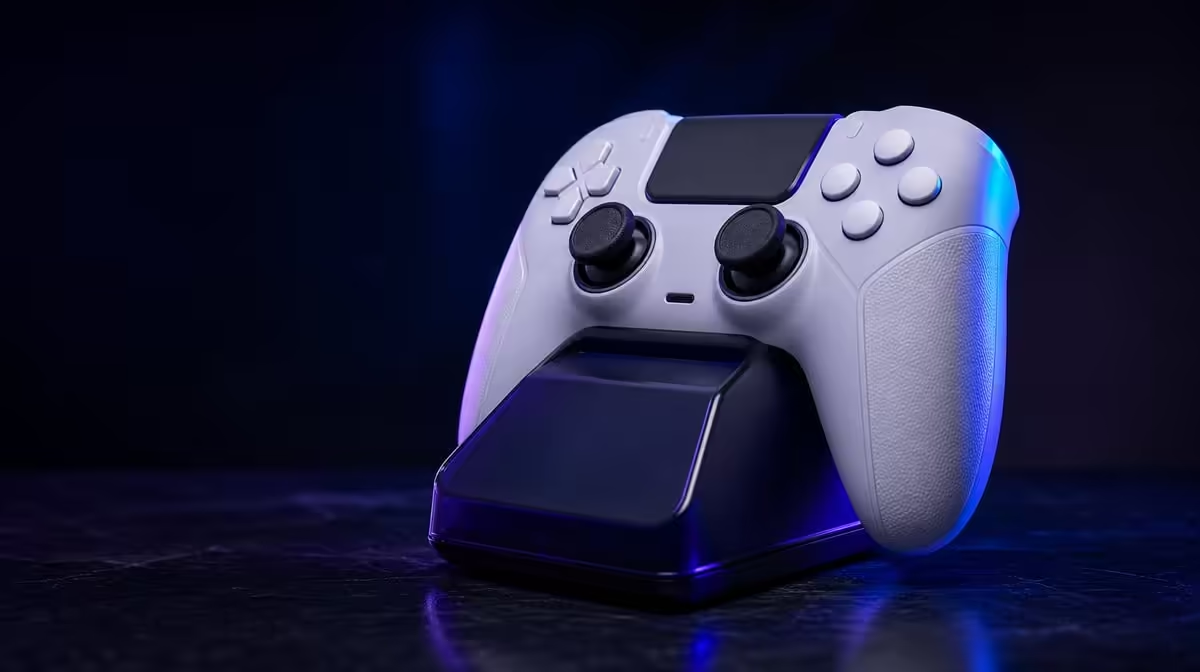
A smart dock can manage charging only when physical contact remains stable. Use Cyclone 2 Smart Start-Stop Charging by giving the dock a level position, seating the controller correctly and keeping exposed areas clean. The R999 Phantom White package includes the dock, turning daily storage into part of the charging routine without promising an exact battery lifespan.
Quick Answer
Place the included Cyclone 2 dock on a firm surface, connect power, align the controller and confirm stable charge contact. Smart Start-Stop Charging manages when power is applied around that seated state. The full controller-and-dock package is R999, while heat, age, heavy use and interrupted contact still influence battery health.
🔋 Give the dock a reliable home
Choose a location where the dock will not rock, slide or sit in direct sunlight. A fixed position makes it easier to return the controller consistently and reduces repeated cable handling.
Route the dock's lead once with enough slack that it does not pull the base out of alignment. A charging dock reduces daily cable clutter around the controller, but it does not remove the dock's own power cable.
Observe the cable when placing and lifting the controller. If the lead tugs the base, add slack or adjust routing before relying on the same position every day. A dock that gradually shifts can turn a clean contact into an intermittent one.
Keep the area away from food, moisture and heavy dust. Smart charging is a power-management feature, not a substitute for a suitable physical environment.
Players considering a docked setup can compare controllers through the Evetech gaming controller range before planning the surrounding desk.
⚡ Confirm contact before trusting automation
Seat the Cyclone 2 carefully and observe whether the charging state remains stable. If the status repeatedly changes, inspect alignment before assuming the charging logic is faulty.
Disconnect power before cleaning. Begin with a gentle dry approach on exposed contact areas and the surface where the controller rests. Do not introduce liquid into the charging path or scrape the contacts.
Reseat the controller after cleaning and test again on the same level surface. If contact becomes stable, the problem was likely physical alignment or debris rather than the Smart Start-Stop behaviour.
Use a controlled comparison if instability remains. Keep the dock, cable and power source unchanged, then reseat the controller once. After that, test another suitable power path without changing the placement. One variable at a time prevents a cable issue from being confused with contact alignment.
Automated charging can manage active and idle periods around a good connection. Repeated contact loss interrupts that process, which is why the mechanical placement matters as much as the feature name.
🌡️ Keep battery claims realistic
Smart management can support a sensible charging routine, but it cannot freeze battery ageing. Temperature, usage, time and the condition of the charging path remain relevant.
Avoid direct sun and unnecessary heat around the dock. Do not promise a fixed number of battery years or hours because the queue supplies no such figure and real use varies.
The benefit is practical: the controller has a known storage point, the dock is included, and charging can be managed without plugging a cable into the gamepad after every session.
Smart Start-Stop is also not a capacity increase. It changes charging management around the docked controller, not the amount of energy the battery was designed to hold. Avoid treating a convenient routine as proof of longer runtime.
For the wider charging and desk category, browse gaming accessories from Evetech after the Cyclone 2 dock has a safe location.
🧭 Build a repeatable end-of-session check
Finish play, return the controller to the dock and verify that it is seated rather than dropping it into place from an angle. A two-second alignment check can prevent a night of repeated reconnects.
Inspect the dock when charging behaviour changes or dust becomes visible. Routine attention should be light and non-invasive: power down, clear exposed areas gently, inspect the cable path and reseat.
Keep a short maintenance note if the desk is dusty or warm. The aim is not a rigid calendar; it is to notice whether visible dust, direct sun or unstable seating precedes a problem. This evidence makes the next inspection more focused.
The Cyclone 2's tri-mode and multiplatform features do not change this charging sequence. Keep connection profiles and dock maintenance separate so a host issue is not confused with a power issue.
At R999, the included dock is part of the product value rather than a separate controller add-on. The Evetech accessory favourites page can help organise the rest of the setup after charging is dependable.
Finish with a visual check of the resting position. Both sides of the controller should sit as intended, the dock should remain level and the cable should not lift the base. That simple end state lets smart charging perform its role without a preventable physical interruption.
Review the location after the desk changes. A newly routed cable, moved monitor base or warmer patch of sunlight can alter a previously stable charging spot. Maintenance includes noticing the environment, not just wiping the contacts after trouble appears.
Review the charging position after a week of normal use. If the controller is regularly left elsewhere, move the dock to a more natural return point instead of blaming the automation. A smart routine works best when the physical placement matches the player's habits.
Frequently Asked Questions
What does Smart Start-Stop Charging manage?
It manages power around the controller's charging state while the Cyclone 2 is correctly seated on its dock.
Why does alignment matter?
Poor seating can interrupt contact repeatedly, preventing a stable charging routine even when automation is working.
Can the dock guarantee a fixed battery lifespan?
No. Smart management helps the routine, while battery age, temperature and use still influence long-term behaviour.
What price includes the smart dock?
R999 covers the GameSir Cyclone 2 Phantom White package with its charging dock included.
Ready to turn charging into a dependable storage habit?
Compare docked gaming controllers at Evetech and give the Cyclone 2 a stable, clean and heat-conscious charging position.