The Audacity 4 update is a major rebuild rather than a routine coat of paint. The application moves to Qt, changes the clip-editing experience and begins a new interface era, while some familiar capabilities are still listed as unavailable during the transition.
Quick Answer
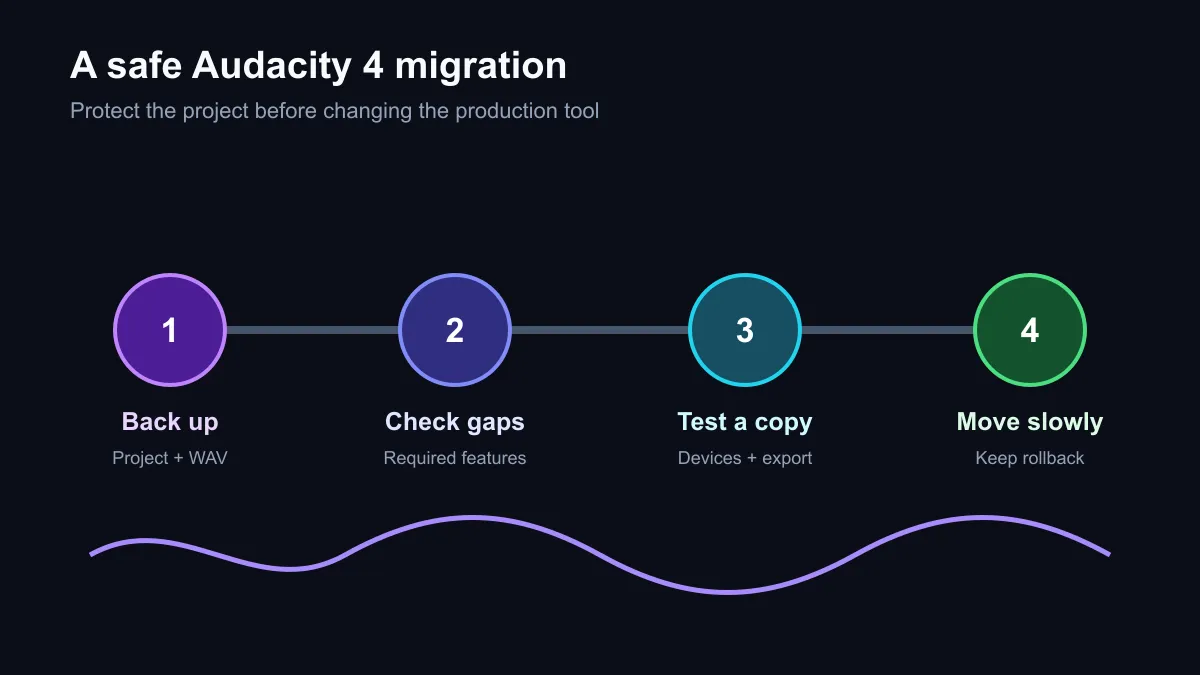
Audacity 4 remains free at R0 and open source, but active projects deserve a cautious migration. Back up project files, check the current missing-feature list, test copies with the exact plug-ins and devices in use, and keep the previous working setup available until exports match expectations. Hardware costs are optional, not part of the update.
🎛️ What changed under the interface
Moving the application to Qt gives the Audacity team a new foundation for the desktop interface. Users will notice changes to the way clips are selected and edited, not only colours and button placement. That can improve future development while still disrupting a well-practised editing routine today.
The official changelog is the best checkpoint because a major rewrite rarely lands with every old path intact on day one. Compare the listed omissions with the tasks that matter: recording, cutting, labels, plug-ins, noise cleanup, batch work, export formats and accessibility. A missing function that never enters your workflow is harmless; one used in every episode is a release blocker.
🧪 Upgrade a copy, not the only project
Create a backup of active project folders and export a reference WAV before changing the production environment. Install or test Audacity 4 without destroying the known-good route where possible. Open a copied project, check clip positions, effects, labels and envelopes, then produce a reference export and compare it with the expected result.
Test the real signal chain. That includes the microphone, audio interface, monitoring headset, plug-ins and export destination used on deadline. A launch screen working is not proof that a two-hour recording and final encode will work.
💾 Keep a rollback path
The software price is R0, but recovery time has a cost. Preserve installers, settings notes and a readable copy of critical projects. Large audio sessions also benefit from dependable storage, so current SSD deals can be relevant when backups are slow or cramped.
Move the main workflow only after several representative jobs pass. A voice recording, multitrack edit, restoration job and long export exercise different parts of the application. If one fails, report it with a small reproducible project and continue on the proven setup. There is no prize for migrating before the tool is ready for your work.
Frequently Asked Questions
Is Audacity 4 still free?
Yes. Muse Group describes Audacity 4 as free and open source, so the application price remains R0.
Does Audacity 4 use a new interface toolkit?
Yes. Version 4 moves the desktop interface to Qt and introduces a redesigned editing experience.
Are all older features present?
No. The official changelog lists functions that are not yet available. Check that list against the exact workflow before migrating.
Should I open my only project copy in Audacity 4?
No. Back up the project and test a duplicate first, especially when plug-ins, labels or complex clip edits are involved.
What should I test before switching?
Record through the normal device, open copied projects, exercise required effects and exports, and compare the output with a known reference.
Refreshing a creator setup?
Protect the projects first, test the entire recording chain, and move only when the new workflow survives real deadlines.