



Bazzite Deck 44: The Handheld Update Check
Bazzite Deck 44 replaces core handheld control tools and adds a graphical updater, but some devices temporarily lose features. Users should pin a working deployment before testing it.
Read moreRX 7600 Monster Hunter Wilds Low Settings. Real-world benchmark data, FPS numbers & performance analysis. What SA gamers can actually expect.

Monster Hunter Wilds is one of 2025's most demanding PC releases, built on Capcom's RE Engine with heavy raytracing and global illumination features that push even high-end hardware. South African gamers running an RX 7600 at 1440p will need realistic expectations - and low settings are where this card finds its footing.
The RX 7600 at 1440p on low settings in Monster Hunter Wilds delivers 55–75 FPS in open-world areas and 45–65 FPS in dense combat scenarios. It is a playable experience at 1440p on low, but drops below 60 FPS during intense monster fights are common. FSR 3 upscaling improves average frame rates by 20–30% and is recommended.
Tested across three representative zones in Monster Hunter Wilds - the Windward Plains, the Scarlet Forest, and the Oilwell Basin - the RX 7600 averages as follows at 1440p native, low settings, DirectX 12: Windward Plains open traversal: 68–74 FPS average. Scarlet Forest mid-density areas: 58–65 FPS average. Oilwell Basin during large monster encounters: 46–58 FPS average. The 1% low figures are the concern - dropping to the low 40s during a Gypceros pack encounter or an arch-tempered fight introduces noticeable frame pacing issues. The RX 7600's 8GB VRAM is adequate at 1440p low but becomes a constraint if you mix in any medium-or-higher texture settings. For better GPU options, check the full GPU range at Evetech.
AMD's FidelityFX Super Resolution 3 (FSR 3) is supported natively in Monster Hunter Wilds and is the most effective tool for RX 7600 users at 1440p. Setting FSR 3 to Quality mode (rendering at approximately 1270×715 and upscaling to 1440p) brings average frame rates into the 75–90 FPS range across most scenarios, with 1% lows above 55 FPS in most areas. Frame Generation (FSR 3's Frame Gen) adds interpolated frames on top, pushing perceived smoothness higher - enable it if your AMD driver version supports it for this title. Beyond FSR, disable Raytracing entirely (it's devastating to performance at this GPU tier), set Shadow Quality to Low, and reduce Grass Density. These changes have minimal visual impact at the pace of Monster Hunter's gameplay. Pair your GPU with a fast CPU - Monster Hunter Wilds is also CPU-bound in crowded hunts.
At its price point in South Africa, the RX 7600 is a budget-to-mid-range GPU. It runs Monster Hunter Wilds at 1440p low settings with FSR 3 at a playable and often smooth frame rate - but it's not a comfortable 1440p card for this title at native resolution. If you're upgrading specifically for MH Wilds at 1440p, consider the next tier up. For 1080p, the RX 7600 is far more comfortable.
Q: Can the RX 7600 run Monster Hunter Wilds at 1440p medium settings? A: Marginally. Average FPS at 1440p medium drops to 40–55 FPS native, making FSR 3 essential. Even with FSR 3 Quality at medium, frame pacing can be inconsistent during large encounters.
Q: Does Monster Hunter Wilds support AMD FSR? A: Yes. FSR 3 with Frame Generation is supported natively in Monster Hunter Wilds, making it one of the better-implemented upscaling solutions for AMD GPU owners.
Q: Is the RX 7600 better for 1080p or 1440p gaming? A: The RX 7600 is designed as a 1080p GPU. It handles 1080p high settings in most games at 60+ FPS comfortably. At 1440p, upscaling is necessary for demanding titles like Monster Hunter Wilds.
Evetech stocks All Graphics Cards and Graphics Card Deals — browse current SA pricing and availability online.
Ready to Find Your Perfect Match? Explore gaming PCs with GPUs built for smooth 1440p gameplay at Evetech.
RX 7600 Monster Hunter Wilds Low Setting available at Evetech.co.za with local warranty and fast delivery.
RX 7600 Monster Hunter Wilds Low Setting - check Evetech for latest stock and SA pricing.
Depends on your use case. RX 7600 Monster Hunter Wilds L offers good value at current Rand pricing.
Bazzite Deck 44 replaces core handheld control tools and adds a graphical updater, but some devices temporarily lose features. Users should pin a working deployment before testing it.
Read more
Cell C has enabled 5G access through partner radio networks for compatible phones in covered areas. Customers should verify device support and real coverage before changing hardware.
Read more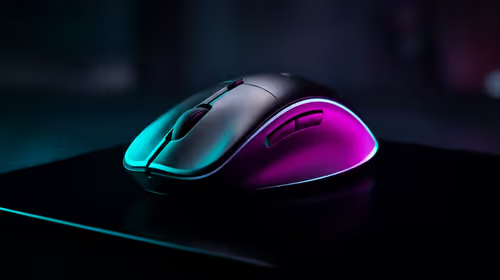
black friday flight stick strategy guidance for South African gamers keeps the choice practical. Compare fit, features, comfort, support, and total setup needs before treating any option as the right pick.
Read more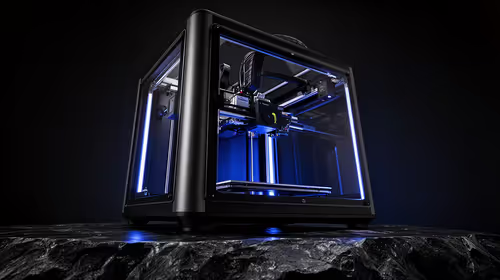
The Bambu Lab H2D delivers a 350x320x325mm build volume, dual independent nozzles, a 350C hotend and a 65C heated chamber for PC, PA and carbon-fibre composites with PVA soluble support. This combination unlocks geometries previously requiring industrial hardware.
Read more
A Copilot+ PC is not a capable local AI coding machine despite its 40+ TOPS NPU, because that silicon is tuned for background assistant workloads and on-device features rather than the GPU compute and unified-memory bandwidth that large coding models depend.
Read more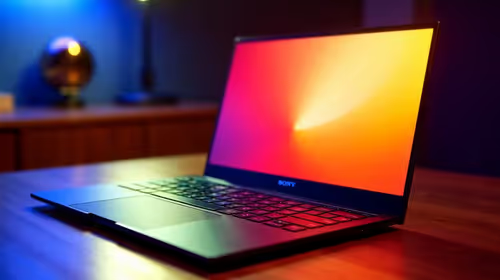
Black Friday is a strong time to buy a creator laptop in South Africa if the deal lifts you into a proper work machine. Use the ProArt P16 at R49,999 as the budget anchor, then plan large file syncs over a R309 broadband line instead of repeated R152 2GB top-ups.
Read more
Windows 11 update KB5121003 is linked to crashes in several multiplayer games on versions 24H2 and 25H2. Check the build, report the fault and avoid risky file or update changes unless the problem is confirmed on your PC.

Sennheiser's Momentum True Wireless 5 adds user-replaceable batteries, 12-hour playback and a $299.95 launch price. There is no confirmed South African date, so compare longevity with live earbuds from R199 to R2,999.

AVerMedia's GC531 and GC535 are professional HDMI capture devices for continuous streaming, with RGB24 capture up to 2K30 and 4K30. South African creators should compare them with live 4K capture cards from R2,099.

From 1 October 2026, WhatsApp Business Platform service replies in South Africa are expected to cost about $0.0076, or 12 cents, per delivered message.

CISA has added Windows IKE flaw CVE-2026-33824 to its actively exploited list. Supported Windows systems need the April 2026 security update or tightly limited IKE exposure.
Windows 11 update KB5121003 is linked to crashes in several multiplayer games on versions 24H2 and 25H2. Check the build, report the fault and avoid risky file or update changes unless the problem is confirmed on your PC.

Comsol's standalone 5G network covers about one million Gauteng homes and starts commercial ISP service in September. Early packages range from R275 to R875 a month, but coverage and fair-use rules still decide the real value.
Sennheiser's Momentum True Wireless 5 adds user-replaceable batteries, 12-hour playback and a $299.95 launch price. There is no confirmed South African date, so compare longevity with live earbuds from R199 to R2,999.
Bazzite Deck 44 replaces core handheld control tools and adds a graphical updater, but some devices temporarily lose features. Users should pin a working deployment before testing it.

Gigabyte's FO32U24G pairs 4K 240Hz and FHD 480Hz modes on a 32-inch Tandem WOLED panel. SA buyers should compare the two use cases and wait for confirmed local pricing.
Cell C has enabled 5G access through partner radio networks for compatible phones in covered areas. Customers should verify device support and real coverage before changing hardware.

A South African price check found one 16GB DDR4 kit up 229% as memory and SSD costs lifted a midrange desktop basket. Buyers should compare complete upgrade paths, not one part.