A web page that tells you to copy a command into Windows Terminal or PowerShell is not completing a normal CAPTCHA. It is asking you to run code on the computer. Microsoft's TerminalFix warning shows how attackers use that false verification step to begin a much deeper infection.
Quick Answer
Never paste a command supplied by an unexpected webpage into Terminal, PowerShell or the Windows Run box. Close the page instead. In the observed TerminalFix campaign, compromised sites displayed a fake Cloudflare-style verification overlay, and the pasted command started a chain involving DLL sideloading, persistence and a Python implant. The implant could create an encrypted reverse tunnel into the affected network.
Why the prompt is dangerous
A normal CAPTCHA asks you to click, select images or complete a challenge inside the browser. It does not need permission to run a system command. TerminalFix borrows the appearance of a familiar security check, then moves the victim outside the browser and into a powerful administrative tool.
That change is the clearest warning sign. Terminal and PowerShell are legitimate Windows tools used for configuration and automation. Commands entered there can download files, change settings and launch programs. A website has no valid reason to make an ordinary visitor perform those actions simply to prove they are human.
The Windows operating-system category is a reminder to keep the installed system legitimate and supported, but software licensing alone cannot prevent a user from running a malicious command.
What the observed chain can do
After execution, the campaign can place a legitimate program beside a malicious DLL so that the trusted-looking program loads the attacker's code. Later stages can establish persistence, inspect the Windows domain environment and launch a Python-based implant. The reverse tunnel can give an attacker a route from the compromised device towards other systems.
That does not mean every fake prompt uses the identical chain. The safe rule stays the same because the victim cannot inspect a copied command confidently from a deceptive overlay. Do not try the command to see what happens, even in an elevated prompt.
If you have not run the command
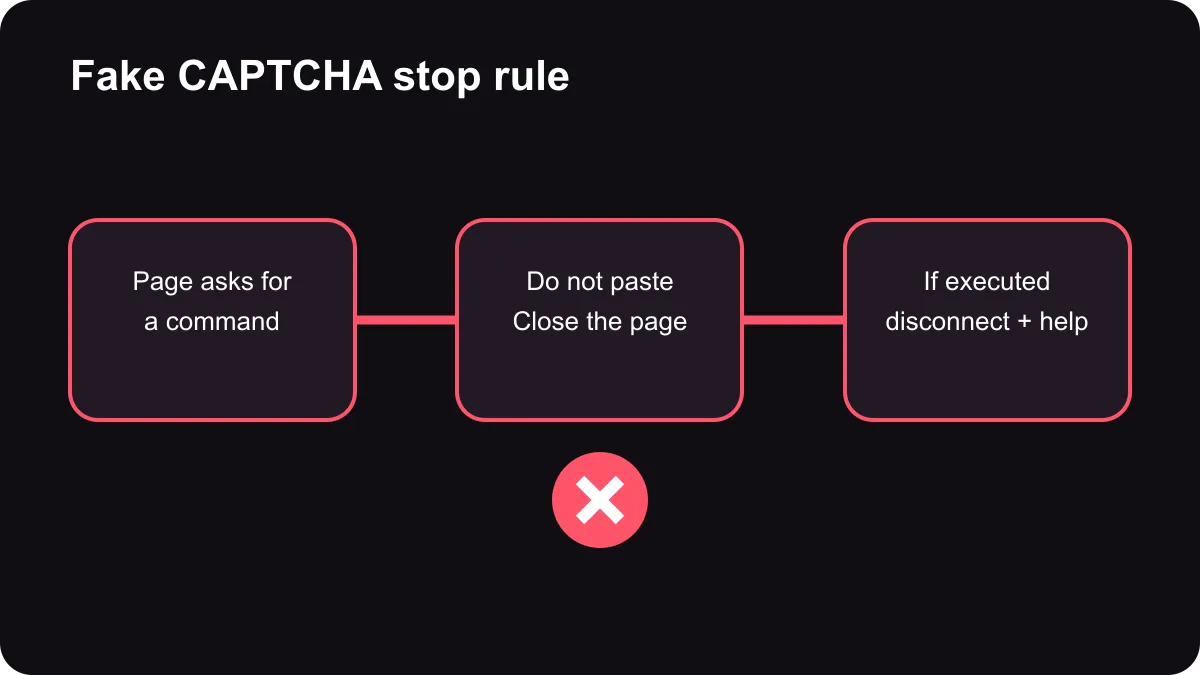
Close the tab or browser window. Do not paste the clipboard contents anywhere that can execute them. Clearing the clipboard removes the immediate temptation, although copying by itself is different from running the command. Reopen the intended website from a trusted bookmark or search result only if necessary, and avoid the page that displayed the instruction.
If the prompt appeared on a normally trusted site, report it through a known contact channel. Do not use contact details shown inside the suspicious overlay. A compromised website can display convincing branding while serving hostile instructions.
If you already ran it
Disconnect the computer from Wi-Fi and Ethernet to reduce further communication. Contact a trusted IT team or security professional from a different device. Explain exactly what happened and approximately when, but do not rerun the command to recreate the event.
Treat credentials used on the affected device as potentially exposed until the investigation says otherwise. Password changes should be performed from a known-clean device, with multi-factor authentication reviewed as well. A quick antivirus scan is useful evidence, but it is not a complete substitute for professional investigation when a reverse-tunnel implant may be present.
When replacement becomes necessary, compare supported systems through the gaming PC deals or budget gaming PC range. Do not erase the affected computer before an authorised responder decides whether logs or evidence are needed.
Build a habit that survives new variants
Pause whenever a webpage asks you to leave the browser and use a system tool. Read the action, not the branding. Verification, codec, update and troubleshooting prompts are common disguises because they create urgency and make the command feel routine.
Keep Windows, the browser and security software updated, use a standard user account for normal work and back up important data. Those controls reduce risk, but the most portable defence is simple: a web CAPTCHA never needs a pasted terminal command.
Frequently Asked Questions
What is TerminalFix?
It is a campaign that disguises malicious command execution as a web verification step. Victims are directed to Windows Terminal or PowerShell.
Does a real CAPTCHA need a command?
No. Legitimate verification stays in the browser and does not require scripts in a system shell.
What can be installed?
The observed chain can sideload a malicious DLL and deploy a Python implant. That implant can create an encrypted reverse tunnel.
What if I only copied the text?
Do not paste or run it, clear the clipboard and close the page. Copying alone is not the same as execution.
What if I ran the command?
Disconnect the device and contact trusted security help from another system. Treat credentials as potentially exposed until the investigation is complete.
Will antivirus always stop it?
No single tool is guaranteed to catch every stage. Refusing unexpected commands is the strongest first defence.
Remember one stop rule.
If a webpage asks for Terminal, PowerShell or Run, close it and seek trusted help instead.