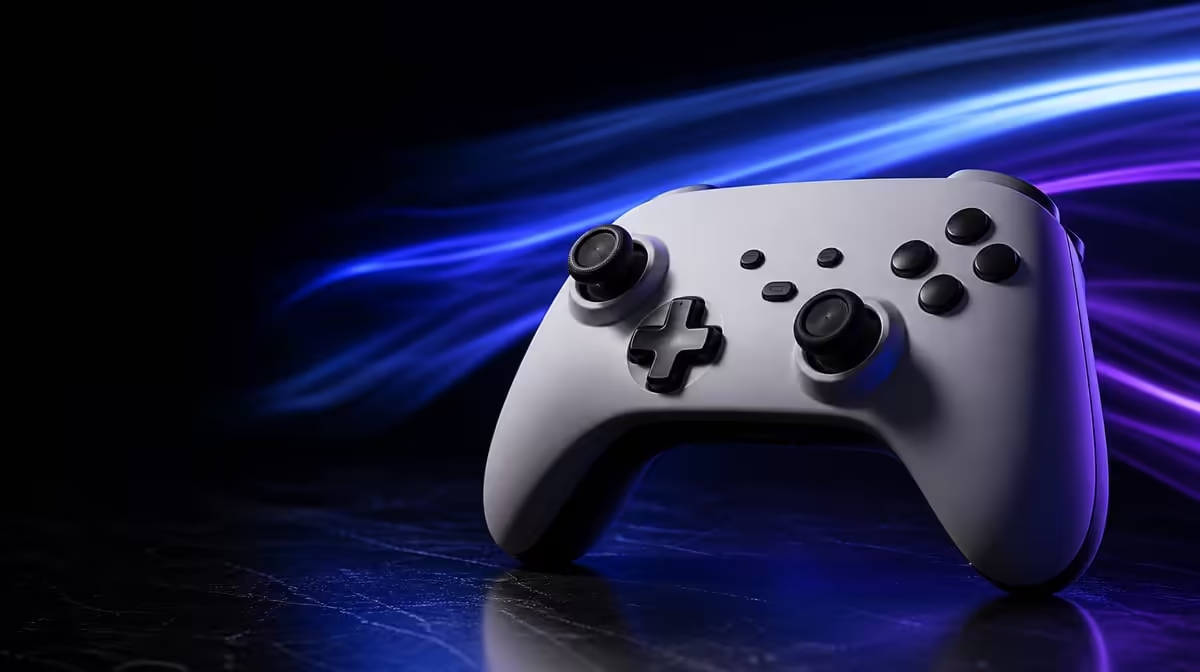
A faster report cadence can reduce one wait between controller movement and PC software, but it cannot control the rest of the pipeline. 1000Hz polling can improve PC controller response by shrinking nominal report spacing to one millisecond.
Quick Answer
At R1,499, the GameSir G7 Pro offers PC users a 1000Hz polling mode. Up to one thousand reports per second can leave the pad, while processing, frame pacing, rendering and display response shape the visible result.
⏱️ Define the improvement precisely
At 1000Hz, report opportunities are one millisecond apart. A lower polling rate leaves a larger interval between opportunities.
This does not create one-millisecond total latency. The game and display still do work after the report arrives.
The specification belongs to PC. Do not carry it onto wired Xbox or Bluetooth Android.
The G7 Pro can connect to PC by cable or 2.4GHz. The intended route should be part of the test, and identical behaviour should not be assumed without checking.
Physical actuation occurs before polling. Trigger travel and the player's finger determine when an input is sensed. The report rate begins after that stage.
Online network delay is another separate path. Use a local training scene when possible so a server connection does not dominate the observation.
Use Evetech's gaming controller selection with report timing and total response in separate columns.
🖥️ Stabilise the PC before testing
Choose the intended wired or 2.4GHz route and keep it fixed. Confirm ordinary input first.
Test every basic control before rate comparison. A mapping or calibration fault should not be mistaken for timing.
Route a cable so it does not restrict hand movement, or keep the 2.4GHz distance and radio environment consistent.
Use a repeatable scene with stable frame pacing, graphics and display settings. Close changing background loads.
Average frame rate alone is not enough. Watch for uneven frame delivery that can make response feel inconsistent.
Keep the display refresh mode fixed. A screen change can affect visible timing more than the controller setting.
Record connection, game, sensitivity, trigger state and macro profile.
Add polling setting, nominal interval, frame cap and test order. The record should make another run possible days later.
Warm up before collecting results, then rest between sets. Learning and fatigue can bias the sequence.
Browse Evetech's gaming accessories category for the remaining input environment.
🧪 Compare repeated game actions
Use direction changes, rhythm inputs or a reaction drill. Run several sets at each available setting.
Choose actions with a clear start and success condition. A vague feeling during free play is harder to compare than repeated inputs in a training area.
Collect all ordinary runs, not just the personal best. Consistency matters more than one fortunate attempt.
Alternate the rate order to reduce warm-up bias. Rest when fatigue affects hand movement.
On a later day, reverse which setting is tested first. A preference that survives both orders has a stronger basis.
If possible, hide the setting label from the player during part of the comparison. Expectation can shape a subtle timing judgement.
Record consistency, misses and subjective feel. A measured interval and player performance are not the same claim.
The one-millisecond property is calculated from 1000Hz. Better scores, if any, are an observed personal result. Keep the wording separate.
If no difference is noticed, record that too. A stable higher rate can remain useful without carrying extra performance credit.
Keep TMR stick settings and trigger stops unchanged. Those features affect sensing and physical travel, not polling.
Use the default macro layout so a new command position does not alter reaction time. Once polling is chosen, restore the game profile.
The four rumble motors add feedback, not report frequency. Audio through 3.5mm also belongs outside this timing test.
🎯 Decide whether the PC gains matter
Competitive action provides a stronger reason to value shorter intervals than a slow turn-based game.
A rhythm title, fighting-game training sequence or rapid FPS action may expose the reporting window more often. Genre still does not guarantee that every player notices it.
Test another title after selecting the rate. The setting should remain stable even when the practical benefit changes.
At R1,499, polling can share the case with TMR sticks, four macros and adjustable triggers.
Assign the 1000Hz value only to PC hours. Xbox and Android can still benefit from sensing and controls without receiving the PC timing claim.
A PC-first competitor may make polling one of the top three reasons. A console-first buyer should give it much less weight.
Choose the highest stable supported setting that produces a useful result. Save the profile and retest after restart.
Create a recovery sequence: connect, confirm the rate, load the stable scene and run one reference action. Update the note if any step is missing.
Do not keep changing rates after the profile is settled unless a game or system issue requires a new comparison. Consistency can matter more than constant optimisation.
End with the exact conclusion: 1000Hz shortens controller report opportunities to one millisecond on the tested PC, while the observed play result belongs to that game, route and system.
Create a second profile for the alternate PC route only when it will actually be used. Repeat the stable scene by cable and 2.4GHz, then keep connection effects apart from the rate.
Document a fallback setting that restores ordinary play if the preferred profile fails. Competitive preparation benefits from a quick recovery path.
Recheck the TMR sticks at centre before the timing drill. Frequent reports of an incorrectly calibrated value would not improve precision.
Use full trigger travel during the baseline unless the game specifically requires a stop. A shorter physical action can affect timing impressions before the report stage.
At R1,499, 1000Hz deserves strong value only for PC hours. A household using mainly wired Xbox or Bluetooth Android should make compatibility and controls carry the recommendation.
Repeat the comparison after a game update or major PC setting change. The old result may remain useful, but its environment has changed and should be labelled.
Finish the setup card with date, platform, route, polling mode, frame conditions and one reference result. That compact evidence keeps future optimisation from becoming guesswork.
Repeat the reference run after a normal restart and again after changing games. The technical interval should remain available even when the practical result changes by title.
Keep the final wording conditional: 1000Hz can reduce the PC reporting window, while the player's benefit depends on a stable connection, game, frame pipeline and display.
Review Evetech's popular accessories after documenting the exact PC route and scene.
Frequently Asked Questions
How often can a 1000Hz controller report input?
It can provide up to one thousand reports per second.
Where does the G7 Pro support 1000Hz?
The feature applies to PC.
What part of performance can polling improve?
It can reduce the interval before a controller report is sent to the PC.
Why can total latency remain higher than one millisecond?
Game processing, rendering, frame delivery and display response remain after reporting.
Will 1000Hz improve every type of game equally?
No. Timing-sensitive action can expose it more than slower games.
Does polling rate affect TMR stick drift resistance?
No. Reporting cadence and magnetic stick sensing are different properties.
How should players compare the setting?
Keep the system stable, repeat the same actions and record results across several sets.
Ready to test one millisecond without calling it the whole journey?
Compare Evetech's PC gaming controllers and measure the G7 Pro's polling result in a stable, repeatable game scene.