Hunting for a great laptop under R7000 in South Africa can feel like a mission. You're trying to find a machine that won't lag during a simple task, all while navigating confusing specs and endless options. What if you could skip the guesswork? This guide is your personal quiz. By answering a few simple questions about your needs, you'll discover exactly what to look for, making it easy to find your perfect match. Let's begin! 🤔
So, What's Your Mission? Answering the Big Question
Before you even look at specs, you need to know what your new laptop's primary job will be. The best laptops under R7000 are specialised. Are you a student, a work-from-home professional, or just need a device for browsing and streaming?
- The Student & Office Pro: Your priorities are a comfortable keyboard, solid battery life, and portability. You'll be typing assignments and hopping between video calls, so a reliable machine for productivity is key.
- The Entertainment Hub: If your laptop is mainly for Netflix, YouTube, and browsing, focus on screen quality. A Full HD (1920x1080) screen makes a massive difference for movie nights.
- The Casual Gamer: Let's be realistic... a sub-R7000 laptop won't run the latest AAA titles at high settings. However, it can be perfect for indie games, classics, and cloud gaming services. If your budget can stretch a bit, you can explore some surprisingly capable entry-level gaming laptop deals that open up more possibilities.
Decoding the Tech: What to Look for in a Laptop Under R7000
Once you know your mission, it's time to look under the hood. For a laptop under R7000, three components matter most: the processor (CPU), memory (RAM), and storage.
The Processor (CPU): Intel vs. AMD
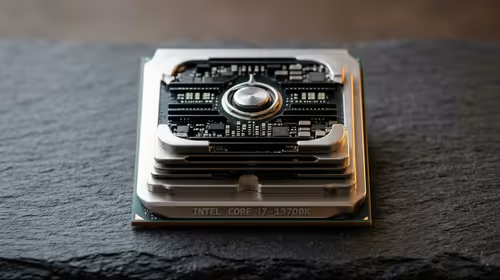
The CPU is the brain of your laptop. At this price point, you're generally choosing between two excellent teams. You'll find great value in modern Intel Core i3 or certain Celeron processors, which are perfect for everyday multitasking and office applications. On the other side, AMD's Ryzen 3 and Athlon chips offer fantastic performance, especially for integrated graphics.
There's no single "best" choice; it's about the specific deal you find. You can browse current AMD laptops on special or check out the latest Intel laptops on special to see what fits your budget.
Memory (RAM) & Storage
- RAM: Aim for 8GB if possible. While 4GB will work for basic tasks, 8GB gives you much-needed breathing room for having multiple browser tabs and applications open at once.
- Storage: This is crucial. Many budget laptops come with a traditional Hard Disk Drive (HDD), but a Solid-State Drive (SSD) is a massive upgrade for speed. Your laptop will boot up in seconds, and apps will feel incredibly responsive.
The SSD Advantage 🚀
If you have to choose between more storage space (1TB HDD) and less but faster storage (256GB SSD), always choose the SSD. The difference in day-to-day speed is enormous. You can always use an external drive or cloud storage for extra files, but you can't easily make a slow laptop feel fast.
Finding Your Perfect Match: The Final Verdict ✨
So, which R7000 laptop is right for you?
- If you're a student or professional: Prioritise 8GB of RAM and an SSD. A 14-inch or 15.6-inch screen with a decent keyboard will be your best friend.
- If you're a movie lover: Look for a 15.6-inch screen with a Full HD (1080p) resolution. An SSD will still make your streaming apps load faster.
- If you're a casual gamer: Find a model with a newer AMD Ryzen processor with Radeon Vega graphics, as these often provide a slight edge for light gaming.
You're now equipped with the knowledge to make a smart choice. The perfect machine is waiting.
Ready to Find Your Perfect Match?
Finding the right laptop under R7000 doesn't have to be a gamble. Now that you know what to look for, the perfect machine is just a click away. Explore our massive range of laptop specials and find the perfect partner for your work, studies, or entertainment.