Quick Answer
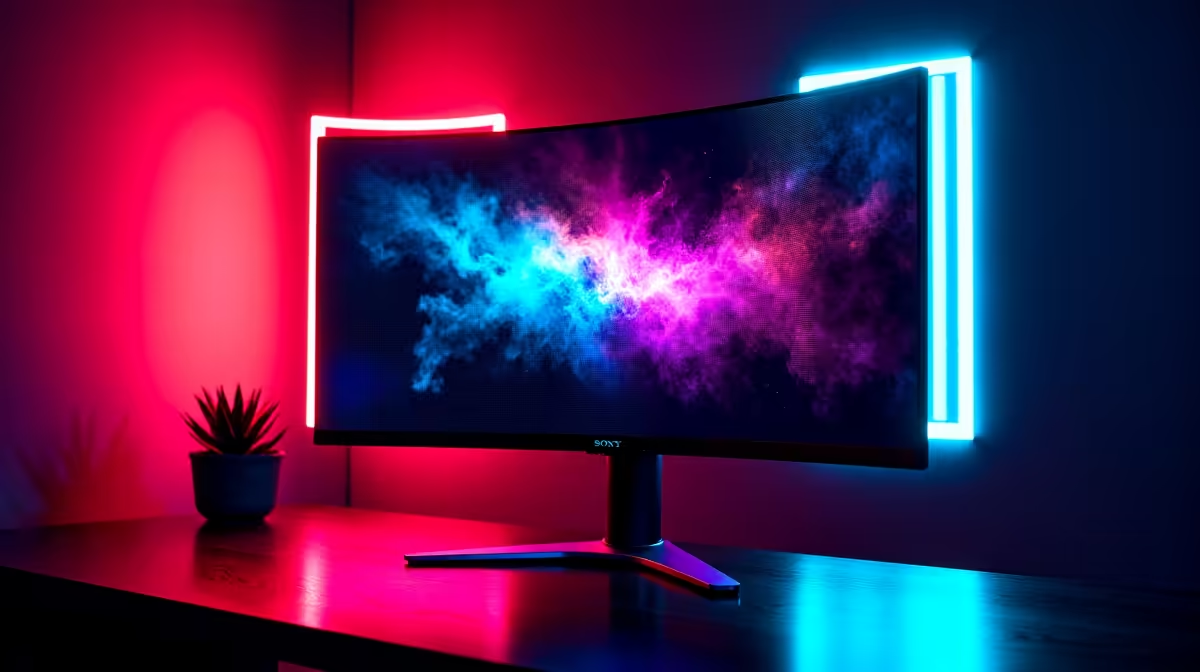
For gaming sessions exceeding four hours, a 1500R curved monitor reduces perceived depth distortion at screen edges and can lower eye strain compared to a flat panel of the same size. For productivity requiring straight-line accuracy such as spreadsheets, CAD, or coding, flat panels are preferred because curvature distorts vertical lines at screen edges. Competitive gaming benefits from curvature are minimal.
What 1500R Curvature Means in Practice 🖥️
The radius number describes the imaginary circle of which the screen is a segment. A 1500R panel follows a 1500mm radius, meaning screen centre and edges are theoretically equidistant from a viewer seated 1.5 metres away. This minimises the focus adjustment when shifting gaze between centre and edge content. A 1800R panel is less aggressive; a 1000R panel curves more sharply and requires closer seating. At typical SA desk distances of 60 to 90cm, a 1500R curve subtends more peripheral visual field on a 32-inch or 34-inch screen. On a 27-inch panel the practical benefit over flat is minimal, making size and radius always a paired consideration.
Flat Panels for Accuracy Work 📐
Architects, engineers, and developers prefer flat monitors because straight vertical lines at the edges of a 1500R panel exhibit slight bowing, visible when aligning elements in AutoCAD or Excel column grids. Dual-monitor setups almost always use flat panels: two curved screens create an awkward double-curve seam. For photography and video colour work, flat IPS panels are the standard since calibration profiles are created for flat geometry. A flat 32-inch QD-OLED or IPS is the more versatile choice for users splitting time between gaming and professional creative work.
Does the Curve Help Situational Awareness? 🎮
With a large 1500R curved panel, screen edges fall closer to your peripheral vision cone, making minimap indicators and HUD elements marginally more accessible. This benefits immersive single-player games and strategy titles. In competitive FPS games, the relevant on-screen zone is a narrow 30-degree horizontal band in the centre, making curvature irrelevant to aim outcomes. SA esports players at Mettlestate events and university LAN clubs overwhelmingly use flat 240Hz IPS monitors. The immersion gain from 1500R is real. The competitive FPS advantage is not.
Seat at the Correct Distance for 1500R Benefit ⚡
The optimal viewing distance for a 1500R curved monitor is 1.3 to 1.6 metres from eyes to panel centre. At typical desk distances of 60 to 80cm, the curve wraps beyond your peripheral field, reducing the intended benefit. A monitor arm with extra depth reach solves this and immediately improves edge sharpness perception.
FAQ
Does a 1500R curved monitor reduce eye strain during long sessions?
For most users, yes, when correctly positioned. The curve reduces focal distance variation between screen centre and edge, which eases sustained focus during four-plus hour sessions. Users with astigmatism may need a brief adaptation period.
Can I mount a 1500R curved monitor on a VESA arm?
Yes. Most 1500R monitors include standard VESA 75x75 or 100x100 patterns. Use an arm rated for the monitor's weight (typically 4 to 8kg) with enough depth reach to position the panel at 1.3 to 1.5 metres from your eyes.
Is a 1500R curved monitor worth the premium over a flat panel in South Africa?
Curved panels typically cost R500 to R2,000 more than flat equivalents at the same spec. For immersive single-player gaming or long-session comfort, the premium is justified. For competitive gaming or professional accuracy work, flat panels offer better value.
Choosing between curved and flat for your setup?
Evetech stocks both 1500R curved and flat panel gaming monitors in 27-inch, 32-inch, and 34-inch sizes, all with local SA warranty.