



iRacing SA Gaming PC Build Guide
iRacing build planning should focus on the target resolution, settings and total system balance. Treat launch wording as time-sensitive, then verify requirements before choosing SA PC parts.
Read morePlanning a 64-camera CCTV setup? 📹 Use our expert guide to calculate the exact storage capacity required for your surveillance system to ensure zero data loss. 🛡️
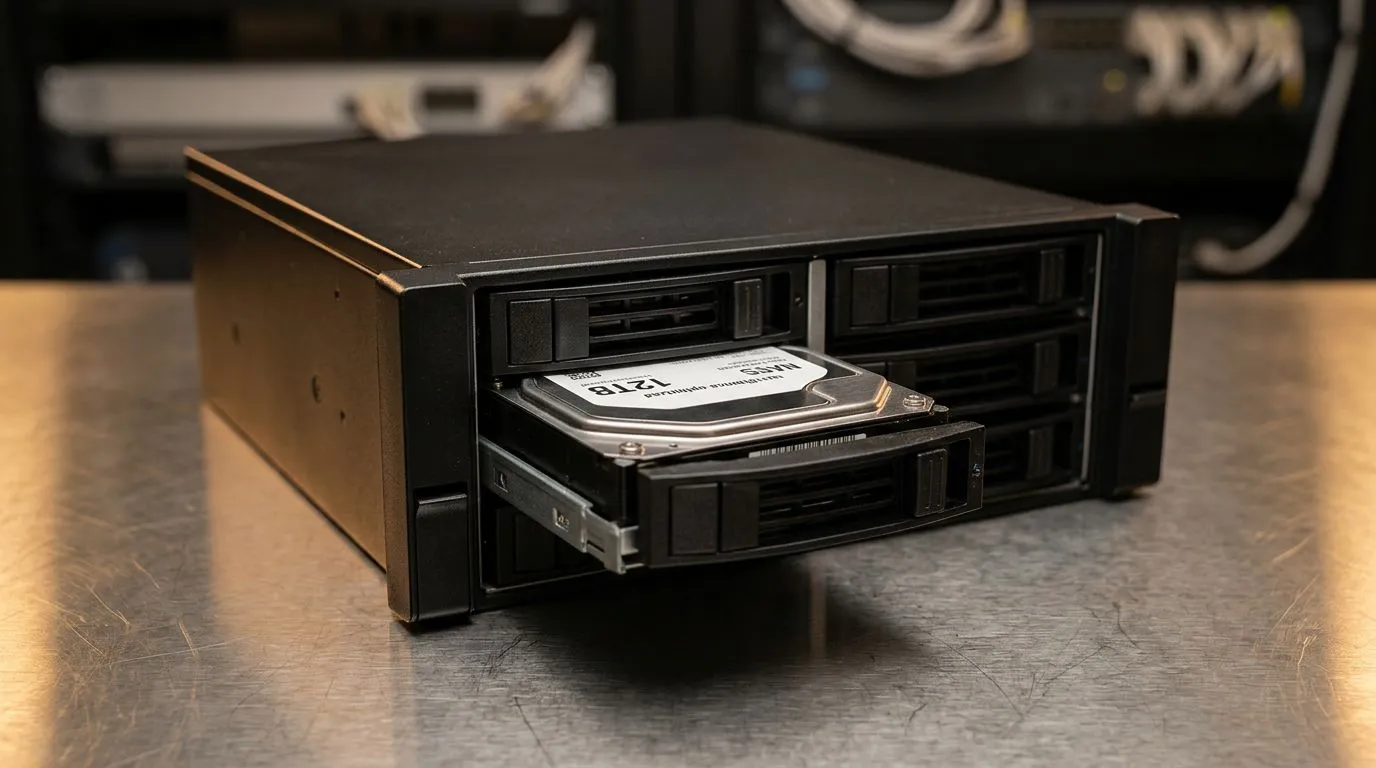
Setting up a 64-camera security system isn't just about mounting lenses; it's about managing a massive stream of data. If you are running a high-definition surveillance network, the bottleneck is almost always your storage. Without the right capacity, your system will overwrite footage before you even realise an incident occurred. Calculating your storage needs requires balancing resolution, frame rates, and compression standards to ensure your peace of mind.
When planning your storage, the first variable is bitrate. A 4K stream at 30 frames per second demands significantly more space than a 1080p feed at 15 frames per second. For a 64-camera setup, you should look into high-speed external SSD options for rapid offloading of critical evidence. If you are building a dedicated server, investing in solid state drives is essential to prevent frame drops during high-intensity recording periods.
managing large-scale video files, always use dedicated [external storage](https: www.evetech.co.za PC-Components buy-external-ssd-199?attributes-formfactor=External) for your archives. It keeps your primary system drive clean and ensures your OS stays snappy, even when the security software is pulling heavy duty.
Reliability is the cornerstone of any surveillance project. We often see users trying to cut costs with inferior drives, but surveillance recording is a write-heavy process that kills standard consumer hardware. For long-term stability, we recommend ADATA drives for their consistent performance under pressure. If you need enterprise-grade endurance, Western Digital storage remains the gold standard for 24/7 operations in South African conditions. 🔧
To handle the massive throughput of 64 cameras, your motherboard and controller must be up to the task. If you are building a custom NVR, consider Gen 5 NVMe technology to ensure that your data bus isn't saturated. This allows for seamless playback and faster searching of your archives when every second counts. ✨
Ready to Find Your Perfect Match? Building a robust surveillance system requires reliable hardware that won't let you down. Whether you need high-capacity drives or a complete system overhaul, we have the stock to keep your data safe. Explore our massive range of storage components and find the perfect hardware to secure your premises today.
You must multiply the average bitrate of your cameras by the number of cameras, then by the duration of recording in seconds, and finally by your retention period.
Resolution, frame rate, compression format (H.265 vs H.264), motion detection settings, and the number of cameras significantly impact your total storage needs.
Yes, H.265 compression reduces bandwidth and storage requirements by up to 50% compared to H.264, making it essential for large-scale 64-camera surveillance systems.
Yes, surveillance-rated drives are designed for 24/7 write-intensive workloads, ensuring reliability and longevity for your 64-camera security storage array.
Most businesses aim for 30 days of retention, though legal requirements or industry standards may dictate longer storage periods for your surveillance system.
Absolutely. Recording only when motion is detected can significantly reduce the amount of data written to your NVR, extending your effective storage retention time.
iRacing build planning should focus on the target resolution, settings and total system balance. Treat launch wording as time-sensitive, then verify requirements before choosing SA PC parts.
Read more
Skyrim PC requirements should be mapped to resolution, settings and upgrade budget before choosing a tier. Verify current requirements, then balance GPU, CPU, RAM and SSD around SA pricing.
Read more
Skyrim PC builds is a cautious guide for game PC build planning. Compare game requirements, tier fit, resolution goals, RAM, storage, and GPU choice for SA buyers without assuming live prices, availability, or exact benchmark results.
Read more
Hades 2 PC builds is a cautious guide for game PC build planning. Compare game requirements, tier fit, resolution goals, RAM, storage, and GPU choice for SA buyers without assuming live prices, availability, or exact benchmark results.
Read more
Roblox PC builds is a cautious guide for game PC build planning. Compare game requirements, tier fit, resolution goals, RAM, storage, and GPU choice for SA buyers without assuming live prices, availability, or exact benchmark results.
Read more
Mortal Kombat 1 launch needs a balanced parts plan, not a random basket. Map the CPU, GPU, RAM, SSD, cooling, and monitor target to the budget so SA builders know where to spend first.
Read more
Wondering if a TKL wireless mechanical keyboard is worth it for everyday productivity? We break down latency, battery life, comfort, and workflow gains for real work. ⚡⌨️

Maximise battery life on a fanless 15-inch laptop using efficiency core architecture. Cut idle drain, tune power profiles, and improve thermals for longer runtime. 🔋⚙️

Learn how to reduce desk clutter with a TKL wireless keyboard using fewer cables, smart placement, and tidy essentials. Get a faster, calmer workspace with better ergonomics. ✅🧼

RGB keyboard lighting too distracting? Learn how to manage backlight modes, set brightness, and reduce distraction for focus and productivity 😌🖱️

Are themed gaming keyboards worth the extra cost? Compare build quality, switch options, features, and resale value to find the best fit for your setup 🎮⌨️

Full-Size vs Tenkeyless mechanical keyboards for gaming: find out if a smaller layout truly improves aim, speed, and comfort. We break down layout, desk space, latency-feel, and keybinds 🎮⌨️

Dedicated media rollers vs function key shortcuts: learn which setup gives you better workflow control, faster media access, and fewer mistakes. 🖱️🎧

Best Mechanical Switch Type for Gaming: Clicky vs Linear vs Tactile. Find your feel, speed, and noise balance with practical guidance for FPS, MOBA, and productivity 😄🎮

Direct mouse answer: Mouse not keeping up with your work? Everything that matters about dual-mode 2.4GHz + BT 5.0: DPI behaviour, channel switching, battery curves and per-app button mapping. Covers when 2.4GHz USB wins (low-latency desk) and when BT 5.0 wins (laptop, d

Plain wireless mouse guide: Mouse not keeping up with your work? Everything that matters about wireless productivity mouse: DPI behaviour, channel switching, battery curves and per-app button mapping. Includes DPI tuning tips, channel switch shortcuts, and ZAR-aware fea

Real productivity numbers: Set up your wireless mouse in this order: everything that matters about wireless productivity mouse: DPI behaviour, channel switching, battery curves and per-app button mapping. Includes DPI tuning tips, channel switch shortcuts, and ZAR-aware

Pen not feeling like paper? Stylus lag and skipping usually trace to old drivers, dirty nibs, or display refresh mismatches, not the pen itself. Covers pressure curve tuning, tilt thresholds, nib swap timing, and SA pricing brackets.