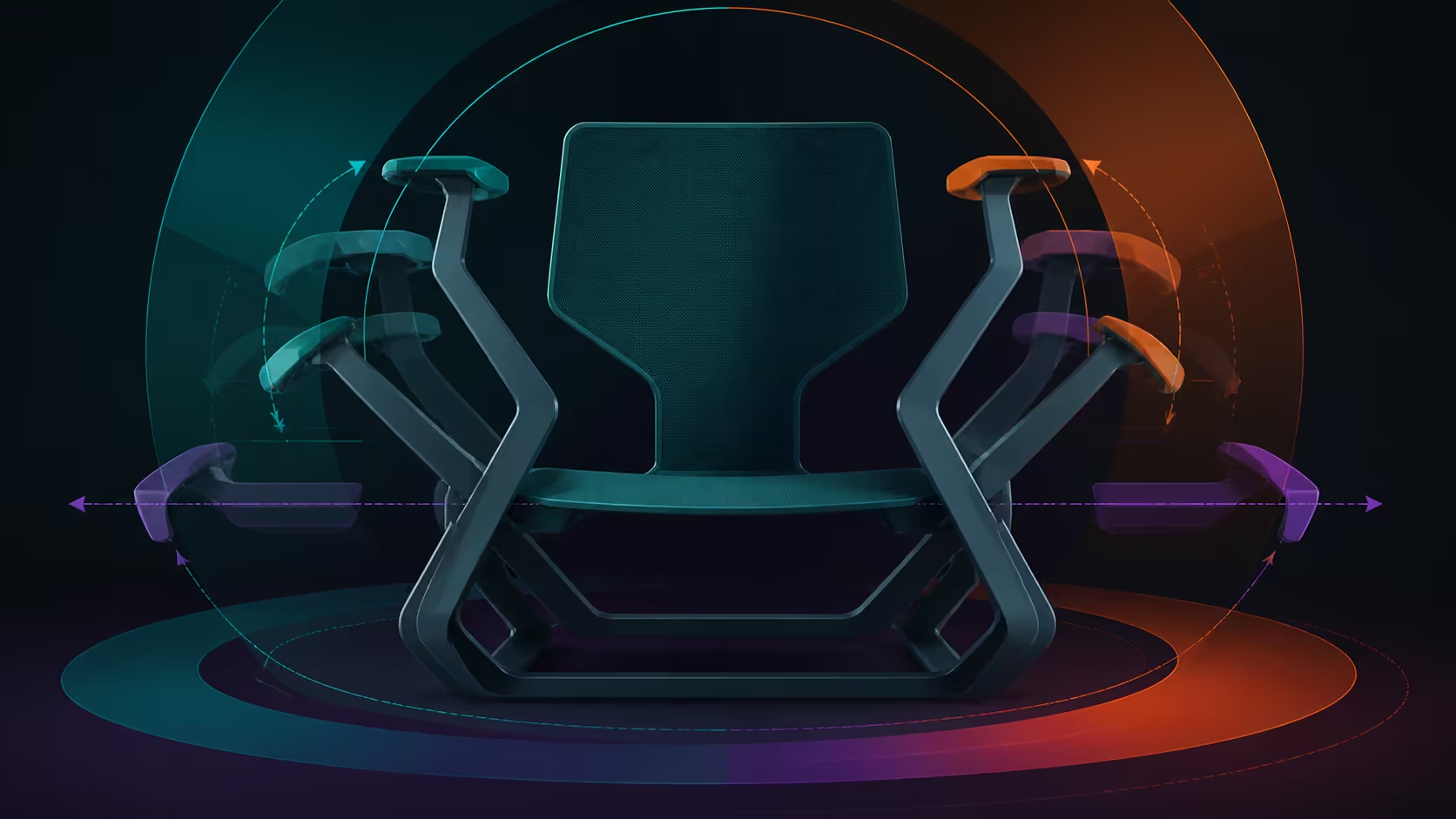
720-degree adjustable armrests provide a broad positioning concept, but useful setup still comes from mapping forearm support to each task. Typing, pointer movement and relaxed work can require different angles, including different answers on the two sides.
Quick Answer
The E3 Ultra's 720-degree armrests combine 360-degree pad rotation and 360-degree body swivel with height, reach and tilt adjustments.
Set the keyboard side to support a relaxed forearm without lifting the shoulder, then tune the pointer side for close, unrestricted movement. Check desk clearance and save repeatable task positions. The R9,599 HBADA E3 Ultra includes omni-adjustment armrests with a 720-degree range.
🗺️ Establish the workstation map
Measure the working distance to the desk, location of the keyboard and pointer, height of the surface and any frame that can obstruct the chair. Sit with feet stable and the torso supported before changing the arms.
The aim is not to keep elbows frozen. Support should share forearm weight where useful while allowing the hands and shoulders to move naturally. If the chair must roll backward to clear the armrests, the range has not yet produced a workable position.
Learn the physical controls
The 720-degree description communicates broad omni range rather than a universal mechanism. Identify the actual releases, pivots and safe movement on the chair. Never force an assumed direction based on the number.
Evetech's HBADA office seating range lets buyers compare how control access and range differ between models.
⌨️ Tune the keyboard side deliberately
Bring the keyboard close and keep the elbow near the body. Place the support beneath a comfortable portion of the forearm without pushing the wrist upward. Type letters, reach function keys and use the number pad if it belongs to the routine.
Watch the shoulder rather than focusing only on the armrest. If it rises or rotates to maintain contact, lower or reposition the support. If the forearm slides off during ordinary input, revise the contact point.
Do not assume both sides should mirror one another. The keyboard may occupy a different centre line from the user, and specialised input devices can change the relationship.
🖱️ Give pointer work its own trial
Keep the mouse or trackball near the keyboard and set the support so the forearm can guide movement without being pinned. Test fine control, larger sweeps and switching back to the keys. A static resting pose does not reveal whether the setting supports the task.
The pointer side may need a new angle, contact length or position relative to the torso. Separate comfort from precision: a soft-feeling rest that pushes the device away can increase reach.
Recheck the desk edge after every significant armrest change. Clearance must work while approaching, using and leaving the workstation.
🔁 Build a small library of positions
Create references for typing, pointer-heavy work and calls rather than changing continuously. A photo or alignment mark can help a shared user restore their setting. Retest whenever desk height, chair distance or input devices change.
The E3 Ultra's other controls can alter the arm relationship. Its backrest travels to 140 degrees, and its 8D lumbar adjustment can change how the torso meets the chair. Reset forearm support after a major torso change.
Use Evetech's broader office chair collection to test alternative systems against the same task map. The best armrest is not the one with the largest figure; it is the one whose useful positions are reachable and repeatable.
Examine control quality through actual movement
The practical review can note how easily the actual control is reached, whether a preferred position returns and whether normal movement disturbs it. These are observations from the chair, not assumptions attached to the 720-degree number. Use only the mechanism shown by the physical product and its instructions.
Ask the intended user to complete the setup without another person moving the supports. Independent operation is especially important in a shared study or hot-desk environment. Record where the process becomes unclear and whether a simpler reference solves it.
Repeat the process wearing the clothing normally used at that desk. Sleeves or layers can change where forearm contact feels helpful without changing the mechanism.
Test entry and exit too. A helpful forearm position may need to move aside when standing or approaching the desk. The broad omni range has more value when this transition is manageable and the work setting can then be restored.
Put arm adjustment in the full fit decision
Arm support cannot compensate for unsuitable seat dimensions, an excessive desk height or inadequate leg clearance. Resolve those constraints first and obtain an explicit capacity for the intended user. The chair's aluminium-alloy base and support bar cannot supply that figure by inference.
Keep health claims proportionate. A better forearm position may reduce an obvious reach within the setup, but no armrest range guarantees pain prevention, posture correction or medical benefit. Persistent symptoms belong with a qualified professional.
Finally, compare the R9,599 chair with alternatives that pass the same measurement filters. Score the number of useful positions, reset confidence, desk clearance and task transitions. This produces a value judgement connected to work rather than spectacle.
If the input layout changes, discard old assumptions. A compact keyboard, separate number pad, drawing tablet or alternative pointer can shift both arm references. Re-run the task map instead of forcing a saved position around new equipment.
Test the supports with ordinary sleeves and the seating posture used in real work. Clothing and torso position can shift the preferred contact without changing the armrest hardware.
For each saved setting, write the task name and desk distance rather than only a visual angle. Context makes the reference usable after another person has moved the chair.
End with a neutral reset that clears the workstation for the next user. This checks whether broad adjustment supports shared use instead of leaving an obstructive arrangement behind. Label the reset without prescribing identical working positions. Preserve each task reference separately.
The pad can move 4.33 inches front to back, 1.97 inches vertically and tilt 20 degrees. Start from shoulder relaxation, then set reach for the keyboard or mouse. Rotate only enough to support the forearm without crowding the desk.
Each movement should have a named purpose. Height supports the elbow, reach closes the gap to the input, tilt changes forearm angle and the two rotations handle orientation or desk clearance. This sequence prevents spectacular range from replacing stable everyday support.
Frequently Asked Questions
Where can broad omni adjustment affect desk work?
It creates a broad omni-positioning range for the supports. Practical benefit depends on reaching the user and clearing the desk, not on the number alone.
How should the keyboard side be positioned?
Support a relaxed forearm with the elbow near the torso and the wrist free. Type across the full set of regularly used keys before keeping the position.
What matters on the mouse side?
The device should remain close while the forearm moves without being trapped. Check shoulder reach, pointer control and transitions back to the keyboard.
Can both sides use different settings?
Yes. Asymmetric tasks often justify separate positions, as long as neither side creates shoulder elevation, unwanted reach or obstruction.
Which HBADA chair includes the range?
The white E3 Ultra includes the 720-degree omni armrest system. It is priced at R9,599 for the South African comparison.
When should the range be retested?
Retest after moving the chair, changing desk height, replacing an input device, adjusting lumbar support or selecting a different recline angle.
Ready to build separate armrest settings for typing and pointer work?
Browse Evetech office chairs with your desk map and task trials ready to expose useful range rather than theoretical movement.