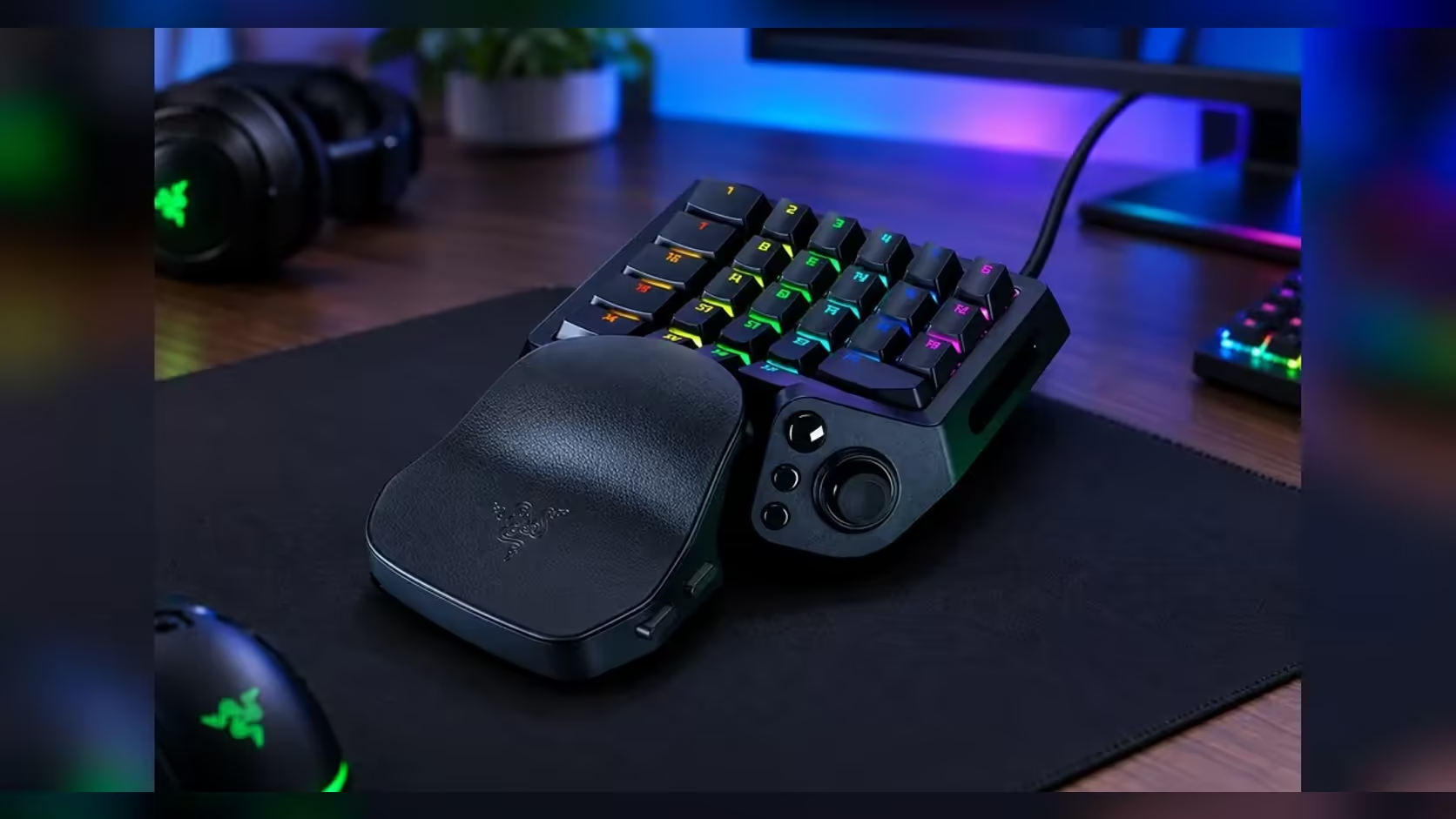
Polling is the number on the box that sounds like it should matter most, and it is often oversold. The polling rate is how often the keypad checks its state and reports it to your PC. The Tartarus V2 Pro supports up to 8000Hz, and the gap between one report and the next shrinks from 1.0ms at 1000Hz to 0.125ms at 8000Hz. Whether that gap is worth chasing depends on what else sits in your setup.
Quick Answer
Polling is how often the keypad reports to your PC, and 8000Hz sends eight times as many updates as 1000Hz. The gap between reports falls from 1.0ms to 0.125ms. At R4,799 the Tartarus V2 Pro includes 8000Hz polling, so the rate is part of the keypad rather than an extra you pay for.
🧮 The arithmetic behind the two rates
At 1000Hz the keypad reports 1,000 times a second, which works out to one report every 1.0ms. At 8000Hz it reports 8,000 times a second, one every 0.125ms. The difference between two consecutive reports drops by 0.875ms, and that is the entire gain on paper.
Be precise about what the rate measures. Polling sets how often the keypad checks the state of its keys. A press only changes that state at the moment it happens, so a faster check cannot create presses that were not made. It only means a press is seen sooner after it happens, by at most one check interval. At 1000Hz that wait is up to 1.0ms, and at 8000Hz it is up to 0.125ms.
📺 Monitor frames are the slower clock
Your screen sets a much slower clock. A 144Hz monitor draws a new frame every 6.9ms, and a 240Hz monitor every 4.2ms. Inside one 144Hz frame, a 1000Hz keypad reports about seven times, and an 8000Hz keypad reports about 55 times. Both rates put several reports into every frame, so a press lands on the next frame either way.
That is why the gain is hard to feel on most screens. The keypad is already faster than the display can show, and the frame that carries the press is the bottleneck. The rate only starts to matter when a fast screen and a tight input window line up, which is a narrower situation than the spec suggests.
🎯 Where the rate matters and where it does not
The rate helps most in very fast, repeated inputs, where the timing between two presses is measured in a few milliseconds. A tight combo or a rapid-fire sequence fits that pattern. A slow ability rotation, or a single press followed by a long cooldown, gains nothing from the extra reports.
The network is a separate and usually bigger delay. A ping of 30ms to a game server is 240 times the 0.125ms gap that 8000Hz saves, so the connection will dominate the timing long before the keypad does. On a fibre line in Gauteng the ping can look fine on the router and still spike at peak hours, and that spike is the one you notice, not a polling gap of a fraction of a millisecond.
If you are comparing peripherals alongside the keypad, the peripheral best sellers list shows what other buyers pick, which is a useful check on what the rest of the market values. For the keypad itself, the gaming keyboards range lists the models side by side.
🔄 Set polling against the upgrades that cost the same
Put polling alongside the other changes you could make for the same rand. A faster screen, a steadier line or a better wrist rest may change your results more than a 0.875ms gain on the keypad's report. Write the options down with their cost, then rank them by the change you expect to feel in a 20-minute session.
Keep the test honest. Change one thing at a time, play two sessions with each change, and count the misses in a 20-tap drill. If the polling change moves the misses by one or fewer over those sessions, the rand is better spent elsewhere. If it moves them by three or more, the rate has earned its place on the list.
🧪 A timing test you can run in 10 minutes
Set the keypad to 1000Hz first, then run a 10-minute session in a training area that rewards quick repeated presses. Note the presses you miss and any double-fires. Switch to 8000Hz and run the same drill for another 10 minutes. Compare the two counts and the feel, and write the difference down in one line.
Repeat the test on a second day, because the counts swing with fatigue and with how the desk sits. A result that holds on both days is real. A result that appears on one day and vanishes on the next is noise, and it should not change what you buy.
Write the polling result on the same line as your ping at that time, so the notes show both numbers side by side. Over a week of entries, that line tells you whether the connection or the keypad is the limit, without any guessing about which one caused a bad night.
Keep the drill the same length each time, so the counts stay comparable across the two days you test. A 10-minute session on each setting is long enough to show the pattern and short enough to repeat.
Frequently Asked Questions
Is 8000Hz worth it for a keypad?
For most players the gain is small. It matters most in very fast, repeated inputs on a fast screen. If your games are slower or your screen is standard, 1000Hz covers the work.
Will 8000Hz fix input lag?
Not on its own. Polling is one link in a chain that also includes the screen, the frame rate and the network. Check those first if inputs feel late.
Do I need a 240Hz monitor for 8000Hz to matter?
Not strictly. The reports are finer than any frame on either monitor, but the benefit shows most when the screen refreshes quickly enough to display the difference.
What should I check first if my keypad feels slow?
Check the frame rate on your screen, then your ping to the game server, then the keypad's actuation depth. The polling rate is usually the last thing to change.
Chasing the lowest input delay?
Look at the whole chain, from the screen to the connection, since the keypad is only one link in it.