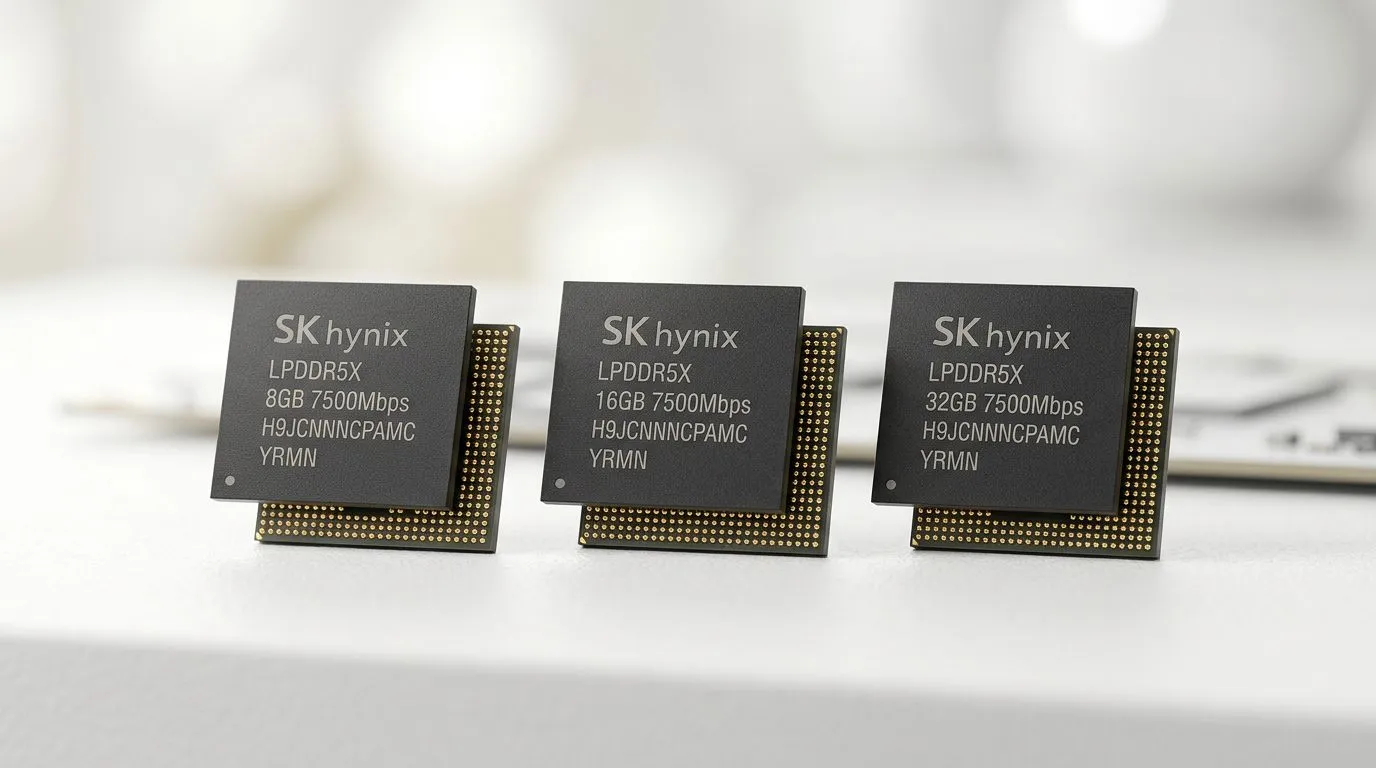
8GB vs 16GB vs 32GB LPDDR5X RAM: Choosing the Right Ultrabook Memory
South African gamers and students shop with real limits… budget matters, deadlines matter, and “will it lag?” worries are valid. If you’re buying an ultrabook, RAM is one of the few specs that can quietly make or break your daily experience. So, should you go 8GB vs 16GB vs 32GB LPDDR5X RAM: choosing the right ultrabook memory for work, study, and the occasional game? Let’s break it down in plain terms… with practical buying guidance. 🔧✨
8GB vs 16GB vs 32GB LPDDR5X RAM: What LPDDR5X actually changes
LPDDR5X is faster and more power-efficient than older generations of mobile RAM. In real life, that helps with smoother app switching and quicker loading for memory-hungry tasks. It’s not magic though. If your ultrabook runs out of RAM, the system starts using storage as “extra memory” (slower and more likely to feel sluggish).
Evetech’s ultrabook listings often highlight modern CPU platforms and memory configurations across brands, making it easier to match RAM to your workload without guessing. You can also filter through current specials to compare like-for-like configs before you commit.
8GB is “it works”… but only for light loads
With 8GB, you’ll usually be fine for:
- Web browsing with a few tabs
- Office work, email, and basic school tasks
- Streaming and light casual use
But the pain starts when you stack up real modern usage: multiple browser tabs, Discord, Google Docs, and a few apps. On an 8GB system, you may feel stutters when switching tasks, especially in the afternoon “browser tab avalanche” phase. ⚡
16GB is the sweet spot for most buyers
16GB is where ultrabooks start feeling comfortably responsive for everyday multitasking. For many South African students, this is the “set it and forget it” size:
- More tabs without constant reloads
- Smoother background work
- Better headroom for creative tools
If you’re the kind of person who keeps a chat app open, a browser window full of research, and a notes app running… 16GB usually makes that routine feel effortless.
32GB is for heavy multitaskers and long holding periods
32GB makes the most sense if you do any of the following regularly:
- Video editing or motion work
- Larger photo libraries and heavier editing
- Running heavier development stacks
- Trying to keep the same laptop for several years without upgrading
Even if games run within your GPU limits, RAM affects how smoothly the system handles the “everything else” running alongside gaming.
8GB vs 16GB vs 32GB LPDDR5X RAM: How to choose based on your real workload
The trick is to map RAM to what you actually do, not what you hope you’ll do one day. Here’s a quick decision guide:
- 8GB LPDDR5X: best if you mainly browse, study, and do lightweight work.
- 16GB LPDDR5X: best for most buyers balancing school, work, and some light creative tasks.
- 32GB LPDDR5X: best if you multitask heavily or edit media often, and want longevity.
Small South African “real life” scenarios
Scenario 1: Final-year student
You’ll have lectures, browser tabs, Zoom or Teams, reference sites, and probably a spreadsheet or two. Start with 16GB. It’s the difference between smooth learning and constant “why is it freezing?” moments.
Scenario 2: Content creator using a laptop
If your workflow includes video previews, timeline scrubbing, and multiple apps, 32GB reduces friction. You’re not just waiting for export… you’re waiting for everything.
Scenario 3: “I just need to browse and write”
If your workload is truly light, 8GB can be fine. But don’t buy 8GB expecting it to handle your future side projects comfortably.
Productivity Pro Tip ⚡
On Windows, use the PowerToys FancyZones utility to create custom snap layouts for your windows. It's a lifesaver for managing multiple apps on an ultrawide monitor, letting you organise your timeline, preview window, and asset folders perfectly for video editing.
8GB vs 16GB vs 32GB LPDDR5X RAM: Buying smart with Evetech deals in South Africa
Prices in South Africa move fast, and sometimes the “better RAM” option is only a small increase. That’s where comparing current deals saves you money.
If you’re considering Intel ultrabooks and want to compare configurations in current promotions, start here:
Prefer Ryzen for your ultrabook build? Browse what’s available now:
If you’re leaning towards a laptop that can stretch into gaming territory too, check these specials:
For budgets and practical “value per rand” shopping, this list helps you anchor your decision:
And if you want to pair higher RAM with a stronger graphics experience for occasional gaming, look at:
8GB vs 16GB vs 32GB LPDDR5X RAM: Quick checklist before you pay
Before you click “buy”, check these items on the exact model:
- RAM amount: 8GB, 16GB, or 32GB LPDDR5X
- Whether RAM is soldered: many ultrabooks do not allow upgrades
- Your typical multitasking: tabs, apps, and background tools
- Your hold period: 1-2 years vs 4-5 years changes what you should buy
If you’re unsure between 16GB and 32GB, choose based on how often you feel RAM pressure. If your laptop already struggles today (slow switching, frequent app reloads), 32GB is the safer long-term pick. 🚀
Ready to Find Your Perfect Match?
The Mac vs Windows debate is complex, but for maximum power, choice, and value in South Africa, Windows is hard to beat. Explore our massive range of laptop specials and find the perfect machine to conquer your world.