Quick Answer
Building a clean white RGB gaming PC requires matching white-edition cooling components across AIO cooler, case fans, and heatsinks, then synchronising ARGB lighting through a single software platform. The key is buying within one or two RGB ecosystems to avoid colour mismatches and incompatible connectors.
Choosing the Right White AIO Cooler 🤍
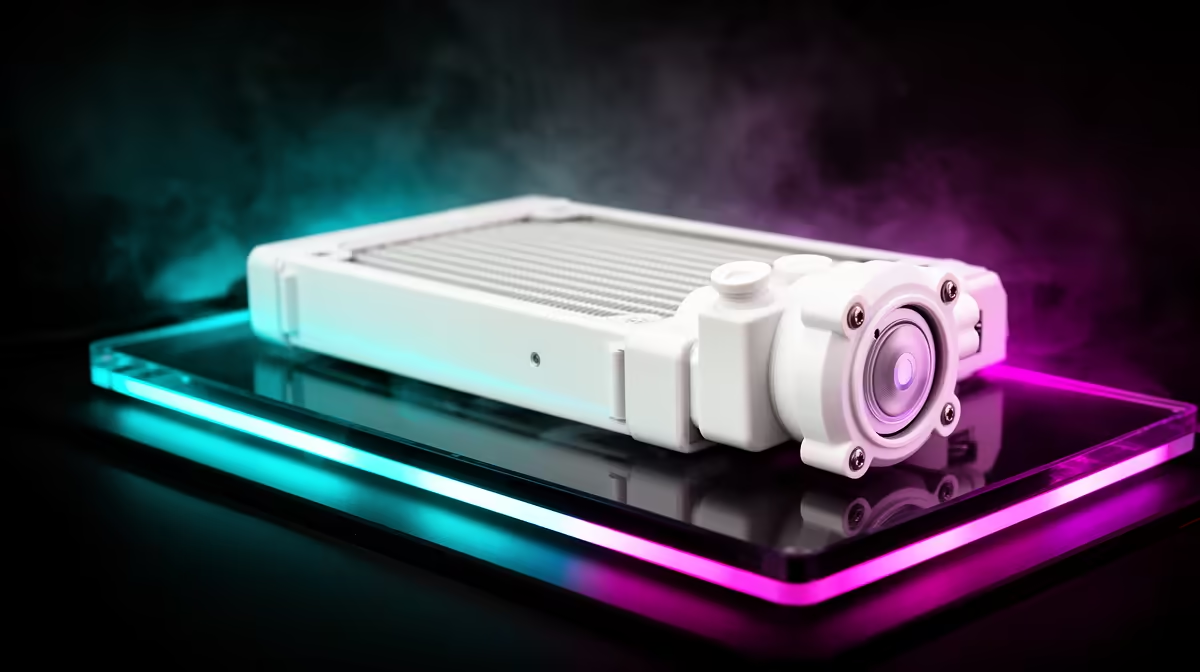
The AIO cooler is the centrepiece of a white cooling build because it occupies the most visible space in the case. White-edition 360mm AIOs from ASUS (Prime LC 360 ARGB White), MSI (MAG CoreLiquid series white variants), and Lian Li (Galahad II white) ship with white pump heads, white radiator frames, and pre-installed white-frame ARGB fans. Prices range from around R2,200 for a quality mid-tier white AIO to R4,500 or more for premium units with LCD pump heads. Critically, the white colouring must extend to the tubing sleeving as well. Some units ship with black sleeved tubes even on white editions, which stands out sharply in a windowed build.
Case Fans and Airflow in a White Build 🎨
Beyond the AIO radiator fans, most white builds include two to four additional case fans for intake and exhaust. Matching these to the AIO fans in both frame colour and ARGB ecosystem is essential. White-frame 120mm and 140mm ARGB fans are available from Lian Li (Uni Fan SL-INF in white), Corsair (LL120 white), and ASUS (TUF Gaming white fans). Aim for all fans using the same ARGB standard: either standard 5V 3-pin ARGB for motherboard header control, or a unified proprietary hub like Lian Li's L-Connect. Mixing standards means some fans show different colours or refuse to sync. In a well-planned white build around R30,000 to R45,000, allocating R1,500 to R2,500 for a matched fan set is a reasonable line item.
RGB Software and Aesthetic Consistency 💡
The most common white build frustration is installing components from three different RGB ecosystems and spending hours fighting software conflicts. Simplify this by choosing a primary RGB platform and building around it. ASUS Aura Sync covers ASUS AIOs, ASUS motherboards, and compatible case fans. Corsair iCUE covers Corsair AIOs, RAM, fans, and keyboards. Lian Li's L-Connect covers their fan systems. South African builders sometimes find that the white variant of their preferred brand's fan sells out locally, in which case Evetech's team can advise on compatible alternatives that sync cleanly.
Set Static White for the Cleanest Look ⚡
While ARGB fans can cycle through rainbow patterns, many white build enthusiasts find a static soft white or ice blue light setting looks far cleaner and more intentional than rapid colour cycling. Configure your ARGB zones to a low-brightness static white through your RGB software for a build that photographs well and looks premium without distraction.
FAQ
Do white PC components yellow over time?
High-quality white-edition PC components use UV-stabilised plastics that resist yellowing under normal indoor use. Prolonged direct sunlight on the case is the main accelerator of plastic yellowing, so avoid placing the build near uncovered windows for long periods.
Is white cooling hardware harder to find than black in South Africa?
White-edition components are produced in smaller volumes and occasionally stock out locally. Check Evetech's current stock before committing to a specific white AIO model, and ask about expected restock timing if a particular unit is temporarily unavailable.
Can I mix black and white components in a white build?
Selectively, yes. Black accents on a white build (black screws, dark cable combs, black GPU) can look deliberate rather than mismatched. Fully black fans in a white radiator frame, however, create an obvious inconsistency in the most visible component. Plan which components must be white and which can carry black accents.
Ready to build the cleanest white RGB setup in SA?
Visit Evetech to browse white-edition AIO coolers, case fans, and matching components for a build that looks as good as it performs.