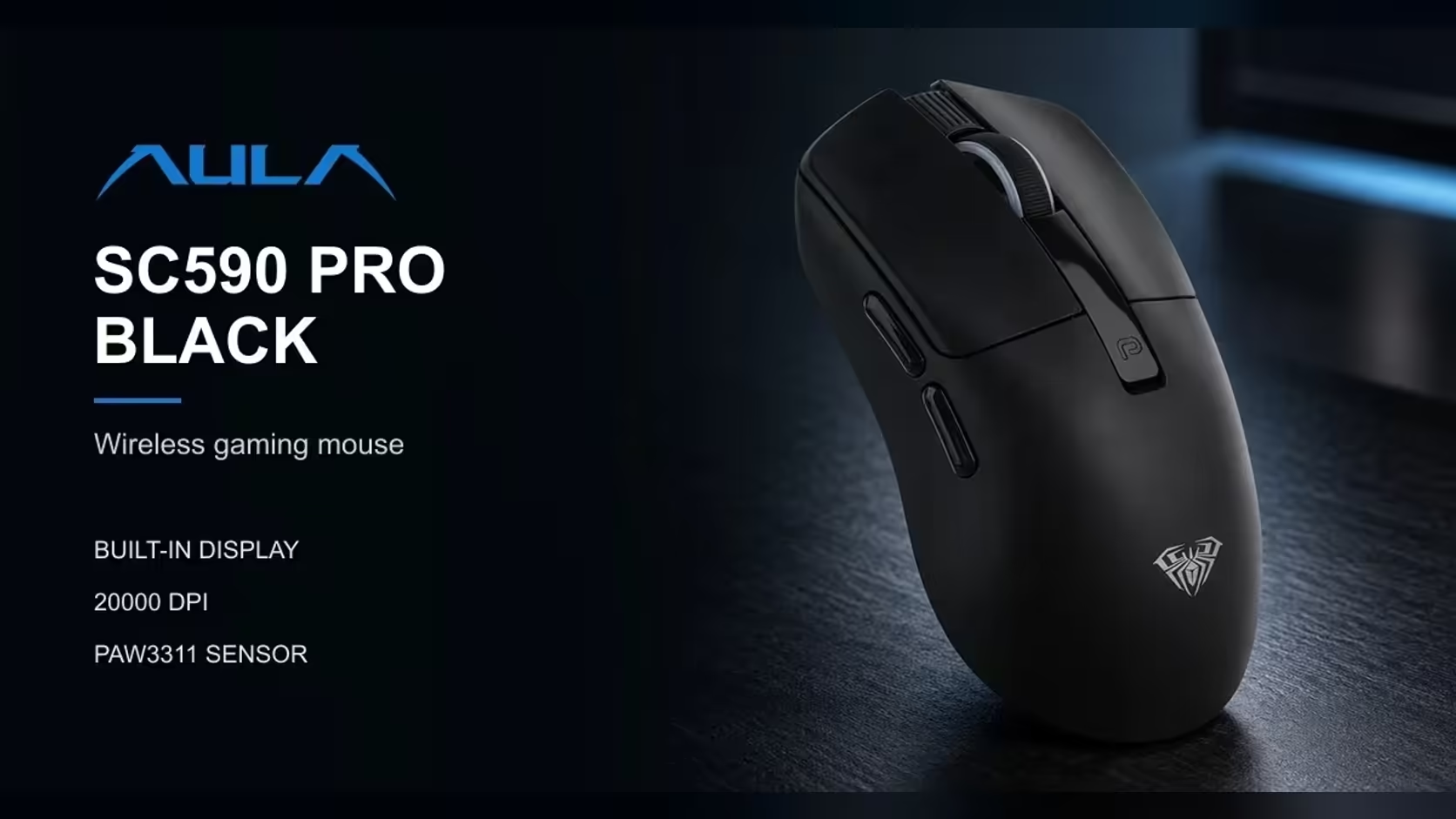
Two AULA wireless mice tackle the same old worry, a battery running out at the wrong moment, from opposite directions. The SC590 Pro tells you exactly how much charge is left with a screen on its body. The SC900 MAX lets you pull the battery out and put a charged one in. Around those two ideas sit different sensors, polling rates and weights, so this SC590 Pro vs SC900 MAX comparison looks at who each one really suits.
Quick Answer
Choose the AULA SC590 Pro for a built-in readout of battery, DPI and connection mode, about 64g, six DPI levels up to 20,000 and 1000Hz polling. Choose the AULA SC900 MAX for a swappable 400mAh battery, polling up to 8000Hz on 2.4GHz or cable, and six DPI steps up to 30,000, at 62g with its battery fitted. Both connect three ways: 2.4GHz, Bluetooth and USB-C. Evetech prices them at R319 for the SC590 Pro and R749 for the SC900 MAX.
🔋 Two answers to battery anxiety
Seeing the charge: SC590 Pro
The SC590 Pro, the display model of this pair, shows the exact battery level at all times on its screen, alongside the active DPI and connection mode. You always know how much is left, so you can plan when to plug in. It carries a 500mAh lithium battery, which AULA Argentina rates for close to 20 hours of unbroken use and 120 on standby, as cited on Evetech's page. Your own mileage will vary. Charging happens over USB-C.
Swapping the charge: SC900 MAX
The SC900 MAX, the swap model, takes a different approach. Its 400mAh lithium cell lives behind a panel underneath, and you can trade a flat one for a full one almost immediately rather than waiting on a recharge. That turns a flat battery into a short pause. It also charges over USB-C. Note that the swap depends on having a second charged battery to hand; do not assume one comes in the box.
Which approach suits you?
If you mostly want to avoid surprises, the display model's constant readout does that neatly. If you play long sessions and hate any downtime, the swap model's removable cell takes the wait away altogether.
⚡ Polling: 1000Hz against up to 8000Hz
Polling rate describes the number of position updates sent to the computer each second. The display model runs at 1000Hz, which is once every millisecond. That is a well-established standard and is plenty for office work, casual gaming and most competitive play.
The SC900 MAX can go up to 8000Hz on 2.4GHz wireless and on the cable. It is set in software, and the default is 1000Hz, so you choose when to raise it. Over Bluetooth, the swap model runs at 125Hz, which suits a laptop or tablet rather than competitive play.
What does 8000Hz add? More frequent position updates, which some competitive players feel as a smoother, more immediate cursor, especially on high refresh rate monitors. Higher polling also asks more of the PC and, generally, of the battery. For most people 1000Hz is enough; for players chasing every edge, the headroom is there on the swap model.
🎯 DPI and tracking compared
The SC590 Pro's steps
The display model uses the PAW3311 optical sensor with six DPI levels: 1200, 2400, 3200, 6400, 10,000 and 20,000. Buttons beside the display switch between them, and the screen shows the number you land on.
The SC900 MAX's steps
The swap model offers six steps too: 400, 800, 1600, 3200, 6400 and 30,000, with 400 as the default. A short press of the DPI button on the underside changes the step, and an indicator light changes colour for each one: red for 400, blue for 800, purple for 1600, green for 3200, yellow for 6400 and cyan for 30,000.
What the difference means
The swap model reaches lower, with 400 and 800 steps that many shooter players prefer for arm aiming. The display model's lowest step is 1200. At the top end, both go far beyond what most people use for aiming, with those high steps better suited to very large or multi-monitor desktops. Reading the display model's number off a screen is also simpler than remembering a colour code.
⚖️ Weight, size, connections and the verdict
Weight in use
The SC900 MAX weighs 62g with its battery fitted. The SC590 Pro is about 64g. In the hand, a two-gram gap is very hard to notice, so treat them as equals on weight.
Dimensions
At roughly 118 by 60 by 38mm, the display model is the smaller body. The swap model is larger at 126 x 68 x 44mm, which may suit bigger hands or palm grips better, while the display model is more compact.
Connections and compatibility
Both are tri-mode, with 2.4GHz wireless, Bluetooth and a USB-C cable. The swap model uses a switch on its base to select 2.4GHz, off or Bluetooth, and AULA lists Windows and macOS support. AULA lists Windows 2000, XP, 7, 8 and 10 support for the display model.
Colours
The display model comes in black. The swap model comes in black, white and red.
Choosing between them
Pick the SC590 Pro if you share a PC, switch between devices, dislike driver software, or simply want to see your battery and DPI at a glance. Its six physical buttons and 1000Hz cover both office work and gaming well.
Pick the SC900 MAX if you play competitively, want the option of 8000Hz, prefer a low 400 or 800 DPI step, or never want to stop and wait for a charge.
Evetech carries both, and each one's price is shown on its product page at Evetech. To compare them against other options, browse the full gaming mice range, or focus on cable-free designs through the wireless mouse page. Both are sold with a 1 Year Local Warranty.
Frequently Asked Questions
What does the SC900 MAX gain from 8000Hz over the SC590 Pro's 1000Hz?
More frequent position updates on 2.4GHz or cable, which competitive players may feel as a smoother cursor. For everyday use, 1000Hz is plenty.
How does swapping the SC900 MAX battery compare with charging the SC590 Pro?
On the swap model you open the base panel and exchange the cell for a charged unit quickly. The display model recharges over USB-C.
Which of the two is lighter?
They are nearly identical. The swap model is 62g with its battery, and the display model is about 64g.
Which makes checking the battery easier?
The SC590 Pro, because its display shows the exact battery level at all times.
How do the DPI steps differ?
The SC590 Pro runs from 1200 to 20,000; the SC900 MAX from 400 to 30,000, with lower starting steps.
Is the colour choice different?
Yes. The SC590 Pro comes in black, while the SC900 MAX comes in black, white and red.
Readout or swap: which fixes your battery worries?
Compare the SC590 Pro, the SC900 MAX and more across Evetech's gaming mouse range and choose the approach that suits your sessions.