



iRacing SA Gaming PC Build Guide
iRacing build planning should focus on the target resolution, settings and total system balance. Treat launch wording as time-sensitive, then verify requirements before choosing SA PC parts.
Read moreDiscover the top mesh WiFi systems that deliver whole-home coverage without breaking the bank 🏠📶. 🚀 Boost signal strength and eliminate dead zones affordably.
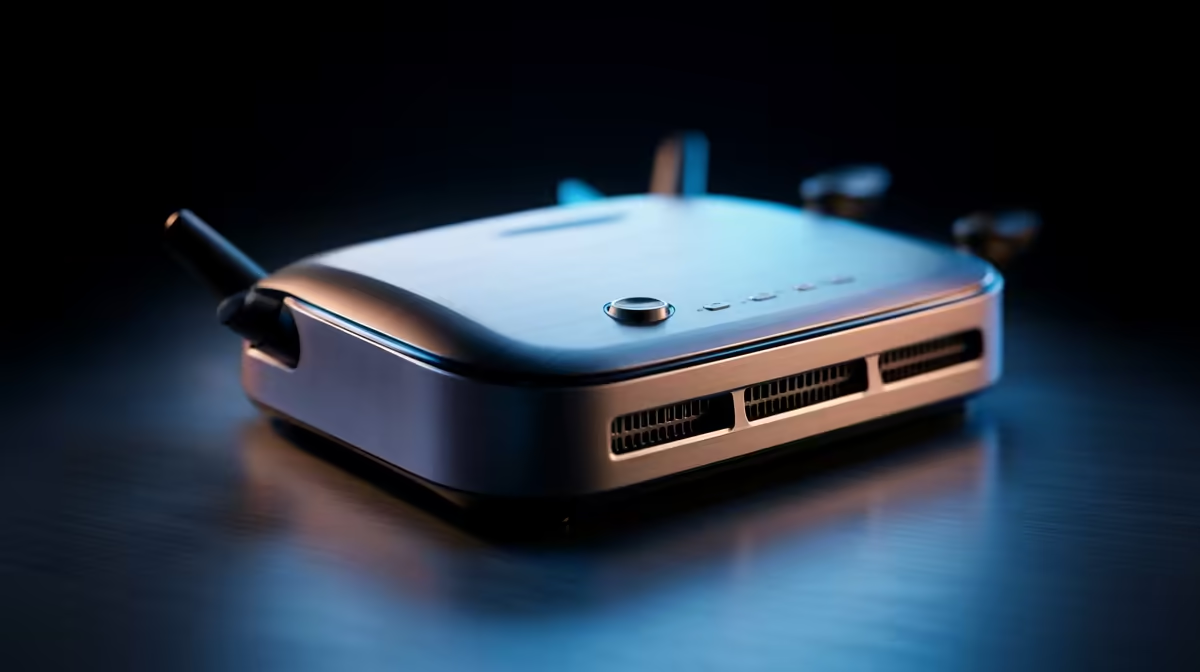
Is your Wi-Fi signal weaker than a level-one mob in the far corners of your house? You’re not alone. From the braai area to the upstairs bedroom, Wi-Fi dead zones are a massive frustration for South African homes. Constant buffering and crippling lag spikes are enough to make anyone rage-quit. But what if you could blanket your entire property in seamless, fast Wi-Fi without breaking the bank? That's where a whole home mesh system comes in.
For years, a single, powerful router was the go-to solution. But modern homes, with their thick brick walls and multiple devices all demanding bandwidth, often prove too much for one access point. The signal struggles to get through, creating those dreaded dead spots.
A whole home mesh system tackles this differently. Instead of one router shouting from the lounge, it uses a team of smaller "nodes" placed around your house. They work together, creating a single, unified network that covers every square metre. Your phone, laptop, or console automatically connects to the strongest node, giving you a flawless connection as you move around. It's a massive upgrade over older extenders and one of the smartest modern wireless networking solutions available today.
Getting great coverage doesn't have to cost a fortune. The key is to find a balance between price and performance. For most South African households, a Wi-Fi 5 (802.11ac) system is more than enough for streaming 4K content and enjoying smooth online gaming.
When looking for an affordable whole home mesh system, consider these points:
For the best results, place your second and third nodes about halfway between your main router and the known dead zones. Avoid hiding them in cupboards or behind the TV. A clear line of sight, or at least an open space, helps them communicate effectively for maximum speed. 🚀
While a budget-friendly mesh system delivers incredible convenience and coverage, die-hard competitive gamers might still prefer a direct connection. For the absolute lowest latency and most stable connection possible, nothing beats an Ethernet cable running straight from your router to your PC or console.
If your gaming rig is your top priority and it's close to your router, you might want to explore wired networking options for that specific device and use mesh to handle the Wi-Fi for the rest of the house. It's the best of both worlds!
Ultimately, the best budget-friendly whole home mesh systems offer a powerful and simple solution to a very common problem, ensuring every corner of your home is covered in glorious, reliable Wi-Fi.
Ready to Banish Wi-Fi Dead Zones for Good? Stop battling lag and buffering. Explore our wide range of affordable whole home mesh systems and give your home the seamless Wi-Fi coverage it deserves. Shop wireless networking now at Evetech for performance that leaves dead spots in the dust.
Budget mesh systems offer strong coverage and basic features at lower price points.
Most homes benefit from 3-node kits. Larger spaces need 4+ nodes for full coverage.
Yes. Affordable systems with WiFi 6 support stream and game seamlessly.
Many budget routers include security tools, easy controls, and app management.
Look for minimum 1200 Mbps speeds. Faster options exist for multiple device support.
Place primary node near the modem. Distribute satellites for strong signal flow.
iRacing build planning should focus on the target resolution, settings and total system balance. Treat launch wording as time-sensitive, then verify requirements before choosing SA PC parts.
Read more
Skyrim PC requirements should be mapped to resolution, settings and upgrade budget before choosing a tier. Verify current requirements, then balance GPU, CPU, RAM and SSD around SA pricing.
Read more
Skyrim PC builds is a cautious guide for game PC build planning. Compare game requirements, tier fit, resolution goals, RAM, storage, and GPU choice for SA buyers without assuming live prices, availability, or exact benchmark results.
Read more
Hades 2 PC builds is a cautious guide for game PC build planning. Compare game requirements, tier fit, resolution goals, RAM, storage, and GPU choice for SA buyers without assuming live prices, availability, or exact benchmark results.
Read more
Roblox PC builds is a cautious guide for game PC build planning. Compare game requirements, tier fit, resolution goals, RAM, storage, and GPU choice for SA buyers without assuming live prices, availability, or exact benchmark results.
Read more
Mortal Kombat 1 launch needs a balanced parts plan, not a random basket. Map the CPU, GPU, RAM, SSD, cooling, and monitor target to the budget so SA builders know where to spend first.
Read more
Wondering if a TKL wireless mechanical keyboard is worth it for everyday productivity? We break down latency, battery life, comfort, and workflow gains for real work. ⚡⌨️

Maximise battery life on a fanless 15-inch laptop using efficiency core architecture. Cut idle drain, tune power profiles, and improve thermals for longer runtime. 🔋⚙️

Learn how to reduce desk clutter with a TKL wireless keyboard using fewer cables, smart placement, and tidy essentials. Get a faster, calmer workspace with better ergonomics. ✅🧼

RGB keyboard lighting too distracting? Learn how to manage backlight modes, set brightness, and reduce distraction for focus and productivity 😌🖱️

Are themed gaming keyboards worth the extra cost? Compare build quality, switch options, features, and resale value to find the best fit for your setup 🎮⌨️

Full-Size vs Tenkeyless mechanical keyboards for gaming: find out if a smaller layout truly improves aim, speed, and comfort. We break down layout, desk space, latency-feel, and keybinds 🎮⌨️

Dedicated media rollers vs function key shortcuts: learn which setup gives you better workflow control, faster media access, and fewer mistakes. 🖱️🎧

Best Mechanical Switch Type for Gaming: Clicky vs Linear vs Tactile. Find your feel, speed, and noise balance with practical guidance for FPS, MOBA, and productivity 😄🎮

Direct mouse answer: Mouse not keeping up with your work? Everything that matters about dual-mode 2.4GHz + BT 5.0: DPI behaviour, channel switching, battery curves and per-app button mapping. Covers when 2.4GHz USB wins (low-latency desk) and when BT 5.0 wins (laptop, d

Plain wireless mouse guide: Mouse not keeping up with your work? Everything that matters about wireless productivity mouse: DPI behaviour, channel switching, battery curves and per-app button mapping. Includes DPI tuning tips, channel switch shortcuts, and ZAR-aware fea

Real productivity numbers: Set up your wireless mouse in this order: everything that matters about wireless productivity mouse: DPI behaviour, channel switching, battery curves and per-app button mapping. Includes DPI tuning tips, channel switch shortcuts, and ZAR-aware

Pen not feeling like paper? Stylus lag and skipping usually trace to old drivers, dirty nibs, or display refresh mismatches, not the pen itself. Covers pressure curve tuning, tilt thresholds, nib swap timing, and SA pricing brackets.