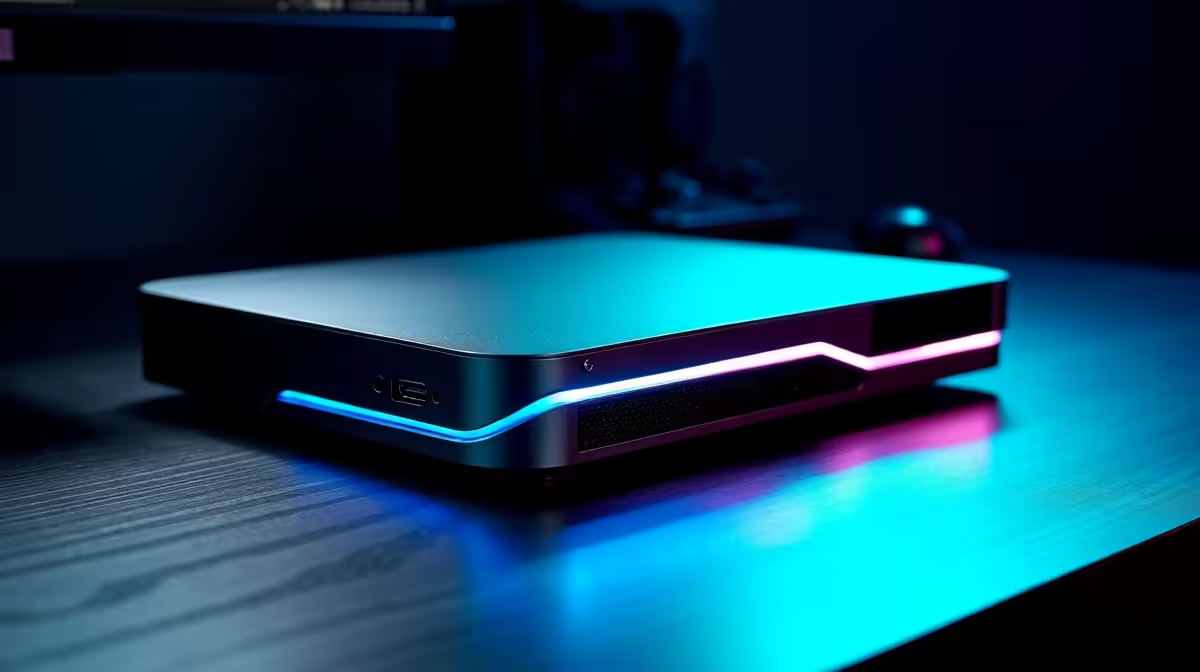
For someone who lives out of a suitcase but still wants real gaming when they get home, an eGPU solves a genuine puzzle: carry one light, fanless-quiet laptop everywhere, then plug a single cable into a graphics enclosure on your desk and play at desktop settings. You stop choosing between a heavy gaming laptop on the road and a desktop you cannot travel with. One machine does both jobs.
Quick Answer
The best eGPU for a frequent traveller is a Thunderbolt 5 enclosure paired with a thin, light laptop that also charges over the same cable. You carry the ultraportable on every trip, then at home a single Thunderbolt 5 connection delivers desktop-class graphics and power delivery in one plug. Confirm your laptop's Thunderbolt version and the enclosure's power output before buying.
The One-Device Problem It Fixes
Frequent travellers face a real trade-off. A gaming laptop with a powerful discrete GPU is heavy, hot, and short on battery, which is miserable to lug through airports and use in transit. A thin ultraportable is a joy to travel with but cannot drive demanding games. The eGPU breaks that compromise by moving the graphics horsepower off the laptop and onto your desk, so the machine you carry stays light and the gaming power waits at home.
When you walk in the door, one cable links the laptop to the enclosure. The desktop graphics card inside takes over, you connect to your monitor, and you are gaming at settings the laptop alone could never reach. Unplug it when you leave, and you are back to a featherweight travel machine.
Why Thunderbolt 5 Changes The Maths
Older external GPU setups were held back by limited bandwidth between laptop and enclosure, which throttled fast graphics cards and dulled the benefit. Thunderbolt 5 widens that pipe considerably, raising the rated bandwidth to 80 Gbps, so a capable desktop card loses far less of its performance to the connection. For a traveller, that means the home setup feels much closer to a true desktop than earlier-generation external boxes ever did.
A current Thunderbolt 5 enclosure shows how far the format has come. Boxes such as the Razer Core X V2 accept full-size PCIe graphics cards up to four slots wide from either NVIDIA or AMD, deliver up to 140W back to the laptop, and stay compatible with Thunderbolt 4 and many USB4 machines as well, so the enclosure outlives any single laptop. The one practical catch is that this style of open enclosure often ships without a power supply or card, so you budget for those separately rather than expecting an all-in-one box.
How much performance you actually keep
Be realistic about the ceiling. Even over Thunderbolt 5 the external link costs something: independent testing puts a Thunderbolt 5 eGPU roughly 19 to 25% behind the same card mounted directly in a desktop, with the gap widest in the most demanding titles at 4K. That sounds steep, but it still leaves a strong desktop card far ahead of any thin-and-light laptop's integrated or low-power graphics. The trade you are making is not desktop-versus-eGPU; it is one light laptop plus a home eGPU versus carrying a heavy gaming laptop everywhere.
The Single-Cable Advantage
The other quiet win is power delivery. A Thunderbolt 5 connection can carry both the graphics data and meaningful charging power down one cable, in many cases up to around 140W. So the same plug that drives desktop graphics also tops up the laptop, which keeps your desk free of a tangle of separate bricks. Plug in, game, charge, all from one connector.
What To Match Before You Buy
Your Laptop's Thunderbolt Port
This is the deciding factor. The laptop must have a Thunderbolt port, and a Thunderbolt 5 port gets the most from a strong card. Check the exact specification of your machine, since a USB-C port that looks identical may not carry Thunderbolt at all. The connection, not the card, is usually the limit.
The Card Inside The Enclosure
Pick a desktop GPU that matches the resolution and frame rates you actually play at, rather than the most expensive option on the shelf. The eGPU lets you swap or upgrade that card later, which is part of the appeal: your travel laptop stays the same while your graphics power grows. It helps to browse the graphics card range Evetech stocks to see which desktop cards suit the games and monitor you have at home.
Power Supply And Enclosure Size
Bigger cards need more power and physical room, so confirm the enclosure's power supply and dimensions handle the card you want. A desk-bound box can be larger than a laptop ever could, which is the whole point, but it still has limits worth checking.
Who This Setup Is Right For
This suits a specific person: someone who travels often, refuses to carry a heavy gaming laptop, and games seriously only when home. If you game on the road too, a gaming laptop may serve you better. But for the home-only gamer who lives light while travelling, one ultraportable plus a home eGPU is hard to beat. A good Thunderbolt dock or enclosure also tidies the rest of the desk, and the docking station options at Evetech cover the connectivity side of a clean single-cable home setup.
numbers before buying: your laptop's exact Thunderbolt version, the enclosure's power delivery to the laptop, and the wattage its internal supply offers the card. A mismatch in any one undermines the whole setup.
Frequently Asked Questions
Will an eGPU give me full desktop performance?
It gets close on a Thunderbolt 5 connection, though the link still costs a little compared with a card slotted directly into a desktop. For a traveller, that small gap is a fair price for one light laptop instead of two machines.
Can the same cable charge my laptop while I game?
Yes, on a Thunderbolt setup that supports power delivery, often up to around 140W. That single cable carries graphics data and charging together, which keeps your desk free of extra power bricks.
Does my laptop need Thunderbolt specifically?
Yes. A plain USB-C port may look the same but lacks the bandwidth, so check that your machine has a genuine Thunderbolt port. A Thunderbolt 5 port gets the most from a powerful card.
Can I upgrade the graphics card later?
That is a key advantage. The desktop card inside the enclosure can be swapped as your needs grow, while your travel laptop stays exactly the same, so the setup ages well.
Is an eGPU better than a gaming laptop for travel?
For someone who only games at home, yes, because you travel with a light machine and keep the power on your desk. If you also game while away, a dedicated gaming laptop suits you better.
Travel light and game hard at home. Pair a Thunderbolt enclosure and the right card from the GPU best sellers at Evetech, and connect it all with a single-cable docking setup.