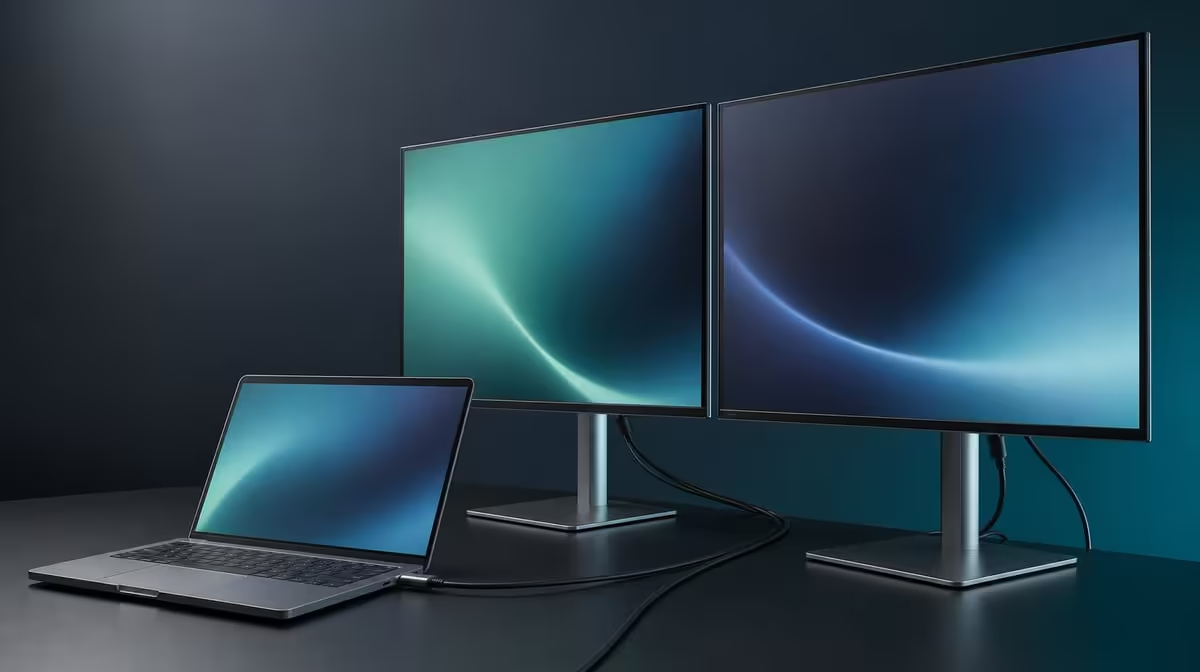
An operating-system badge cannot replace a source-path test. Choosing a Windows and Mac compatible dual monitor means checking how each laptop outputs two screens, which modes appear and whether the same folding workspace can be restored across platforms.
Quick Answer
The R6,899 UPERFECT Delta Mega supports Windows and Mac laptops through Type-C and HDMI. Its two 23.8-inch Full HD IPS panels can run at 100Hz on a supported path, but platform compatibility does not guarantee that every port, cable or dual-screen mode behaves identically.
💻 Build a device matrix before purchase
List each Windows and Mac computer that will use the Delta Mega. Record its available output, whether the Type-C port carries display data, the intended cable and how audio is handled.
Do not treat two similarly shaped laptop ports as interchangeable. Check the exact device documentation and create one direct connection before adding docks or adapters.
For HDMI, identify the computer's output and any necessary compatible connection equipment. Keep the route distinct from Type-C during the first test.
Add the laptop's role to the matrix. It may remain a third display, provide keyboard and webcam input, or act as source-only when the complete computer setup supports that arrangement.
Use Evetech's portable monitor category to compare cross-platform folding options after the device list exists.
Record a known-good route
For each computer, note the source port, cable, monitor input, both detected panels, software map, native resolution, available refresh and speaker selection.
Restart and reconnect once. A device should not receive a pass from a single session that cannot be reproduced.
🖥️ Compare Windows and Mac display behaviour
Identify both 23.8-inch screens and set 1920 x 1080 individually. Use readable scaling and arrange left, right, upper or lower positions to match the physical layout.
Windows and Mac use different menus and may number displays differently. The outcome should remain the same: both panels detected, correctly arranged and assigned useful tasks.
Enable 100Hz only after the native images remain stable. Confirm each screen and record whether the selected laptop path exposes the mode.
Move a scrolling document and application window across both screens. Check for a refresh or scale mismatch and preserve the same picture settings.
Keep the laptop display in the test if active. A three-screen map can behave differently from two external panels alone.
Compare fixed cross-platform displays through Evetech's PC monitor range when folding is not required.
🔄 Test folding and handover on both systems
Build horizontal, stacked and sharing maps for the platform that uses them. Support both panels while folding and keep the source cable away from the 360-degree mechanism.
After every large movement, identify the screens again and check the map. A Mac and Windows laptop may retain different panel numbers for the same physical top screen.
For a shared office, create a neutral handover profile. It should use native resolution, understandable scaling and a clearly named layout without a previous person's private windows.
Test the built-in speakers from each laptop. The chosen audio device can change when Type-C or HDMI reconnects, even while the images return correctly.
Try low blue light as a separate comfort option and keep a neutral colour baseline. The feature is independent of platform support.
Isolate faults fairly
When one computer fails, keep the working system untouched as a reference. Compare source output, cable, input and display mode one item at a time.
A successful Windows route does not prove the Mac cable or port, and a successful Mac route does not make every Windows output compatible.
📊 Decide whether cross-platform flexibility pays
Run each laptop through a normal work session. Record setup time, screen restoration, task roles, motion and audio.
Give high value to a second platform only when it is used. An office with one laptop should not overpay emotionally for a compatibility row that never enters the workflow.
Review the matrix after software updates or a new dock arrives. Keep direct routes as recovery baselines instead of overwriting them.
At R6,899, the Delta Mega earns cross-platform value when Windows and Mac users can each restore two Full HD task zones and supported 100Hz without guessing at ports.
Check Evetech's monitor best sellers with the completed matrix at purchase time.
Create a platform handover test with a Windows user followed by a Mac user. Each should disconnect safely, return important windows to the laptop and leave the Delta Mega ready for the next source.
Record the time and steps needed to restore two panels, their map, 100Hz and speaker playback. A cross-platform feature is valuable when the handover remains short and predictable.
Keep any dock or adapter in a separate row. Test direct output first so an intermediate device cannot silently become part of the monitor's reputation.
Compare sleep and wake behaviour on each system. A laptop that restores only one screen needs its own recovery note rather than a universal Delta Mega diagnosis.
Use the same horizontal application sample across both platforms. Then repeat the vertical stack and verify that top and bottom panel numbers are documented correctly.
Check scaling with native 1920 x 1080 on every panel. Windows and Mac controls may use different labels, but text should remain readable from the same physical seat.
Test 100Hz with a scrolling page and cursor rather than trusting the menu alone. Keep 14ms response as a separate motion fact.
For audio, play the same sample and record which output name each system presents. Do not assume the device label matches across operating systems.
For low blue light, save a monitor-side comfort choice that does not overwrite the neutral profile used by another person.
At month end, count platform switches and recovered sessions. If only one operating system is ever used, reduce the cross-platform value score honestly.
Create an office reset state with both panels at 1920 x 1080, ordinary scaling, a horizontal map and laptop audio. Use it before handing the monitor between platforms.
Document any platform-specific limitation beside the exact computer and connection. Do not generalise one laptop's mode list to every Windows or Mac system.
Retest the 360-degree layouts after a platform switch because display numbers and primary-screen choices may change.
Keep private profiles outside the shared card. A creator's colour setting or a reader's low-blue-light preference should not become the next user's unexplained baseline.
The final cross-platform verdict should name the two laptops that passed, the routes they used and the modes each restored.
Frequently Asked Questions
Which platforms are confirmed as compatible?
The Delta Mega supports Windows and Mac systems.
Which physical connection options are available?
It includes Type-C and HDMI for compatible laptop routes.
Does platform compatibility guarantee 100Hz?
No. Confirm 100Hz through the exact source, cable and dual-display mode.
How should a mixed-platform office test the monitor?
Create a separate known-good card for every Windows or Mac laptop.
What if the Mac and Windows layouts differ?
Save platform-specific display maps while keeping their physical screen roles clear.
Can HDMI and Type-C be treated as identical?
No. Test each route independently before comparing convenience.
What feature remains independent of platform?
The 360-degree folding hardware can support the same physical layouts, subject to safe cable routing.
Ready to make both operating systems pass the same two-screen outcome?
Compare Evetech's dual displays and test the Delta Mega with separate Windows and Mac connection, mapping and recovery cards.