


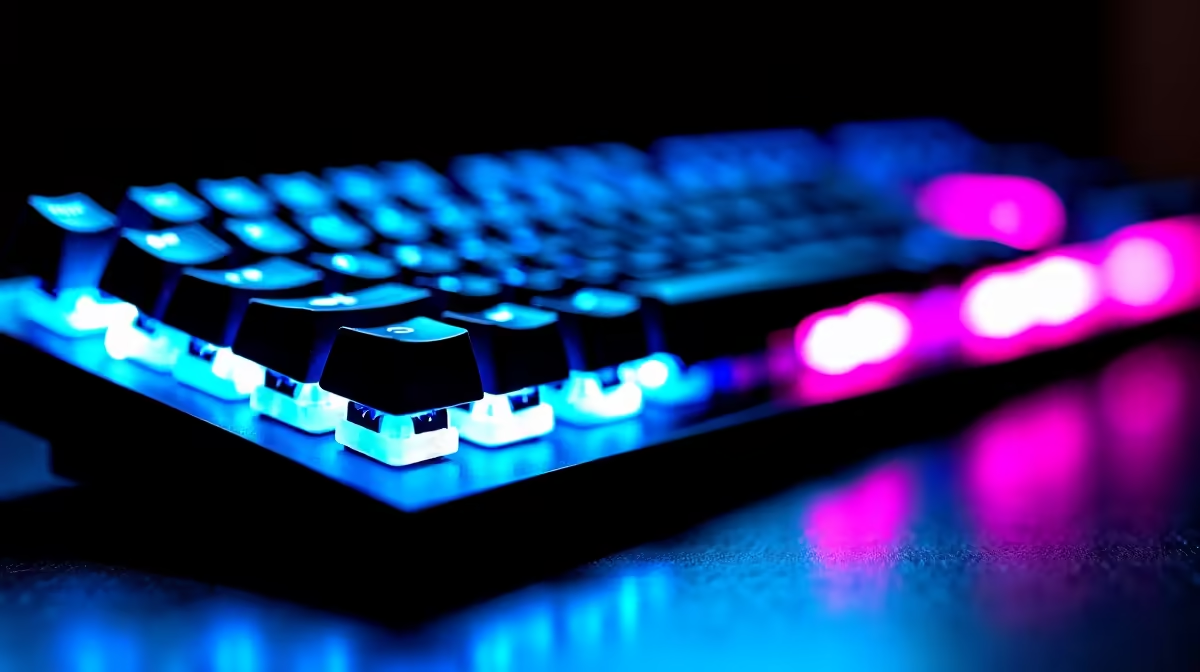
Chroma RGB Lighting for Mechanical Keyboards: Full Custom Guide (South African Setup)
If you’ve ever hovered over your keyboard settings at 1 a.m. thinking, “Why doesn’t this colour match my desk vibe?”… you’re not alone. In SA, RGB isn’t just decoration. It’s comfort, control, and sometimes even gameplay clarity. ⚡ Whether you’re building a gaming station in a small bedroom, streaming from a home office, or just tired of washed-out colours, this Chroma RGB Lighting for Mechanical Keyboards: Full Custom Guide will help you wire up a setup that actually makes sense.
Chroma RGB Lighting for Mechanical Keyboards: What “full custom” really means
“Full custom” usually means three things:
- Per-key colour control (or per-zone control)
- Saved profiles (so you don’t lose your work when you reboot)
- Effects you can dial in for time of day, gaming, and typing
Most mechanical keyboards that support Chroma-style software let you create profiles using presets (rainbow, wave, ripple) and then customise brightness, speed, and sometimes key mapping. The exact tools vary by brand and model, so don’t force a generic guide onto a keyboard that doesn’t support per-key control.
A quick reality check for South African buyers: in our market, price swings are common. If you’re chasing value, it helps to start with a keyboard that’s already a good deal, then upgrade the lighting later if needed.
Chroma RGB Lighting for Mechanical Keyboards: Buying the right keyboard first (don’t fight hardware)
Before you chase software settings, make sure the keyboard can do what you want. If you want the deepest custom lighting:
- Prioritise per-key RGB support (instead of simple single-colour zones).
- Confirm whether the keyboard uses wired or wireless connectivity, because some wireless models have more limitations around polling and power states.
- Check if the software supports profile saving on-board or only in software.
If you’re still deciding what to get, start here with current keyboard deals:
- Wired options: https://www.evetech.co.za/components/buy-cheapest-gaming-keyboard-in-south-africa-52.aspx?attributes-connectivity=Wired
- Wireless options: https://www.evetech.co.za/components/buy-cheapest-gaming-keyboard-in-south-africa-52.aspx?attributes-connectivity=Wireless
And if you’d rather compare curated options quickly, check the deals hub:
Chroma RGB Lighting for Mechanical Keyboards: Installation and profile setup (step-by-step)
Let’s get you to a clean, reliable setup.
Step 1: Install the keyboard software (the right one)
Use the keyboard’s manufacturer software or supported suite. If your keyboard has an app ecosystem, it matters. Using the wrong tool can mean:
- Profiles not saving
- Colours resetting on restart
- Effects not matching your expectations
If you’re on Windows, most RGB suites will run in the background. On some systems, you may need admin rights the first time.
Step 2: Set a “base layer” profile for everyday use
Create one profile you’ll actually use:
- Low brightness for late-night typing
- A colour scheme that matches your setup (monitor backlight, desk mat, mouse colour)
- Effects that don’t distract you while playing
Why? Because swapping profiles mid-match is a mood killer.
Step 3: Create a “gaming layer” profile
For gaming, aim for clarity:
- Use static or slow gradients on WASD area
- Use effects for non-critical keys only
- Keep the rest restrained
Many players choose a colour theme that helps them identify movement keys instantly. Consistency beats randomness every time. 🎮
Productivity Pro Tip ⚡
Windows, set your RGB software to start with Windows and create a simple two-profile system: one “Work Typing” and one “Game”. Then assign each profile to a dedicated onboard switch if your keyboard supports it. This prevents colour resets between sessions and saves you time during load screens.
Chroma RGB Lighting for Mechanical Keyboards: Custom effect recipes (that look good in SA homes)
Below are effect ideas that tend to work well with typical desk lighting. Try them and adjust based on your room brightness.
Recipe A: “Desert Sunrise” (warm gradient, low saturation)
- Use warm tones (amber, soft orange, pale yellow)
- Slow wave across the board
- Brightness capped so it doesn’t glare on white walls
Recipe B: “Night Mode Focus” (near-static keys)
- Static colours on movement cluster
- Subtle breathing on modifier keys
- Keep everything else off or minimal
Recipe C: “Match Reaction” (effect only during gameplay)
- A gentle ripple when you launch a game
- Switch back to the base profile when you exit
- If your keyboard supports it, bind a hotkey for fast switching
What to avoid
- Maximum brightness with fast rainbow effects. That looks flashy for 30 seconds... then becomes annoying during long sessions.
- Too many colours at once. It can clash with monitor glare, especially in rooms with white walls and bright daylight.
Chroma RGB Lighting for Mechanical Keyboards: Wired vs wireless (and why it matters)
Connection type isn’t just about convenience. It can affect how consistent your lighting stays during sleep, power saving, and long idle periods. Here’s a practical way to choose:
- If you want maximum consistency: wired is usually the simplest path.
- If you want desk flexibility: wireless can be great, but you may need to check profile behaviour after reconnect.
If you’re building a full setup around your keyboard, pairing it with a mouse is often the easiest way to lock in a consistent theme. Consider a combo build:
And if you’re still browsing keyboard options, the general deal page can help you compare quickly:
Chroma RGB Lighting for Mechanical Keyboards: Final checklist before you save everything
Before you hit “Save Profile” and walk away:
- Confirm the keyboard firmware is up to date (if the software prompts it).
- Test lighting after reboot.
- If wireless, reconnect once and verify your profile loaded.
- Keep one “safe profile” ready with low brightness.
This is the difference between a keyboard that looks amazing once… and one that looks amazing every day. ✨
Ready to Find Your Perfect Match?
Ready to Find Your Perfect Match? The Mac vs Windows debate is complex, but for maximum power, choice, and value in South Africa, Windows is hard to beat. Explore our massive range of laptop specials and find the perfect machine to conquer your world.











