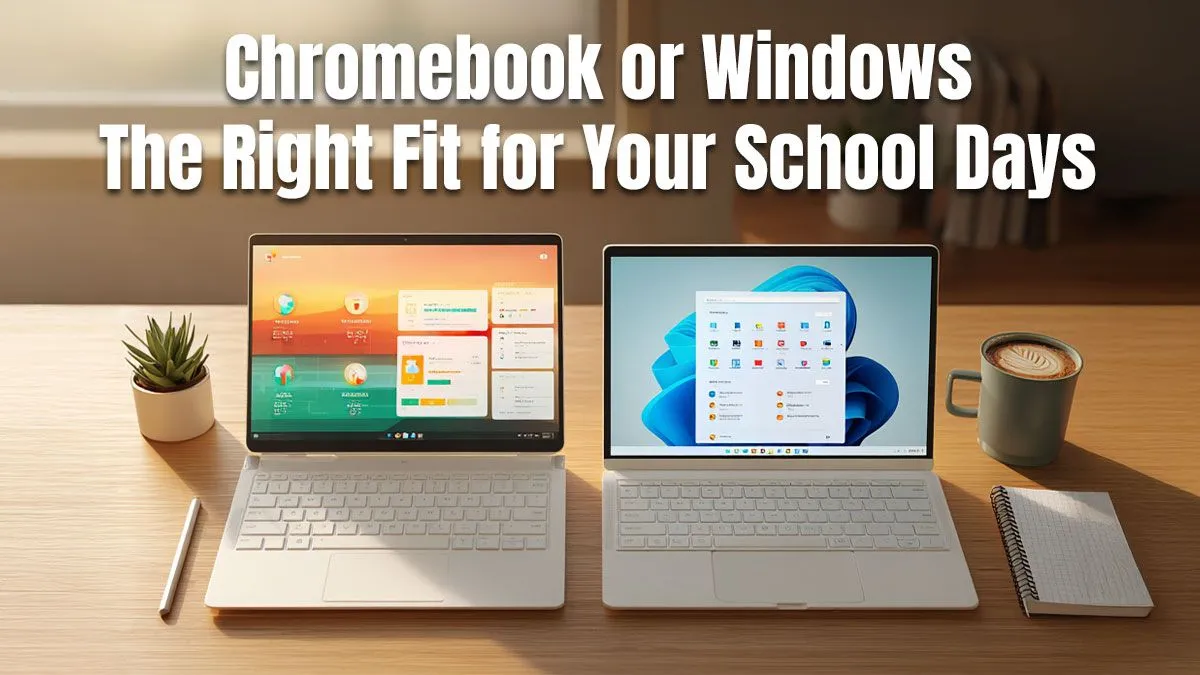
The school year is kicking off, and your old laptop is wheezing. You need a reliable companion for lectures, assignments, and maybe a sneaky Netflix binge. But the big question looms: Chromebook or Windows? Choosing the best school companion can feel daunting, especially with so many options. Don't stress. We're here to break down which operating system is the right choice for your studies, right here in South Africa. 🎓
The Core Difference: Cloud vs. Classic Desktop
Before diving into which is better, it's crucial to understand the fundamental difference when choosing between a Chromebook or a Windows laptop. They are built on entirely different philosophies.
What is a Chromebook, Really?
Think of a Chromebook as a laptop that runs on the Google Chrome browser… and that's mostly it. It uses ChromeOS, an operating system designed for speed, simplicity, and security. Everything is centred around the web and Google's ecosystem (Docs, Sheets, Drive).
Pros:
- Speed: They boot up in seconds.
- Simplicity: No complicated software installations or updates.
- Security: Built-in virus protection makes them very secure.
- Battery Life: Often lasts a full day of classes with ease.
Cons:
- Software Limits: Can't run traditional Windows software like the full Adobe Creative Suite or specialised university programs.
- Offline Weakness: Heavily reliant on an internet connection, though offline modes are improving.
The Familiar Power of Windows
Windows is the operating system most of us grew up with. It's a versatile, powerful platform that can run virtually any piece of software you throw at it. This makes a Windows laptop a flexible tool for almost any task.
Pros:
- Software Compatibility: The undisputed champion. If a program exists, it probably runs on Windows.
- Hardware Choice: From budget-friendly workhorses to high-performance beasts, there's a Windows laptop for everyone.
- Power: Handles demanding tasks like video editing, 3D modelling, and, of course, gaming. ⚡
Cons:
- Complexity: Can require more maintenance and security vigilance.
- Price: Can be more expensive than entry-level Chromebooks.
Chromebook or Windows: The Head-to-Head for SA Students
So, which one should you get? The best choice depends entirely on your needs and budget.
Your Field of Study is Key
For students in humanities, journalism, or business, a Chromebook could be a perfect fit. If your work primarily involves writing essays, creating presentations, and web research, its simplicity is a huge plus.
However, for students in engineering, architecture, design, or computer science, a Windows laptop is often non-negotiable. You'll likely need to run specific, resource-intensive software that ChromeOS simply cannot handle.
Pro Tip: Check Your Course Requirements!
Before you add anything to your cart, check your university or school's IT recommendations. Some faculties require specific Windows-only software for certain courses. A quick email to your department can save you a massive headache later!
Budget: How Much Moola Do You Have?
Chromebooks often win on entry-level pricing. But don't let that be the only factor. You can find some incredible value across our full range of great laptop specials, with many Windows machines offering more performance and flexibility for your rand.
Beyond the Books: Gaming and Entertainment 🚀
Let's be honest, your student laptop won't just be for assignments. This is where the Chromebook or Windows debate becomes one-sided. If you want a machine that can handle late-night study sessions and a few rounds of Apex Legends, a Windows laptop is your only real choice. Many of today's powerful gaming laptops have sleek, professional designs that won't look out of place in a lecture hall.
The Final Piece of the Puzzle: AMD or Intel?
Once you've settled on a Windows machine, you have another great choice to make: the processor. Both brands offer fantastic options for students. AMD is often praised for its excellent multi-core performance and efficiency, while Intel remains a powerhouse for high-end performance and responsiveness. The best way to decide is to explore our current AMD laptops on special or check out the latest Intel-powered machines to see what fits your budget. ✨