Quick Answer
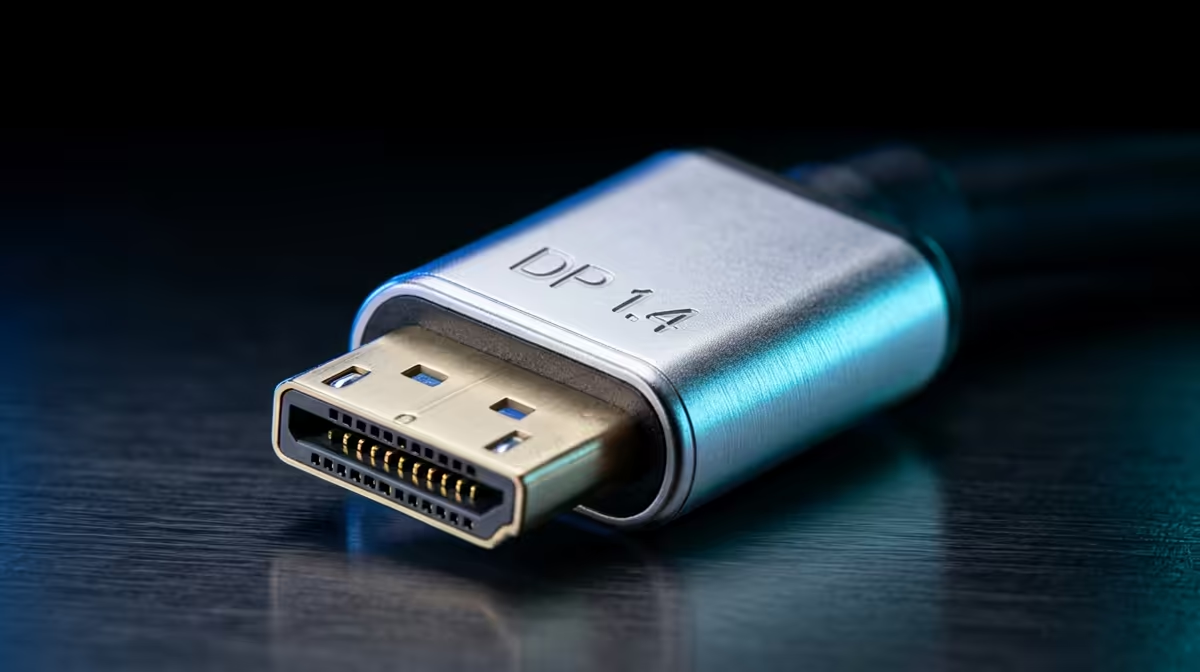
For 1080p at up to 144Hz or 1440p at up to 75Hz, HDMI 2.0 is sufficient. For 1440p at 144Hz or higher, or for 4K at 144Hz, DisplayPort 1.4 is required. Gaming monitors with high refresh rates almost universally recommend DisplayPort 1.4 as the primary connection for maximum performance.
Bandwidth: The Number That Decides Everything 📡
HDMI 2.0 provides 18Gbps of bandwidth, which handles 4K at 60Hz uncompressed or 1440p at up to 144Hz. DisplayPort 1.4 provides 32.4Gbps, enough for 4K at 144Hz using Display Stream Compression or 1440p at 165Hz to 240Hz without compression. If you have a 27-inch 1440p 165Hz monitor, a DisplayPort 1.4 cable is not optional. Running it on HDMI 2.0 caps you at 144Hz at best, or forces the monitor to reduce refresh rate. Many South African PC builders pair an RTX 5070 or RX 9070 XT GPU with a 1440p 165Hz or 240Hz panel, and in that combination DisplayPort 1.4 is the correct cable.
When HDMI 2.0 Is the Better or Only Choice 🖥️
HDMI makes more sense in three situations. First, connecting a gaming PC to a television: most TVs have HDMI ports and no DisplayPort input. Second, when using a console such as a PlayStation 5 alongside a PC monitor with only HDMI inputs. Third, for office monitors at 1080p or 1440p at 60Hz, where HDMI 2.0 carries the signal without limitation. HDMI 2.1 raises the ceiling to 48Gbps and handles 4K at 144Hz natively, and it is appearing on higher-end monitors and GPUs in 2025 and 2026 flagships including RTX 50-series and RX 9000-series cards.
Cables, Adapters, and Common South African Setup Pitfalls 🔧
Buying a new monitor only to discover the included cable is HDMI 1.4 (capped at 1080p/120Hz) is a common frustration. Always check the cable in the box, not just the monitor's port specification. A DisplayPort 1.4 cable from a reputable brand costs between R150 and R400 locally and unlocks the full capability of the port. For a South African home office setup with one GPU and two monitors, one DisplayPort 1.4 cable to the primary gaming monitor and one HDMI 2.0 cable to a secondary screen is the practical standard. RTX 50-series and RX 9000-series cards typically provide three DisplayPort 2.1 outputs and one HDMI 2.1 output; DisplayPort 1.4 cables work at full 1.4 speeds in those ports without an adapter.
Check the GPU Port Count Before Buying Cables ⚡
RTX 50-series and RX 9000-series cards typically provide three DisplayPort 2.1 outputs and one HDMI 2.1 output. DisplayPort 2.1 is backwards compatible with 1.4 cables and monitors, so a DisplayPort 1.4 cable in a DP 2.1 port works at full 1.4 speeds with no adapter needed. You will not need new cables when upgrading the GPU.
FAQ
Does the cable brand matter for DisplayPort 1.4?
Yes, to a degree. Cheap unbranded cables may not meet the electrical specification for full 32.4Gbps bandwidth, causing image corruption at high refresh rates. Buying a certified or branded cable in the R200 to R400 range eliminates this variable.
Can I use HDMI 2.0 for HDR gaming?
Yes. HDMI 2.0 supports HDR10 and Dolby Vision, so high dynamic range content works fine. The limitation is refresh rate. A 4K HDR game at 60fps runs perfectly on HDMI 2.0; the same game at 4K 144fps needs HDMI 2.1 or DisplayPort 1.4.
My monitor has both HDMI 2.0 and DisplayPort 1.4. Which should I use?
Use DisplayPort 1.4 if your GPU has one and you are targeting the monitor's maximum refresh rate. Use HDMI if you need to share the screen with a console. DisplayPort also supports AMD FreeSync and Nvidia G-Sync more reliably than HDMI in most monitor implementations.
Building or upgrading your gaming monitor setup?
Browse gaming monitors currently stocked at Evetech to find panels with native DisplayPort 1.4 and HDMI 2.0 or 2.1 inputs that match your GPU's output ports.