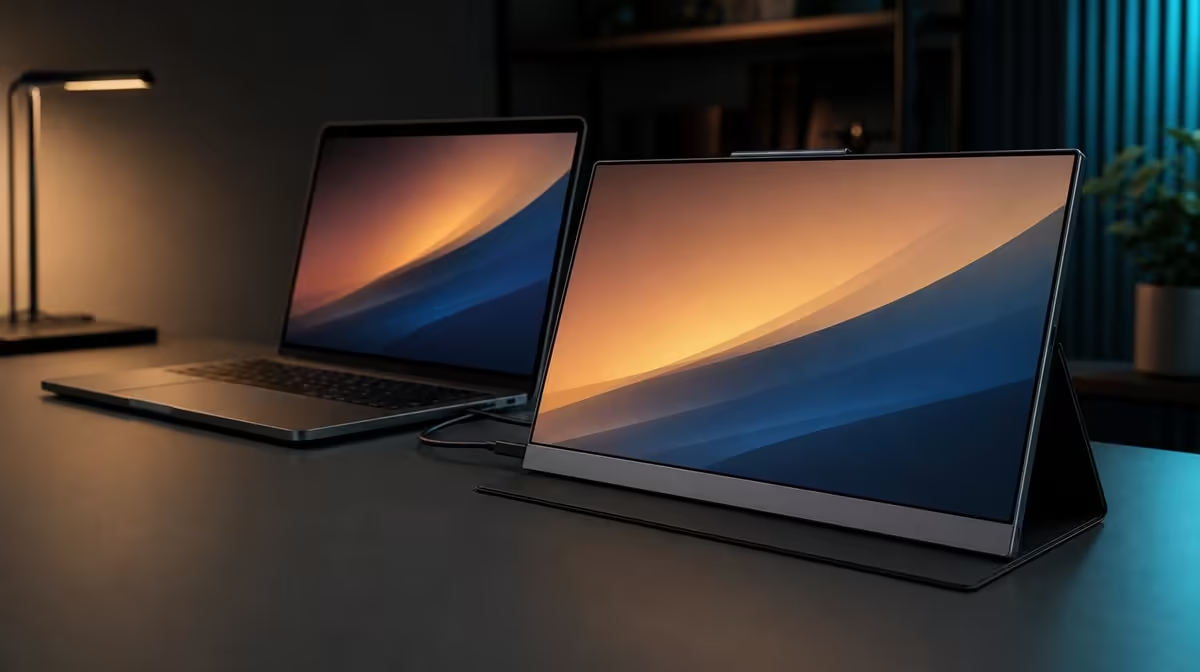
A warmer image can support extended reading without solving every reason the eyes feel tired. Whether Low Blue Light reduces extended-use strain depends on how the mode joins brightness, scaling, glare, posture, viewing distance, and breaks across a real session.
Quick Answer
Low Blue Light on the R5,999 UPERFECT UColor J5 can reduce blue-light output and may improve comfort for some extended-viewing tasks, but it is not a complete strain remedy. Keep the 17.3-inch 4K screen readable through suitable scaling, lower its 400cd/m2 brightness for the room, control reflections, and take regular breaks.
🌙 Understand what the mode changes
Low Blue Light generally produces a warmer appearance by reducing blue-light output. Enable it during reading or document work, then compare the result with the normal picture profile using the same content and room lighting.
The warmer image may not suit colour-sensitive work. Switch back to the normal reference before making final colour decisions. The mode should be chosen by task rather than left on simply because a session is long.
Evetech's portable monitor category allows buyers to compare current eye-comfort options with screen size and resolution.
☀️ Fix excessive brightness and glare
The J5's 400cd/m2 rating gives brightness headroom, but indoor comfort often requires less. Use a white page to set output so the screen does not dominate the room. Reduce the level as ambient light falls.
Move the display, lamp, or seating position to keep reflections away from important content. A warmer image does not remove glare. Evetech's PC monitor selection provides context for screens intended for controlled permanent desks.
🔎 Make the 4K workspace readable
At 3840 x 2160, interface elements can be physically small on a 17.3-inch panel. Increase system scaling and application zoom before leaning closer or lowering resolution.
Position the display so the entire page can be viewed without bending the neck. VESA support can help a fixed arrangement once pattern, arm load, screws, and cable movement are confirmed.
Check reading comfort after moving between HDMI and video-capable USB-C sources. A new host may apply different scaling or brightness settings even though the panel has not changed.
⏳ Measure comfort over time
Use natural breaks to look at a different distance, blink, stand, and reset posture. Low Blue Light cannot replace this physical change. Evaluate the mode after a complete work block, not one minute in a menu.
Note the task, room light, brightness, scaling, distance, and mode. Change one variable before the next session. This reveals whether the warmer output helped or whether another adjustment mattered more.
Evetech's monitor best sellers page offers another current view. At R5,999, the J5 combines its comfort mode with large 4K detail and flexible positioning, while the user still supplies the viewing routine.
The honest conclusion is modest: Low Blue Light can be one useful control for long sessions. Its best result appears when the rest of the setup stops forcing unnecessary visual and physical effort.
Build two otherwise identical profiles, normal and Low Blue Light. Keep resolution, scaling, brightness, position, and room lighting constant. Alternate them across comparable reading blocks and note whether the warmer output changes comfort or the task.
Avoid deciding from colour temperature alone. A setting can look warm and still be uncomfortable because text is tiny, brightness is excessive, or a reflection crosses the page. Solve the largest source of effort first.
Check the profile at different times. Daylight, evening lighting, and changing viewing distance can alter the result. The useful mode may be specific to one room and task rather than a permanent global choice.
For shared use, give each person a separate note. Scaling, brightness tolerance, and preferred colour appearance can differ. The panel provides the controls, while the comfort setup remains personal.
After several sessions, preserve the simplest profile that helps. If Low Blue Light adds no clear benefit in the tested task, the J5's other features still retain their roles without forcing the warmer mode into the routine.
Run an extended-use comparison with one variable changed at a time. Begin with comfortable scaling and room-matched brightness, then complete a normal reading or writing block. On a comparable session, enable Low Blue Light and note whether the warmer presentation feels easier to sustain. This gives the mode a task-based role without turning a subjective comfort response into a medical promise.
Colour-sensitive work needs a clear exit from that routine. A warmer screen can change how whites and cooler tones appear, so restore the ordinary picture mode before judging visual material. Reopen a familiar reference and make sure the intended state has returned. Low Blue Light is most useful when it can be entered for long text sessions and left reliably when colour appearance matters.
Physical factors deserve equal attention. On a 17.3-inch 4K screen, unsuitable scaling can lead to squinting or leaning closer even when the panel is sharp. Reflections can prompt excessive brightness, while a poor viewing distance can make every mode uncomfortable. Adjust the layout, reduce glare, keep text readable, and schedule breaks before asking one display setting to carry the entire comfort plan.
Value the feature by frequency rather than by its presence on the box. If evening study, document work, or long browsing sessions are regular, Low Blue Light may become a useful saved mode within the R5,999 J5 package. If the monitor is used mainly for short, colour-aware tasks, other characteristics may deserve more weight.
Keep a short comfort note for several sessions instead of relying on the first few minutes. Record the room light, brightness level, scaling choice, viewing distance, Low Blue Light state, task, and the point at which discomfort appears. Patterns matter more than a single good or bad evening. If the same problem returns with the mode both on and off, investigate glare, posture, text size, breaks, and session length rather than escalating the warmth of the picture.
The display should also support deliberate pauses. Stand up, focus away from the screen, and return to the normal seating position rather than creeping closer over time. On return, check whether small text still reads comfortably and whether reflections have changed with the light. These ordinary physical habits cost nothing and can expose a layout issue that no menu setting will solve.
For buyers comparing options, ask how easily each monitor supports this complete routine. Useful controls, sufficient room-matched brightness, readable 4K scaling, and a stable physical position may matter more than the presence of a named comfort mode. On the J5, Low Blue Light is one available tool within that wider extended-use setup, not the whole case for R5,999.
Frequently Asked Questions
Can Low Blue Light prevent all eye strain?
No. Brightness, scaling, reflections, posture, distance, breaks, and individual comfort also matter.
Why can the mode be inconvenient for colour work?
Its warmer appearance can change how content is perceived compared with the normal picture profile.
How should brightness be set?
Match it to ambient light and reduce output when white content feels harsher than the room requires.
Why is scaling part of comfort?
Readable interface size prevents squinting and leaning while allowing the panel to retain native 4K detail.
What physical change can help immediately?
Looking away at a different distance, adjusting posture, and controlling a reflection can reduce immediate effort.
Ready to build comfort around more than one picture toggle?
Explore Evetech's portable monitors and compare eye modes, brightness, scaling, size, and mounting for your longest viewing sessions.