



iRacing SA Gaming PC Build Guide
iRacing build planning should focus on the target resolution, settings and total system balance. Treat launch wording as time-sensitive, then verify requirements before choosing SA PC parts.
Read moreA Dual BIOS graphics card offers the ultimate control over your PC cooling and clock speeds. 🚀 Easily toggle between performance and silent modes to balance raw power with quiet operation for your ultimate gaming setup. 🎮
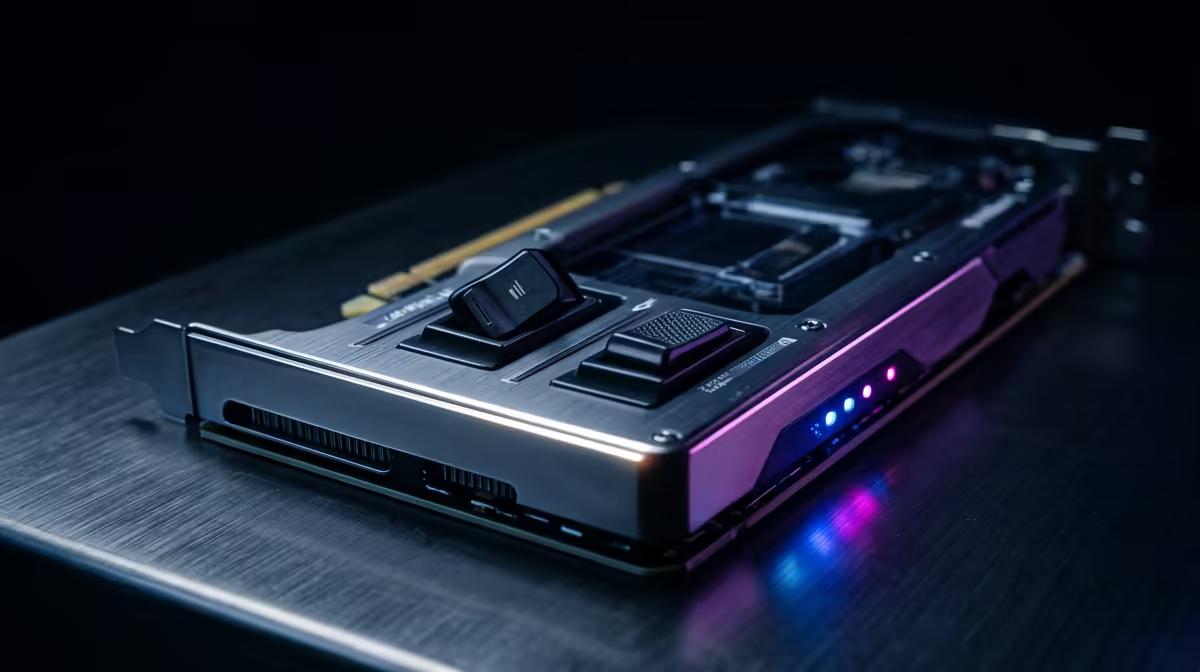
If you’ve ever loaded into a ranked match and heard your PC sound like a vacuum cleaner… you’re not alone. In South Africa’s hot summers, GPU fans ramp up fast, and the difference between “loud but fast” and “quiet but steady” can feel huge.
A dual BIOS graphics card lets you choose your vibe: performance for peak FPS, or silent mode when you’re gaming on the couch, streaming, or just trying to sleep. The best part? You can switch without swapping hardware… and that means more control for the money.
Most dual BIOS cards (from brands like MSI and others) provide two firmware profiles stored on the GPU’s BIOS chips. Typically:
Important reality check: switching BIOS usually changes fan behaviour and power targets, not your GPU’s underlying architecture. So you’re not turning a mid-range card into a flagship. But in real-world use, quieter mode can reduce noise without destroying your experience.
Here’s the practical approach, especially if you’re using the card for both gaming and “life” (work, school, streaming):
Because exact switch names and behaviour differ by model, always verify on your specific card. For example, Evetech carries a wide range of dual BIOS-capable models, and you can match your card’s specs there before you buy or troubleshoot.
If you want to make an informed choice (not just guess), test properly:
Why this matters: silent mode can be excellent, but some cards may boost clocks more readily under performance BIOS when temperatures allow. That’s the whole trade-off.
If your GPU temperature climbs too aggressively in silent mode, the card may throttle, and your “quiet” setup ends up feeling sluggish. If you notice stutters in heavier titles, try performance BIOS and re-check airflow.
Dual BIOS is only part of the story. Your case airflow decides whether “silent” stays stable.
If you’re building or upgrading, think airflow first, then let BIOS do the noise tuning.
Windows, set up your game and desktop profiles separately: use Windows Game Mode and GPU driver settings to keep your performance profile for matches, and leave silent BIOS for desktop tasks. This way you get quiet browsing and calmer streaming sessions, without forgetting to flip back when you queue.
Shopping in SA is all about getting the right model, at the right price, with the right warranty support. If you’re comparing options, start with the categories that match your preference:
Before you click Buy, make sure you’re matching needs to modes:
Ready to get the card that fits your setup instead of fighting your fans every session?
Ready to Find Your Perfect Match? The Mac vs Windows debate is complex, but for maximum power, choice, and value in South Africa, Windows is hard to beat. Explore our massive range of laptop specials and find the perfect machine to conquer your world.
A Dual BIOS graphics card features two separate firmware chips, allowing you to switch between two distinct profiles, typically a high-performance mode and a silent mode.
Most cards feature a physical BIOS switch located on the side of the GPU. Ensure your PC is powered off before flipping the switch to the desired mode.
Silent mode usually lowers fan speeds and power limits to reduce noise. You may see a minor decrease in clock speed, but it often remains negligible for daily gaming.
Performance mode maximizes clock speeds and fan curves, providing the best frame rates and cooling efficiency for demanding AAA titles or heavy rendering tasks.
No, the switch is a safe hardware feature. However, always power down your system before toggling to ensure the card registers the new BIOS profile correctly.
Yes, many enthusiasts use the secondary BIOS to experiment with custom fan curves or overclocking settings while keeping the primary BIOS as a safe, stock backup.
iRacing build planning should focus on the target resolution, settings and total system balance. Treat launch wording as time-sensitive, then verify requirements before choosing SA PC parts.
Read more
Skyrim PC requirements should be mapped to resolution, settings and upgrade budget before choosing a tier. Verify current requirements, then balance GPU, CPU, RAM and SSD around SA pricing.
Read more
Skyrim PC builds is a cautious guide for game PC build planning. Compare game requirements, tier fit, resolution goals, RAM, storage, and GPU choice for SA buyers without assuming live prices, availability, or exact benchmark results.
Read more
Hades 2 PC builds is a cautious guide for game PC build planning. Compare game requirements, tier fit, resolution goals, RAM, storage, and GPU choice for SA buyers without assuming live prices, availability, or exact benchmark results.
Read more
Roblox PC builds is a cautious guide for game PC build planning. Compare game requirements, tier fit, resolution goals, RAM, storage, and GPU choice for SA buyers without assuming live prices, availability, or exact benchmark results.
Read more
Mortal Kombat 1 launch needs a balanced parts plan, not a random basket. Map the CPU, GPU, RAM, SSD, cooling, and monitor target to the budget so SA builders know where to spend first.
Read more
Wondering if a TKL wireless mechanical keyboard is worth it for everyday productivity? We break down latency, battery life, comfort, and workflow gains for real work. ⚡⌨️

Maximise battery life on a fanless 15-inch laptop using efficiency core architecture. Cut idle drain, tune power profiles, and improve thermals for longer runtime. 🔋⚙️

Learn how to reduce desk clutter with a TKL wireless keyboard using fewer cables, smart placement, and tidy essentials. Get a faster, calmer workspace with better ergonomics. ✅🧼

RGB keyboard lighting too distracting? Learn how to manage backlight modes, set brightness, and reduce distraction for focus and productivity 😌🖱️

Are themed gaming keyboards worth the extra cost? Compare build quality, switch options, features, and resale value to find the best fit for your setup 🎮⌨️

Full-Size vs Tenkeyless mechanical keyboards for gaming: find out if a smaller layout truly improves aim, speed, and comfort. We break down layout, desk space, latency-feel, and keybinds 🎮⌨️

Dedicated media rollers vs function key shortcuts: learn which setup gives you better workflow control, faster media access, and fewer mistakes. 🖱️🎧

Best Mechanical Switch Type for Gaming: Clicky vs Linear vs Tactile. Find your feel, speed, and noise balance with practical guidance for FPS, MOBA, and productivity 😄🎮

Direct mouse answer: Mouse not keeping up with your work? Everything that matters about dual-mode 2.4GHz + BT 5.0: DPI behaviour, channel switching, battery curves and per-app button mapping. Covers when 2.4GHz USB wins (low-latency desk) and when BT 5.0 wins (laptop, d

Plain wireless mouse guide: Mouse not keeping up with your work? Everything that matters about wireless productivity mouse: DPI behaviour, channel switching, battery curves and per-app button mapping. Includes DPI tuning tips, channel switch shortcuts, and ZAR-aware fea

Real productivity numbers: Set up your wireless mouse in this order: everything that matters about wireless productivity mouse: DPI behaviour, channel switching, battery curves and per-app button mapping. Includes DPI tuning tips, channel switch shortcuts, and ZAR-aware

Pen not feeling like paper? Stylus lag and skipping usually trace to old drivers, dirty nibs, or display refresh mismatches, not the pen itself. Covers pressure curve tuning, tilt thresholds, nib swap timing, and SA pricing brackets.