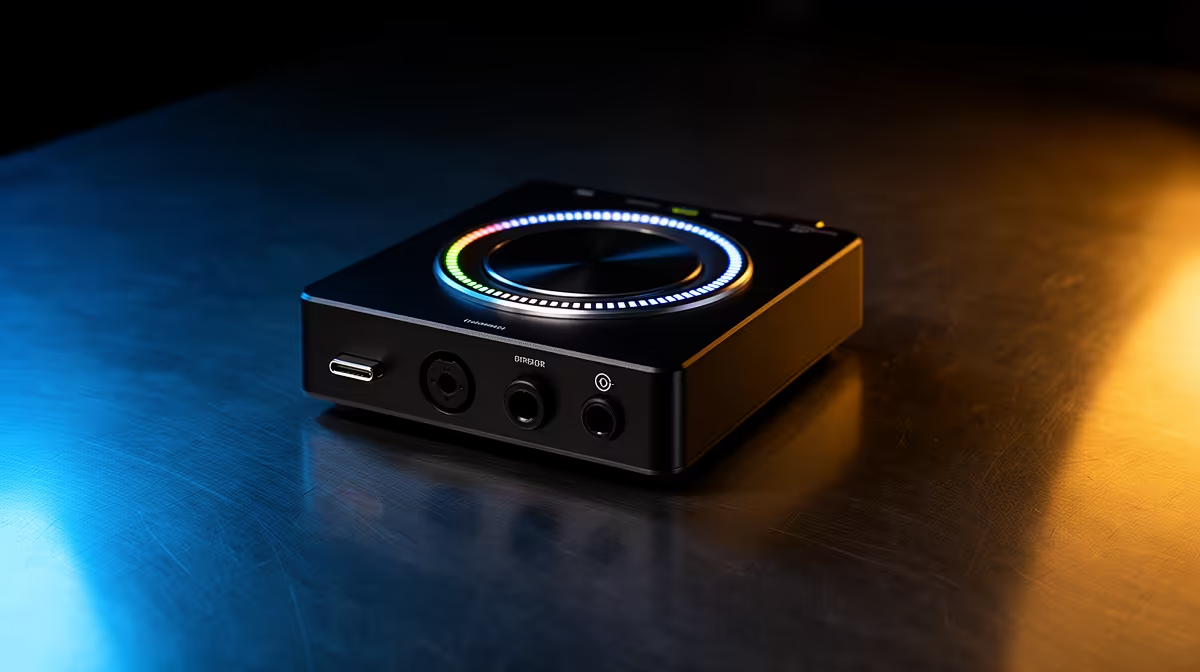
An XLR microphone can sound excellent and still be awkward in a live stream if gain, monitoring and application routing live in separate places. The Wave XLR puts those controls into a compact desk interface tied to Elgato's mixing software. For Elgato Wave XLR availability in South Africa, check the live local range and make sure the interface suits the microphone and computer you already own.
Quick Answer
Elgato Wave XLR listings and Rand prices can change with streaming-audio stock, so use current South African product pages rather than an old quoted amount. Evetech's live streaming essentials category is the reliable place to see locally listed interfaces, microphones and Elgato gear. The Wave XLR suits creators who want one XLR input, hands-on gain and software mixing.
🎙️ Understand the one-mic interface
Wave XLR is built around a single XLR microphone input. It targets solo streaming, podcasting and voice work rather than a two-person recording session.
The interface provides microphone gain and can support condenser microphones that need phantom power. Confirm current specifications for the exact unit.
Dynamic microphones often need more gain than condenser models. Check microphone sensitivity and your speaking distance before assuming any interface will be noiseless at maximum gain.
Phantom power should only be enabled when the connected microphone requires and supports it. Mute or lower monitoring before switching it.
The large dial gives quick access to level functions, while a capacitive mute control can silence the microphone. Learn the indicator states so you do not stream while muted.
Headphone monitoring lets you hear the microphone with low delay. Separate the direct-monitor mix from the audience mix.
One input keeps the desk simple. If you need two XLR microphones or stereo line sources, compare a multi-input interface.
🎛️ Plan the Wave Link signal flow
Wave Link software can separate sources such as a microphone, game, music, browser and voice chat into controllable channels.
The monitor mix is what you hear. The stream mix is what the audience receives. Confusing them can create missing audio or doubled monitoring.
Map each application to the correct virtual channel in the operating system. Change one source at a time and label it.
Keep voice chat out of the broadcast where privacy or platform rules require. Confirm with a test recording rather than trusting moving meters.
Set microphone gain first, then compression, noise reduction or other processing. Effects cannot rescue clipping at the input.
Use noise control with restraint. Aggressive gates can cut word endings and keyboard reduction can make speech sound watery.
Save or document the working routing. Software or Windows updates can reset application outputs.
📦 Build the complete South African audio chain
Use the live Wave XLR listing for current Rand price, package contents, connection and warranty. A checkout-day amount is more useful than an audio-interface price copied from an older page.
Check whether an XLR cable, microphone, stand and headphones are included; an interface is often sold as one part of the chain.
Match the boom arm to microphone mass and the desk edge. A heavy dynamic microphone can make a light arm sag.
Confirm computer operating-system support and available USB ports. Avoid unstable, unpowered hubs for a central audio interface.
Review Evetech's webcam range when building the video side of the same creator setup.
Evetech's live categories show the audio and camera products available locally now. Use them to compare a complete signal chain rather than assuming title-model stock from this guide.
Keep proof of purchase, serial information and packaging. Audio faults can involve the microphone, cable, interface, USB link or software, so good records help isolate them.
Check the seller's early-fault and longer warranty steps. Test the XLR input, dial, mute surface and headphone output during the first days.
Check the microphone's connector and the XLR cable wiring before blaming interface noise. A loose pin, damaged shield or cable running beside a power brick can add hum to a clean preamp.
If you use powered speakers, decide whether they connect through the computer or another audio device. The Wave XLR is built around microphone and headphone control, so plan monitor-speaker routing before purchase.
Ask whether your preferred audio plugins run inside the supported Wave Link environment. Keep a dry profile that works without third-party processing.
🧪 Set gain and monitoring in the right order
Place the microphone at its real speaking distance. Connect the XLR cable with phantom power off.
Install supported Wave Link software from the trusted source and record the initial firmware or software version.
Select the correct microphone input and raise gain while speaking at stream volume. Leave headroom for laughs and excited moments.
Enable phantom power only for a microphone that requires it. Watch for level changes and noise.
Plug headphones into the interface and set a safe monitoring volume. Do not judge microphone gain from headphone loudness alone.
Record clean speech before adding processing. Listen for hum, cable crackle, room echo and clipping.
Add one processor at a time. Compare bypassed and processed audio at matched loudness.
Create separate monitor and stream mixes. Record game, chat and microphone together, then listen on another device.
Test mute in software and on the hardware. Use a visible indicator and a keyboard backup.
Export settings or keep screenshots. Label the XLR cable and USB port that produced the clean baseline.
Reopen the project after a restart and make a second test recording. Check that every application returned to its intended virtual channel.
Monitor at a consistent safe volume when comparing microphone changes. Louder audio can seem clearer even when the recording has not improved.
Frequently Asked Questions
Is the Elgato Wave XLR available in South Africa?
Availability moves with stock. Check Evetech's current streaming category for live listings and delivery details.
Does Evetech carry other Elgato audio gear?
The linked streaming page is the current source for Elgato and creator-audio products listed by Evetech.
What does Wave XLR add to a stream?
It connects one XLR microphone, provides hands-on input and monitoring control, and works with Wave Link mixing.
How much does the Wave XLR cost at Evetech?
Use the current product listing for a verified Rand price and package. Prices and stock can change.
Can South African buyers obtain local warranty support?
Warranty depends on the current seller listing and terms. Keep proof of purchase and test the complete interface early.
Which microphones pair with Wave XLR?
Match an XLR microphone's type, sensitivity and phantom-power needs. Choose around your voice, room and speaking distance.
Ready to build a cleaner one-mic streaming setup?
Check Evetech's current streaming audio and webcams, then match the microphone, interface, stand and monitoring to your room.