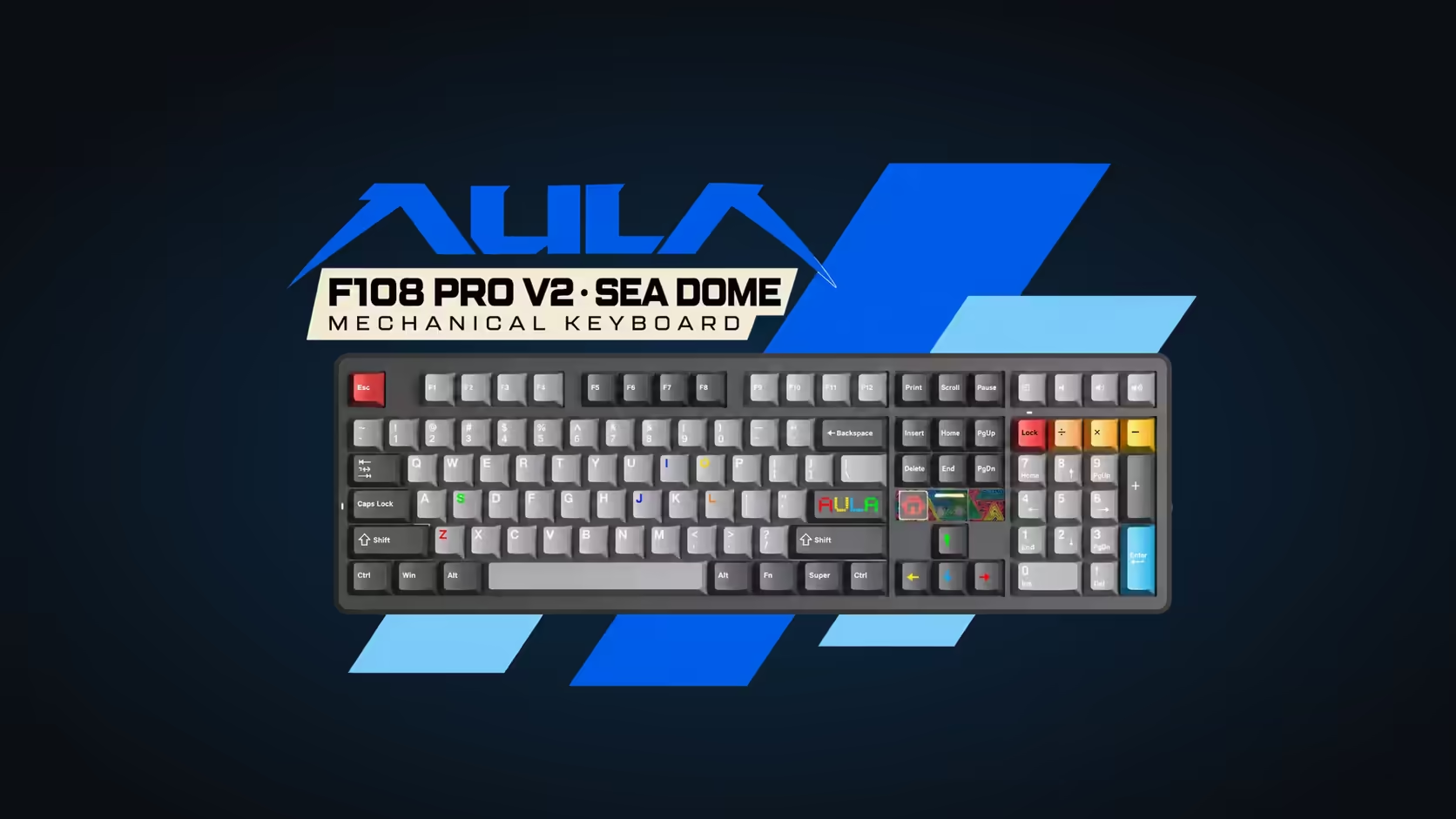
A number pad is either something you use every day or something that just pushes your mouse further away. If you belong to the daily-use group, the question becomes how much space you are willing to give it. AULA offers two answers: the AULA F108 PRO V2 keeps a traditional full-size keyboard with a number pad laid out in separate blocks, while the F99 Max packs 97 keys into a 96% frame. Both keep the numpad; they just treat the space around it very differently.
Quick Answer
The F108 PRO V2 is a full-size (100%) board, so its arrows, navigation cluster and number pad sit apart with the usual gaps between them. The F99 Max squeezes 97 keys into a 96% frame and pulls those groups tight against the main typing area. Both are tri-mode and hot-swappable, and at Evetech the F99 Max is R799 while the F108 PRO V2 is R949 to R1,099 depending on colour. On top of that, the F99 Max brings a TFT smart screen plus a knob you turn, while the F108 PRO V2 counters with a dot-matrix panel that moves with sound.
📐 What a 96% layout actually squeezes
A full-size keyboard has natural gutters. There is a gap between the function row and the number row, another between the main block and the navigation six-pack, and a third before the number pad. Those gaps are what let your fingers find a group by feel.
A 96% layout closes most of them. The arrows tuck in below the right Shift, the navigation keys shrink to a column and the number pad butts right up against everything else. You keep almost every key, but the board is noticeably narrower, which frees up desk space for your mouse hand.
What the F108 PRO V2 keeps
AULA kept the classic arrangement on the F108. Its arrow cluster, navigation keys and number pad each keep their own space, and AULA has even used the pocket between the arrows and the navigation block for a small display. If you learned to type on a standard office keyboard, every key is where your hands expect it.
What the F99 Max gives you instead
The F99 Max's 97 keys include a full number pad, so spreadsheet work and data entry still flow. The trade is familiarity. Some keys move or share space, and people switching from a standard board often need a few days before the compact arrows and navigation column feel natural.
🖥️ A screen and knob, or a dot-matrix panel
Both boards add something beyond the keys, but they are different ideas.
Mounted mid-board on the F99 Max are a TFT smart screen and a turning dial. The screen can show the time, how much charge is left, or a GIF of your own, and Fn plus Backspace switches it off. The knob controls volume by default, and holding Fn while turning it adjusts the RGB backlight instead.
AULA lists no knob on the F108. Its dot-matrix display reacts to audio and runs animations, and custom GIFs can be sent to it from AULA's driver software. It is more of a visual accent than an information screen, sitting quietly between the arrow keys and the navigation cluster.
If you want a quick volume control without reaching for a media key, the F99 Max has the edge. If you want a moving visualiser that does not cost any layout space, the F108's approach is neater.
⌨️ How the switches compare
Both boards use LEOBOG linears, but the numbers differ.
- F99 Max: pre-lubed LEOBOG Reaper linears with a light diffuser. Actuation comes at 45gf and the floor at 55gf, over 1.8mm of pre-travel and 3.6mm in all.
- F108 Sea Dome edition: a 32gf trigger, a 45gf floor and 3.7mm of full stroke.
- F108 Panda edition: a 38gf trigger over the same 45gf floor, with a 3.3mm full stroke.
All three register at 1.8mm. The practical difference is weight: the F99 Max's Reapers are the heaviest of the group, while the F108's Sea Dome is the lightest. Typists who find standard linears tiring tend to prefer the lighter end; people who rest their fingers heavily often like the extra resistance of a heavier switch.
Hot-swap on both
Neither board locks you in. Swap-in switches for the F99 Max can be 3-pin or 5-pin, with a puller in the box, while every socket on the F108 takes a replacement switch without soldering. Either can be retuned later if the stock feel stops suiting you.
Connection, build and software
Both boards give you three links: plug in, use the 2.4GHz dongle, or pair over Bluetooth. Across those links the F99 Max remembers as many as five devices on Windows and macOS, and AULA notes that its customisation software runs on Windows only with the board plugged in.
Both use a gasket mount. Inside the F99 Max, IXPE, foam, silicone and PET make up its five dampening layers. The F108 lists seven layers of sound-dampening material in its gasket build. Lighting differs too: the F99 Max has south-facing RGB across 16.8 million colours, while the F108 pairs per-key RGB with a trio of programmable spacebar LEDs and a linear light bar of its own.
🤔 Which one should you pick?
The F108 makes more sense when:
- You want every key group in its standard place with clear gaps between them.
- A lighter linear switch appeals, particularly the Sea Dome.
- You like the idea of an audio-reactive display with no effect on the layout.
The F99 Max makes more sense when:
- Desk space is tight and you want the numpad in a narrower frame.
- A volume knob and a screen that shows the time appeal more than a visualiser.
- You prefer a heavier linear with a firmer bottom-out.
Evetech covers both boards with a 1 Year Local Warranty, so cover is not a deciding factor. Put them next to each other in the gaming keyboards category at Evetech, or scan the keyboard best sellers for how other layouts are doing.
Frequently Asked Questions
Which board is narrower on the desk?
The F99 Max. Its 96% layout closes the gaps that a full-size board like the F108 keeps between key groups.
Do both keep a number pad?
Yes. The F99 Max fits one inside its 97 keys, and the F108 has a standard one on its full-size frame.
Which has a volume knob?
The F99 Max. AULA lists no knob for the F108, which offers a dot-matrix display instead.
Which switch is lightest across the two boards?
The Sea Dome on the F108, at 32gf. The F99 Max's Reaper linears need 45gf to actuate.
Can I change switches on either board?
Yes. Both have hot-swap sockets, and the F99 Max takes 3-pin as well as 5-pin parts.
Does the F99 Max software run on a Mac?
The keyboard itself works with macOS, but AULA's customisation software for it runs on Windows and needs a wired connection.
Spread out or packed in tight?
See Evetech's gaming keyboard range to weigh full-size layouts against 96% boards before you settle on your numpad style.