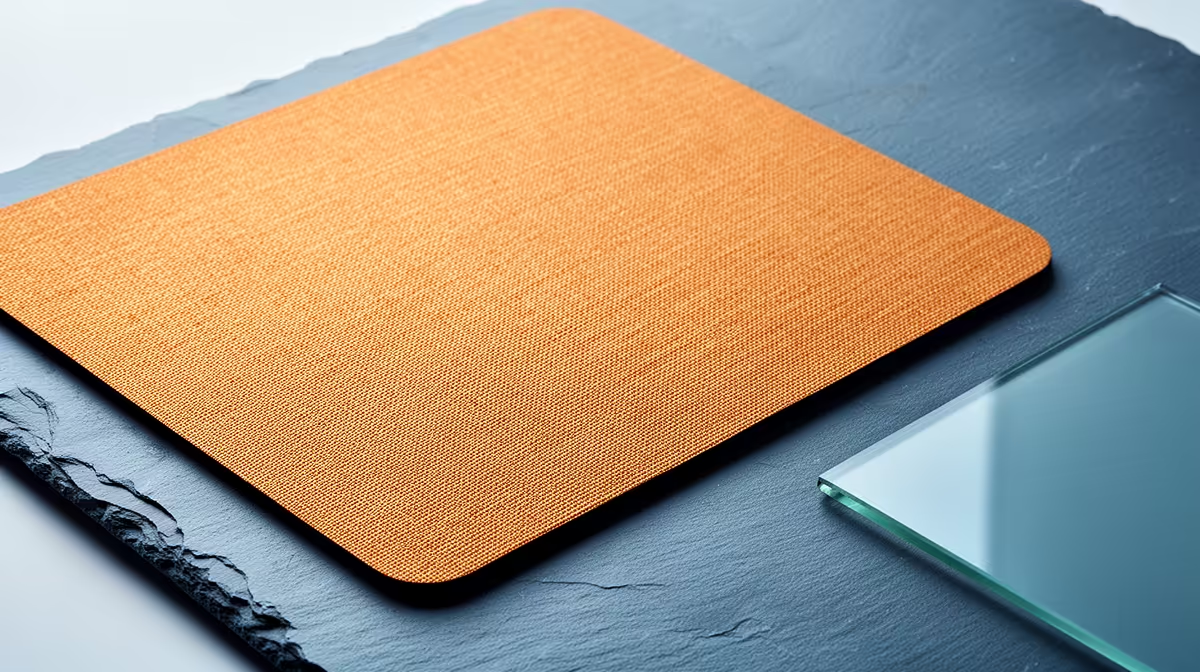
Glass and cloth mousepads create different kinds of control. Glass offers a hard, uniform glide with low starting force. Cloth can add stopping resistance and a softer surface. Your mouse skates, sensitivity and room conditions shape both.
Quick Answer
Choose glass when you want a fast, consistent hard surface and will keep it free of dust. Choose cloth when you value more stopping control, a softer edge under the arm and easier travel.
Compare the mouse you will use through gaming mouse deals and popular mouse choices, then pair its skates and weight with the pad. A surface cannot be judged apart from the feet sliding across it.
How Glass Feels
A glass pad has a hard, flat surface that does not compress under the mouse. Starting a movement can take little force, and the glide stays even across the pad when it is clean.
That speed can make micro-adjustments feel free and broad tracking feel effortless. Stopping requires more control from your hand because the surface provides less resistance than many cloth pads.
Texture varies. Some glass pads use an etched or coated finish that changes glide, noise and skin feel. Read care instructions for the named product because household glass cleaners or abrasive cloths may damage a coating.
How Cloth Feels
Cloth pads use a woven surface over a rubber or foam base. Weave, fibre, coating and base firmness create a wide range from fast to controlled.
The surface can provide more initial friction and stopping force. That helps players who want the pad to catch a flick at the end. A soft base can let the mouse sink when you press down, adding another layer of control and inconsistency depending on grip pressure.
Cloth feels warmer and quieter under the hand. A stitched edge can resist fraying and can rub the forearm if it sits high. Flat stitching and a suitable desk height help.
Speed and Control Depend on the Pairing
A light mouse with fast rounded skates can feel loose on glass. The same mouse on a controlled cloth pad may stop with less effort. A heavier mouse can gain freedom from glass and feel slow on a soft control surface.
Sensitivity changes the demand. Low-sensitivity players make long swipes and may enjoy low starting force, but they also need enough stopping control at the end. High-sensitivity players make small movements where surface texture and hand tremor become easy to feel.
Do not assume every shooter player needs control cloth or every tracking player needs glass. Your grip, aim technique and preferred game can reverse the simple categories.
Mouse Skates Are Part of the System
Glass can wear soft PTFE skates faster than cloth. Dust or grit between the skate and pad produces scratchy noise and can mark the feet. Keep replacement skates for the mouse model in the long-term cost.
Harder aftermarket skates may last longer and can change glide or sound. Use a set approved for the pad and mouse where available. Make sure replacement feet match the original thickness so sensor height and shell clearance remain correct.
On cloth, skates tend to last longer but can collect fibres and dirt around their edges. Replace them when they become uneven, deeply scratched or start catching.
Dust Is the Glass Enemy
A tiny hard particle is obvious on glass. It can make the mouse scrape during a match even when the rest of the surface looks clean. Wipe the pad and skates with a suitable soft cloth before play.
Keep food, ash and gritty objects away from the desk. Lift the mouse rather than dragging it over a particle you can feel. Follow the maker's cleaning method and avoid aggressive chemicals.
Cloth hides dust more easily, which does not mean it is clean. Skin oils and fine particles can slow areas of the weave over time. A regular gentle clean keeps the glide more even.
Humidity and Skin Contact
Cloth can feel slower in humid conditions as the weave and skin moisture change. Coated pads may lose their original glide in high-contact areas. A sleeve can reduce skin drag, but its fabric has to work with the surface.
Glass does not absorb moisture, yet a warm forearm on the hard surface can stick or feel clammy. It can feel cold at the start of a winter session. A gaming sleeve is common among glass users for consistent arm movement.
Test the surface at the time of day and room temperature where you play. A brief shop touch cannot reproduce a long South African summer session.
Noise and Desk Feel
Glass makes mouse contact and skate texture easier to hear. Hollow lightweight shells can amplify the sound. Cloth absorbs more of it and softens the impact when the mouse is lifted and placed down.
A glass pad needs a stable non-slip base. Any desk grit beneath it can create a pressure point, so clean both surfaces before placement. Check that the desk is flat and that the pad does not rock.
Cloth can roll for transport and may take time to lie flat. Thicker bases can smooth minor desk texture. Large desk mats can support keyboard and mouse together, though the keyboard can compress or mark the surface.
Cleaning Glass
Remove the mouse, brush away loose grit and wipe with the product's recommended soft cloth and cleaner. Clean the mouse skates at the same time. Dry the surface before play.
Avoid abrasive pads, powders and sharp tools. A glass pad is hard but a finish can scratch. Do not expose it to a sudden temperature change or edge impact.
Check the backing and rubber feet. Liquid trapped beneath the pad can affect grip and the desk finish.
Cleaning Cloth
Follow the label. Some cloth pads tolerate a gentle hand wash with mild soap and cool water; coated surfaces can need another method. Do not assume a washing machine or hot water is safe.
Rinse out residue and let the pad dry flat before putting electronics on it. Bending, wringing and strong heat can distort the base or damage stitching.
Spot-clean spills soon. A dark design can hide residue that changes glide, so inspect by touch as well as sight.
Sensor Compatibility
Modern optical gaming sensors work on many consistent surfaces, but glass needs a pad designed for mouse tracking. A transparent tabletop may not give the sensor enough texture.
Test lift-off distance and cursor stability on the exact pad. Firmware surface calibration can help on supported mice, but use it only when the manufacturer documents the feature.
A sensor that tracks cleanly on cloth can behave differently on a reflective or patterned hard surface. Product testing matters more than the general sensor tier.
Space and Portability
Measure the largest swipe you make at your normal sensitivity. Add room for repositioning and keep the keyboard outside that zone. Glass pads come in fixed dimensions and need careful transport.
A cloth pad can roll into a bag and is easier to replace after travel damage. Do not fold it sharply. Store a glass pad flat or in its protective case and avoid pressure on the edges.
If you attend LAN events, check desk size before carrying a large hard pad. A medium cloth backup can keep your sensitivity usable on a small station.
Work Out the Total Cost
Glass can keep its surface character for a long time when handled well, but you may replace mouse skates more often and buy a sleeve. Cloth costs range widely, and a favourite coated glide can change with wear.
Count replacement feet, cleaning materials and the chance of travel damage. A cheaper surface that suits your control is a better buy than a premium pad you fight.
Rotate the cloth pad or review its worn zones before replacing it. Do not rotate a directional weave unless the maker supports that orientation.
Choose Through a Controlled Test
Use the same mouse, DPI, game and aim drill. Test slow pixel selection, a fast turn, a target switch and a stop at the end of a flick. Note starting force, overshoot, arm drag and noise.
Give a fast glass surface time. Your first session may overshoot because your hand expects more friction. If control improves after several days without tension, the surface may suit you. If you keep gripping harder, return to more stopping force.
On cloth, pay attention to differences between the middle and edges. An old pad can make a new replacement feel much faster even when it is the same model.
FAQ
Does a glass mousepad improve aim?
It reduces friction and can make movement consistent. Your control, sensitivity and practice determine whether that helps your aim.
How often do mouse skates wear on glass?
It varies with pad texture, skate material, pressure and cleanliness. Inspect glide and thickness rather than relying on one interval.
Is cloth better for tactical shooters?
Many players like its stopping force, but a controlled glass user can perform well. Choose through your own sensitivity and movement test.
Test speed, stopping force and skin comfort with your own mouse, then choose the surface you can keep consistent.