


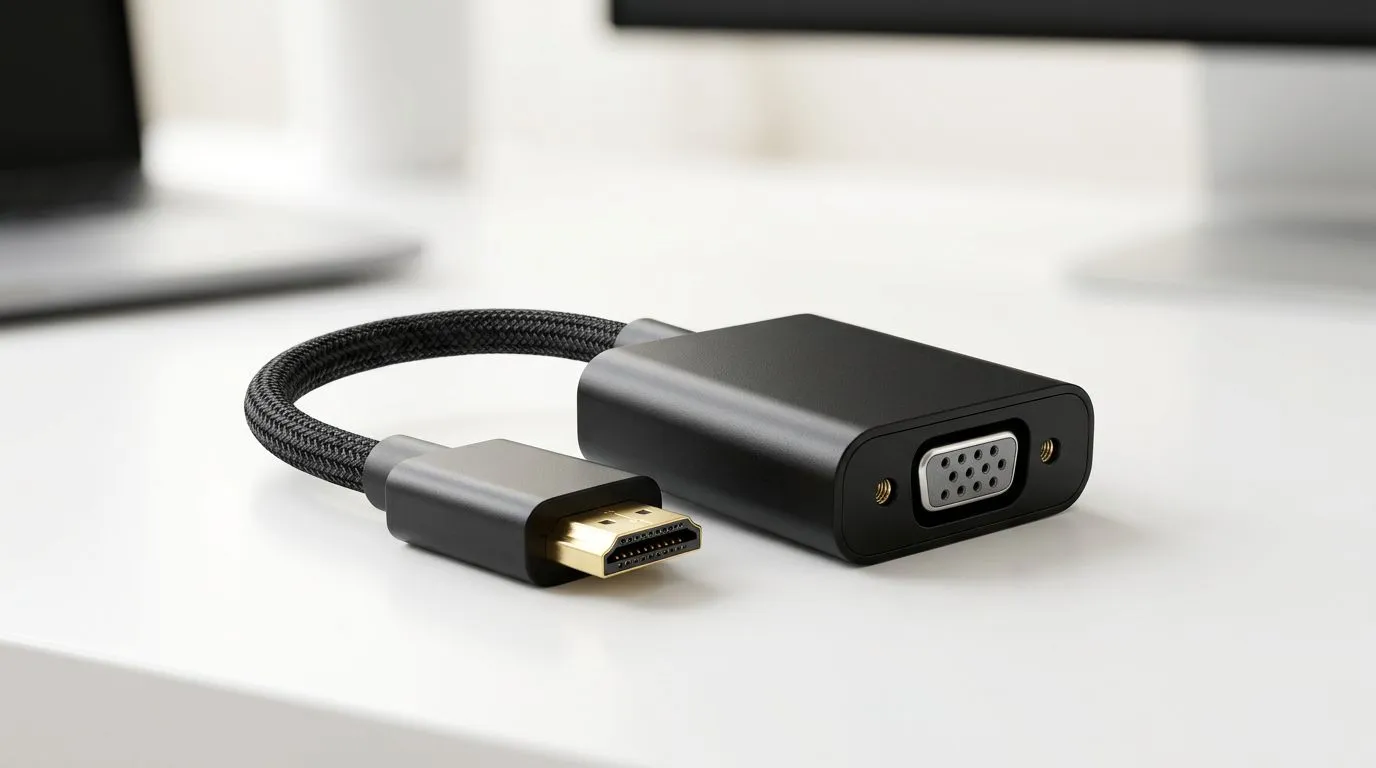
HDMI to VGA Adapter Buying Mistakes to Avoid
If you’re trying to hook up an older monitor to a newer laptop or console, an HDMI to VGA adapter can feel like a quick fix… until it isn’t. In South Africa, we’ve all seen the moment: “No signal” on a screen that was supposed to work. Let’s stop you wasting money on the wrong cable, the wrong adapter type, or the wrong settings. 🔧
Below, I’ll walk you through the most common HDMI to VGA adapter buying mistakes to avoid, plus a few practical checks you can do before checkout.
The core mistake: buying the wrong adapter direction
The biggest trap is assuming “HDMI to VGA” always means the same thing.
Many adapters only work one way:
- Source (HDMI) → Display (VGA) is what you want.
- VGA → HDMI adapters are the wrong category. They may look similar in listings, but they won’t convert your signal the way you expect.
In plain terms: you need an adapter that converts digital HDMI output to analog VGA output (with active conversion electronics). A lot of “cheap” listings omit whether conversion is real or just a passthrough.
Before you buy, verify the listing explicitly says HDMI (input) to VGA (output) and that it supports video conversion, not just “connectivity”.
Resolution and refresh rate surprises (and why “it works” isn’t good enough)
Even when the adapter is “compatible”, picture quality can disappoint. VGA is analog, and HDMI is digital. If your adapter can’t handle the signal properly, you may get:
- blurry text
- a washed-out image
- unstable sync
- lower resolution than you expected
A practical approach: aim for 1080p output support if your HDMI source is capable. Then confirm the monitor’s native resolution too. If you have a 1280×1024 LCD, you’ll still be limited by the monitor. Better to set expectations early than refund later.
Quick checklist before you install anything 🚀
Display sanity check before you buy ✨
- Confirm the adapter is HDMI (input) → VGA (output).
- Check the adapter claims active conversion (not just “adapter”).
- Match the adapter’s supported resolutions to your HDMI device.
- On your laptop, set display output to a fixed resolution (start with 1280×720 or the monitor’s native).
- If using a TV, remember many “PC modes” affect signal timing.
Compatibility pitfalls on PS5, Xbox, PCs, and laptops
This is where South African buyers often get caught out. Not every gaming device behaves the same way with analog outputs.
Gaming consoles: settings can make or break it
Some consoles output HDMI in ways that need specific settings (like enabling “HDMI format” modes or PC/monitor-friendly output). If you see “No signal”, try:
- switching the console’s output to a monitor-friendly mode (when available)
- power cycling the adapter and the display after changing settings
If your adapter is truly converting HDMI to VGA, it should respond consistently once the console sends a compatible video format.
Laptops: Windows display settings matter a lot 🔧
On Windows, your laptop may default to a resolution your VGA monitor can’t sync with. After connecting:
- open Display settings
- select the VGA-connected display
- set the resolution to the monitor’s native (or lower)
- scale text until it’s readable
This reduces flicker and avoids the “it’s connected but it’s unusable” situation.
Cable length and build quality mistakes
It’s tempting to blame the adapter. Sometimes it’s actually the full signal chain.
Longer cables and bargain connections can worsen analog stability, especially with VGA. If you’re using a VGA cable longer than necessary, try:
- shorter VGA runs
- a known-good VGA lead
- ensuring the adapter’s connectors are firmly seated
For buyers building a clean setup, it’s worth checking you’re buying the right accessories category for your setup and budget. Browse gaming essentials and monitor-adjacent accessories here: Explore gaming accessories deals on Evetech
Don’t ignore warranty and return friction
When deals look too good to be true, it’s usually because the spec sheet is vague. Buying smart means:
- checking the exact adapter type (HDMI in, VGA out, active conversion)
- confirming the supported resolutions
- looking for a retailer with clear returns
If you’re comparing options and want a simple way to find the right accessories for your setup, start with Evetech’s accessories selection: Buy gaming accessories at Evetech
And if you’re browsing by category, here’s the same accessories section with a convenient filter path: Gaming accessories category on Evetech
HDMI to VGA adapter buying mistakes to avoid (the “do this, not that” recap)
Here’s the quick recap you can use in-store or on checkout:
- Do verify conversion direction: HDMI (input) → VGA (output).
- Do check resolution support: aim for realistic compatibility with your HDMI source.
- Do set display resolution manually: especially on Windows laptops.
- Do keep cable lengths reasonable: VGA is more sensitive than HDMI.
- Don’t trust vague listings: “it works” is not the same as “it looks great.”
If you want your retro monitor, spare display, or office screen working with minimal hassle, the above steps are the difference between “connected” and “actually usable.” ✨
Ready to Find Your Perfect Match? Finding the right HDMI to VGA adapter is easier when you shop with confidence. We’ll help you choose the right accessories for your setup, so you’re not stuck with a “no signal” headache. Browse our range of tech essentials and deals on the Evetech site.











