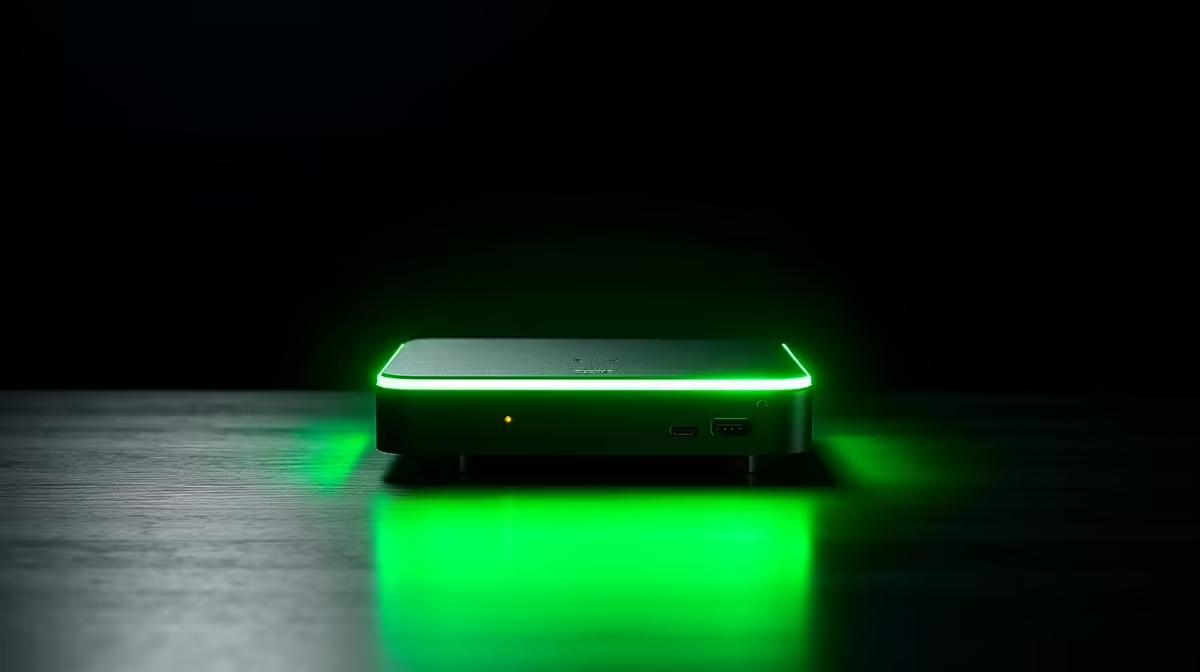
One box boots into a smart-home dashboard in under two minutes with no flashing, no fiddling, nothing. The other is a tiny computer you can bend to a dozen jobs but have to set up yourself. For a first smart-home server in 2026, Home Assistant Green vs Raspberry Pi 5 is a clean trade between plug-in simplicity and raw flexibility, and the right answer depends entirely on what kind of tinkerer you are.
Quick Answer
The Home Assistant Green is a plug-and-play appliance that runs Home Assistant OS out of the box on its Amlogic S905X3 chip, with reliable eMMC storage and no setup. The Raspberry Pi 5 is faster and far more flexible, with GPIO pins, USB 3.0, and the option to repurpose it later, but you assemble and configure it yourself. Pick Green for the easiest start, Pi 5 for power and projects.
The Easiest Start: Home Assistant Green
The Green exists to remove every barrier to entry. It ships with Home Assistant OS pre-installed on built-in eMMC storage, so you plug in an Ethernet cable and power, wait under two minutes, and open the dashboard in your browser. There is no SD card to image, no operating system to choose, and no command line to touch.
That eMMC storage is a quiet but important advantage. A continuously running smart-home server writes to its storage constantly, and cheap microSD cards are prone to wearing out and corrupting under that load. The Green's eMMC is built for sustained writes, so it sidesteps one of the most common reasons a beginner's setup falls over months later. It is also fanless, silent, and sips power, which suits a device that runs every hour of every day.
Where the Green has limits
The Green is deliberately a single-purpose appliance. Its S905X3 is comfortably enough for Home Assistant, even with well over a hundred devices, but it is not a machine you would push into local AI, heavy camera processing, or unrelated side projects. It also lacks GPIO headers, so you cannot wire sensors or relays directly to the board. If Home Assistant is all you want, none of that matters; if you like to experiment, it can feel boxed in.
The Flexible Choice: Raspberry Pi 5
The Pi 5 is the more powerful piece of silicon. Its Cortex-A76 cores are noticeably quicker, it adds USB 3.0 for fast peripherals and storage, built-in Wi-Fi, and the GPIO header that has made the platform a maker favourite for years. For pure Home Assistant duties this power is more than you strictly need, but it opens doors the Green keeps shut.
What the extra power unlocks
If you want to run a local voice assistant, process camera feeds, experiment with on-device AI add-ons, or have the server double as a general Linux machine for other projects, the Pi 5 is the platform that can stretch to it. The GPIO pins let you connect temperature sensors, relays, and other hardware directly to the board, which is exactly the kind of hands-on tinkering the Green cannot do.
The setup tax and the storage question
That flexibility comes with assembly. You provide a case, a power supply, and storage, then image Home Assistant OS yourself. Crucially, do not run a 24/7 Pi server from a microSD card alone, because constant writes will eventually corrupt it. Pairing the Pi 5 with an NVMe SSD via an adapter gives you both speed and durability, and it is the configuration most experienced users recommend for reliability. That extra hardware narrows the cost gap with the Green, so factor it in honestly.
Reliability, Power and Day-to-Day Living
For a set-and-forget appliance that the whole household relies on, the Green's integrated design is hard to beat: one box, eMMC storage, no fan, minimal power, nothing to maintain. It is the choice that simply keeps working in a cupboard for years.
The Pi 5 can match that reliability, but only if you build it properly with solid storage and a decent power supply. Done right it is just as dependable and far more capable; done lazily on a bare microSD card it becomes the corrupted setup people complain about. The platform rewards the effort you put into it. For a wider view of compatible sensors, hubs, and gadgets to plug into whichever brain you pick, the smart home and appliances range is the place to browse, and the small connectors and cables you will inevitably need often sit among the accessories best sellers.
So Which One Should You Buy?
Buy the Home Assistant Green if you want the smartest path from box to working dashboard, you value silent low-power reliability, and Home Assistant is the only job you have in mind. It is the recommendation for most beginners precisely because it removes the parts that trip people up.
Buy the Raspberry Pi 5 if you want headroom for local AI, voice, or camera work, you want GPIO for direct hardware projects, or you like the idea of repurposing the board when you eventually upgrade. Just commit to doing it properly with an NVMe SSD rather than a fragile microSD card. In short: Green for the cleanest start, Pi 5 for the most room to grow.
Frequently Asked Questions
Is the Home Assistant Green good enough for a large smart home?
Yes. Home Assistant OS runs smoothly on the Green even with well over a hundred connected devices. Its S905X3 chip is comfortably matched to the job, so most homes never feel the ceiling.
Why not just run Home Assistant on a microSD card?
Constant writes from a 24/7 server wear out and corrupt microSD cards over time. The Green avoids this with eMMC storage, and Pi 5 users should pair the board with an NVMe SSD for the same durability rather than relying on a card.
Can the Raspberry Pi 5 do things the Green cannot?
Yes. The Pi 5 offers GPIO pins for wiring sensors and relays directly, USB 3.0, more processing power for local AI or camera work, and the freedom to repurpose the board for other projects later. The Green is a single-purpose appliance.
Which is cheaper overall?
The Green's price is all-in, while a Pi 5 needs a case, power supply, and ideally an NVMe SSD added on. Once you factor those in, the gap narrows considerably, so compare total cost rather than the board price alone.
How long does the Home Assistant Green take to set up?
It boots into Home Assistant OS in under two minutes. You plug in Ethernet and power, then open the dashboard in your browser. There is no imaging or configuration before you start adding devices.
Whether you want plug-and-play simplicity or a board you can build on, the smart-home journey starts with the right hardware. Explore single-board computers and the full Evetech smart home and appliances range to get your first automation server up and running.