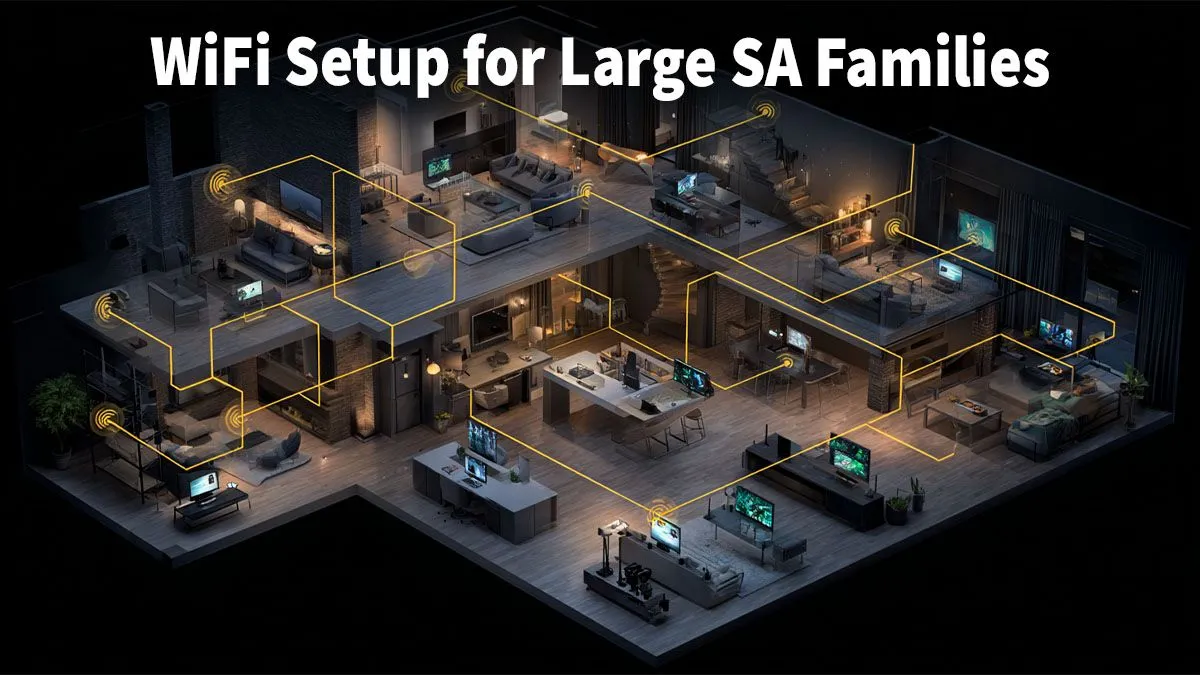
Is your home Wi-Fi buckling under pressure? In South Africa, a large family often means a digital battlefield. Between someone streaming Showmax, another in a heated Apex Legends match, online classes, and constant WhatsApp calls… that free router from your ISP just can’t keep up. The result? Endless buffering, lag spikes, and family feuds over bandwidth. A proper home network setup in South Africa isn't just for techies anymore; it's essential for a peaceful, connected household.
Why Your Standard ISP Router Is a Bottleneck
Think of your Internet Service Provider's router as a single-lane farm road. It’s fine for one or two cars, but when the whole family tries to use it during peak hour, you get a traffic jam. These basic units are built to a low cost, often lacking the processing power and advanced features needed for today's connected homes.
They struggle with:
- Device Overload: Multiple phones, laptops, smart TVs, and consoles all demanding data at once.
- Poor Coverage: Thick walls and multi-storey homes create frustrating "dead zones" where the signal vanishes.
- Outdated Tech: Many lack modern standards like Wi-Fi 6, which is specifically designed to handle many devices more efficiently.
Upgrading from the default is the first step towards a stable connection. Exploring the world of dedicated wireless networking components opens up a new level of performance.
Building a Robust Home Network: The Core Components
Creating the best home network setup for a large family in SA involves a few key pieces of hardware working together. It’s less about one magic box and more about building a smart system.
The Heart of Your Network: A Powerful Router
Your router directs all the internet traffic in your home. A high-quality one is the single most important upgrade you can make. Look for modern wireless routers with features like Wi-Fi 6 (802.11ax) and MU-MIMO (Multi-User, Multiple-Input, Multiple-Output). These technologies allow the router to communicate with multiple devices simultaneously, drastically improving speed and reducing congestion when everyone is online. 🚀
Eliminating Dead Zones: Extenders and Mesh Systems
Does your Wi-Fi signal disappear the moment you step outside onto the braai patio? You need to extend its reach. For smaller homes, simple wireless range extenders can be a cost-effective solution. They pick up the existing signal and rebroadcast it, pushing the coverage area further.
For larger, double-storey houses, a Mesh Wi-Fi system is the superior choice. It uses multiple nodes placed around your home to create a single, seamless network with no dead spots.
Optimising Your Setup for Gaming and Streaming 🎮
For serious gamers and 4K streaming fans, every millisecond counts. While a great router helps everyone, there are specific tweaks you can make to prioritise performance where it matters most.
For the ultimate competitive edge, nothing beats a wired Ethernet connection to your gaming PC or console. But what if your rig is in a room far from the router? Running a 20-metre cable isn't always practical. This is where high-performance wireless adapters come in. A modern PCIe Wi-Fi card for a desktop can deliver speeds and stability that rival a wired connection, ensuring your gameplay is smooth and lag-free.
Gaming Pro Tip ⚡
Most modern routers have a Quality of Service (QoS) setting. Find it in your router's admin panel and prioritise traffic for your gaming PC or console's MAC address. This tells your router to handle your game data first, which can seriously reduce lag during those clutch moments, even if someone else starts streaming 4K video.
A well-planned home network setup transforms your internet from a source of frustration into a reliable utility. By choosing the right components, you can ensure everyone in your family has the fast, stable connection they need, whether they're closing a business deal or winning a battle royale.
Ready to Banish Buffering for Good?
A slow network can bring the whole house to a standstill. For a lag-free, buffer-free experience in South Africa, upgrading your gear is key. Explore our wide range of networking components and build the perfect setup to connect your world.