



Marvel Rivals launch in South Africa
Marvel Rivals launch needs a balanced parts plan, not a random basket. Map the CPU, GPU, RAM, SSD, cooling, and monitor target to the budget so SA builders know where to spend first.
Read moreSA buyer note: If your build runs hot or loud, everything that matters about PC case fan: airflow CFM, static pressure mm-H2O, bearing type and ARGB wiring in plain terms. Includes PWM duty targets, header limits (3 fans per chain), and SA dust-management notes.
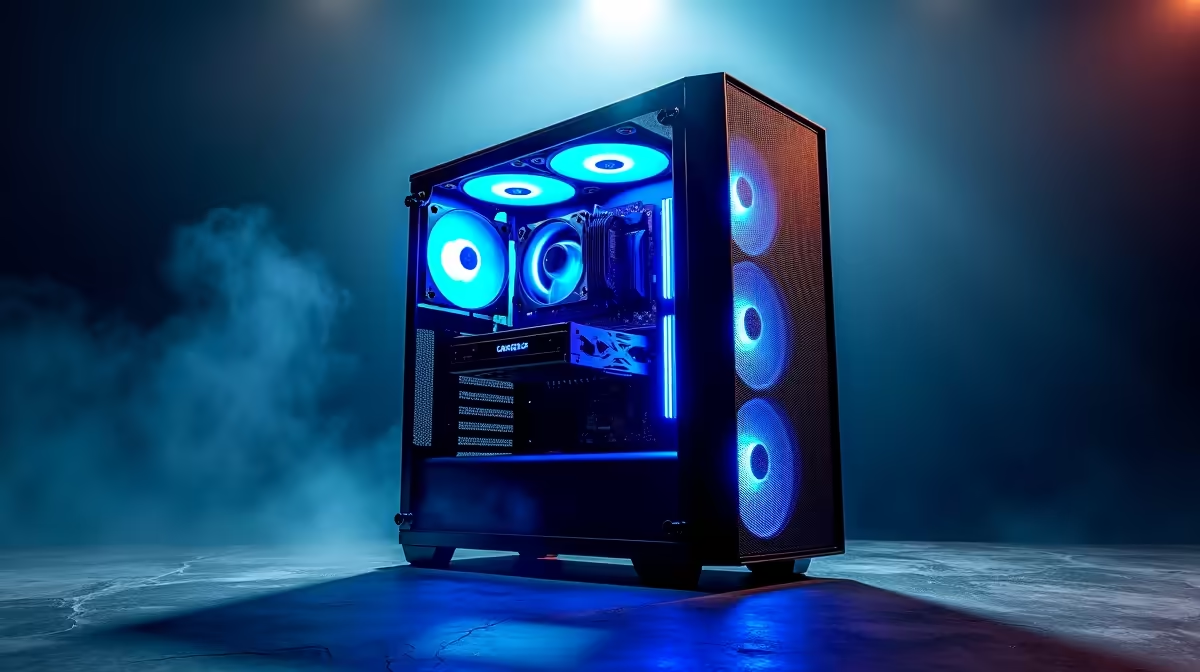
Improving front panel airflow is one of the highest-impact thermal upgrades available for an existing build. Switching from a closed front panel to a high-porosity mesh alternative, adding a quality dust filter, and upgrading to higher-CFM intake fans can reduce GPU temperatures by 5C to 10C and CPU temperatures by 3C to 7C without changing any other component.
The front panel is the primary air intake for most PC cases. Every degree of restriction at the front compounds through the entire thermal chain: if the GPU is starved of cool intake air, it runs hotter, which raises ambient case temperature, which then affects CPU cooling indirectly. A closed front panel with narrow side intake slots forces air to travel around panel edges before reaching the front fans, reducing effective CFM by 15 to 35 percent compared to an equivalent fan in open air. A high-porosity mesh front with 40 to 60 percent open face area lets the fan operate close to its rated spec.
For builds in existing cases: first, check if the case's front panel is removable and replaceable with a mesh alternative sold by the manufacturer. Many mid-tower brands sell mesh front panels as optional accessories. Second, if the front panel cannot be replaced, ensure the existing intake fans are running at appropriate duty cycles for the ambient temperature and are not restricted by a clogged dust filter. A filter blocked by six months of dust accumulation reduces airflow by 20 to 40 percent; a five-minute cleaning under running water recovers this immediately. Third, upgrade intake fans to higher-CFM models if the current fans are basic sleeve-bearing units at low RPM.
Workstations running video exports, 3D renders, or simulations sustain peak CPU and GPU load for far longer than gaming sessions. During a four-hour video export, the CPU may hold 90 to 100 percent utilisation throughout. Under these conditions, front panel airflow quality determines whether the CPU operates at base clock or sustains its rated boost. An E-ATX workstation with a 280W Ryzen Threadripper Pro needs every watt of airflow it can get through the front intake to keep the AIO coolant temperature in range.
SA homes in winter can accumulate significant airborne dust, particularly in Gauteng and the Free State. Set a monthly reminder to remove and wash the front dust filter under cool running water and allow it to dry completely before reinstalling. A clean filter at an open mesh front delivers the same airflow as no filter at all, with the dust-management benefit retained.
Some case brands sell mesh front panel replacements as accessories. Check your specific case model's product page or contact the brand's support. Third-party universal mesh replacements exist for common case form factors.
For NVMe SSDs mounted on the motherboard, improved case airflow reduces ambient temperature and helps the drive sustain peak read and write speeds without thermal throttling. A 5C drop in ambient can reduce NVMe throttling frequency by 30 to 50 percent on drives without heatsinks.
Install HWiNFO64 and monitor GPU junction temperature and CPU package temperature under a 15-minute gaming or render load. If GPU temps exceed 85C or CPU temps exceed 90C with adequate coolers installed, front airflow restriction is a likely contributor.
Want better airflow for your gaming or workstation build? Evetech stocks high-airflow PC cases with mesh front panels and strong fan mount support for both gaming and professional workstation use. Check the current range to find a chassis that transforms your thermal performance.
Marvel Rivals launch needs a balanced parts plan, not a random basket. Map the CPU, GPU, RAM, SSD, cooling, and monitor target to the budget so SA builders know where to spend first.
Read more
Path of Exile 2 launch needs a balanced parts plan, not a random basket. Map the CPU, GPU, RAM, SSD, cooling, and monitor target to the budget so SA builders know where to spend first.
Read more
Black Myth Wukong launch needs a balanced parts plan, not a random basket. Map the CPU, GPU, RAM, SSD, cooling, and monitor target to the budget so SA builders know where to spend first.
Read more
Hollow Knight PC requirements should be mapped to resolution, settings and upgrade budget before choosing a tier. Verify current requirements, then balance GPU, CPU, RAM and SSD around SA pricing.
Read more
Hollow Knight build planning should focus on the target resolution, settings and total system balance. Treat launch wording as time-sensitive, then verify requirements before choosing SA PC parts.
Read more
Fallout 4 PC requirements should be mapped to resolution, settings and upgrade budget before choosing a tier. Verify current requirements, then balance GPU, CPU, RAM and SSD around SA pricing.
Read more
Wondering if a TKL wireless mechanical keyboard is worth it for everyday productivity? We break down latency, battery life, comfort, and workflow gains for real work. ⚡⌨️

Maximise battery life on a fanless 15-inch laptop using efficiency core architecture. Cut idle drain, tune power profiles, and improve thermals for longer runtime. 🔋⚙️

Learn how to reduce desk clutter with a TKL wireless keyboard using fewer cables, smart placement, and tidy essentials. Get a faster, calmer workspace with better ergonomics. ✅🧼

RGB keyboard lighting too distracting? Learn how to manage backlight modes, set brightness, and reduce distraction for focus and productivity 😌🖱️

Are themed gaming keyboards worth the extra cost? Compare build quality, switch options, features, and resale value to find the best fit for your setup 🎮⌨️

Full-Size vs Tenkeyless mechanical keyboards for gaming: find out if a smaller layout truly improves aim, speed, and comfort. We break down layout, desk space, latency-feel, and keybinds 🎮⌨️

Dedicated media rollers vs function key shortcuts: learn which setup gives you better workflow control, faster media access, and fewer mistakes. 🖱️🎧

Best Mechanical Switch Type for Gaming: Clicky vs Linear vs Tactile. Find your feel, speed, and noise balance with practical guidance for FPS, MOBA, and productivity 😄🎮

Direct mouse answer: Mouse not keeping up with your work? Everything that matters about dual-mode 2.4GHz + BT 5.0: DPI behaviour, channel switching, battery curves and per-app button mapping. Covers when 2.4GHz USB wins (low-latency desk) and when BT 5.0 wins (laptop, d

Plain wireless mouse guide: Mouse not keeping up with your work? Everything that matters about wireless productivity mouse: DPI behaviour, channel switching, battery curves and per-app button mapping. Includes DPI tuning tips, channel switch shortcuts, and ZAR-aware fea

Real productivity numbers: Set up your wireless mouse in this order: everything that matters about wireless productivity mouse: DPI behaviour, channel switching, battery curves and per-app button mapping. Includes DPI tuning tips, channel switch shortcuts, and ZAR-aware

Pen not feeling like paper? Stylus lag and skipping usually trace to old drivers, dirty nibs, or display refresh mismatches, not the pen itself. Covers pressure curve tuning, tilt thresholds, nib swap timing, and SA pricing brackets.