Quick Answer
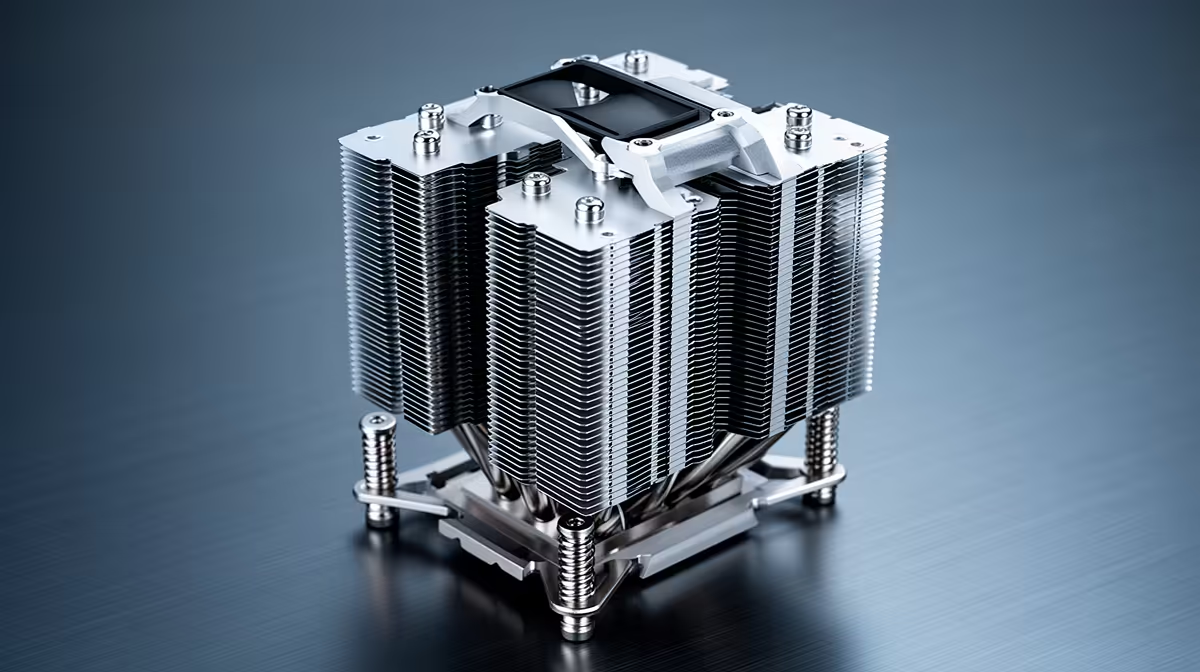
Check the cooler's spec sheet for a listed socket compatibility table. Modern premium AIOs ship with mounting hardware for AM5, AM4, LGA1851, and LGA1700 in the box, but you must confirm the mounting bracket matches your specific socket before tightening anything down.
Reading the Spec Sheet Like a Pro 🔧
Every CPU cooler sold today lists supported sockets on the box and on the product page. Look for a row that reads something like "Intel: LGA1700, LGA1851 / AMD: AM4, AM5" before you buy. LGA1851 is Intel's Core Ultra 200-series socket, introduced with Arrow Lake, while LGA1700 covers 12th through 14th-gen Alder, Raptor, and Raptor Refresh chips. AM5 is AMD's current Ryzen 7000 and Ryzen 9000 platform, and AM4 remains relevant for Ryzen 5000-series builds. A cooler that lists all four covers essentially every mainstream gaming CPU on sale today in South Africa.
Physical Mounting Differences You Need to Know 🖥️
AM4 and AM5 share the same 54 mm x 90 mm bolt pattern, so most coolers that supported AM4 can mount on AM5 with the right backplate. Intel LGA1700 and LGA1851 also share a mounting hole pattern, which is why many coolers support both with identical hardware. The critical difference is backplate pressure: Intel sockets require a specific amount of clamping force to make reliable contact without bending the PCB. Always use the backplate supplied for your socket. Third-party universal kits exist but check reviews to confirm PCB flex is not an issue on your specific motherboard before committing.
Step-by-Step Compatibility Check 🎮
Start by identifying your CPU's socket. You can find this in your motherboard manual, on the CPU's product page, or by running a quick check in CPU-Z (it lists socket type on the mainboard tab). Next, cross-reference with the cooler's compatibility list. If the AIO you want doesn't list your socket, check whether the manufacturer sells a separate mounting kit. Brands like ASUS ROG and Corsair regularly release updated mounting kits when new sockets launch. For South African builders, coolers stocked at Evetech typically already include updated bracket sets covering all four sockets listed above, so you're unlikely to face a missing-hardware situation.
Backplate Torque Tip ⚡
When mounting on LGA1851 or AM5, tighten the cooler's mounting screws in a cross pattern, gradually increasing pressure with each pass rather than tightening one corner fully before moving to the next. This ensures even contact pressure across the IHS and prevents cold-spot throttling under sustained loads.
FAQ
Can I reuse my old AM4 cooler on a new AM5 Ryzen 9000 build?
Physically yes, since AM4 and AM5 share the same 54 mm x 90 mm hole spacing. However, AMD still recommends using AM5-rated mounting hardware to ensure correct spring tension. Check your cooler manufacturer's site for a free or low-cost AM5 upgrade kit before spending on a new cooler.
Does LGA1700 hardware fit on LGA1851 sockets?
For most AIOs, yes. Intel kept the same mounting pattern when moving from Raptor Lake to Arrow Lake (LGA1851). Many cooler manufacturers confirmed compatibility with an advisory note rather than requiring new hardware. Always verify on the manufacturer's support page for your specific model.
What if my cooler's included bracket doesn't list LGA1851?
Contact the manufacturer's support channel. Most premium cooler brands provide a free mounting kit for newer sockets if the base cooler launched before LGA1851. Evetech's team can also advise on which units in stock include updated hardware.
Need a cooler that fits your exact socket?
Browse the full range of CPU coolers stocked at Evetech, with product pages listing every supported socket so you can confirm compatibility before you buy.