




IPS vs VA for Strategy and Sim Games in SA
IPS vs VA for strategy and sim games should be judged by fit, not a single winner. Compare compatibility, latency, capacity, upgrade path, cost planning, and South African setup needs.
Read moreQuick take: a 360mm AIO keeps modern CPUs under 85C on sustained loads. For the install or setup runs faster than it reads, with three or four real steps. Fan, radiator, and SA-climate notes walked through.
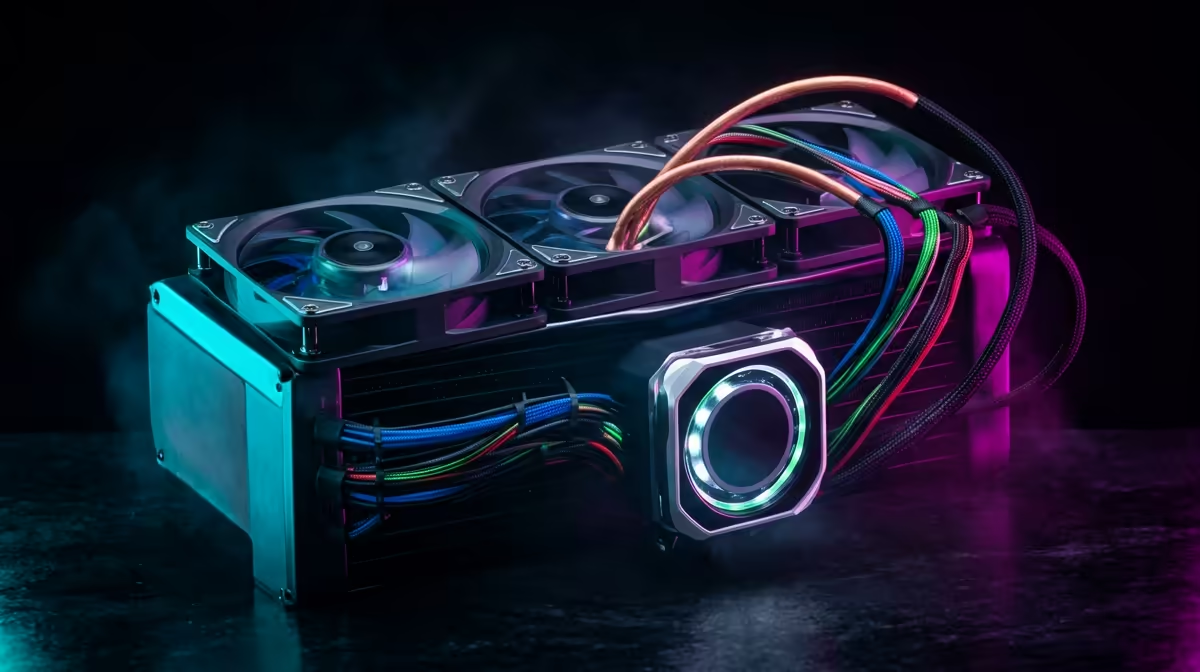
Installing a 360mm AIO with daisy-chain fan connectivity takes roughly 45 to 60 minutes and requires mounting the radiator first, then routing the single daisy-chain cable from fan one through to fan three before connecting the final plug to your motherboard's CPU_FAN or AIO_PUMP header.
Before touching the cooler, confirm your case supports a 360mm radiator. Most mid-tower and full-tower cases list top or front mounting positions for 360mm units; front-mounted radiators pull cool air in from outside the case, while top-mounted ones exhaust heat out, which suits builds with a hot CPU like the AMD Ryzen 9 9950X or Intel Core i9-14900KS. Remove the existing case fans from the intended radiator position, then loosely thread the radiator mounting screws through the case bracket so the radiator hangs in place while you work.
Check clearance between the radiator and your RAM sticks if mounting at the top of the case; tall DDR5 heatspreaders can conflict with some radiator designs. A gap of at least 30mm between the radiator and the top of the RAM is comfortable.
Most modern 360mm AIOs ship with a universal backplate that supports AM4, AM5, and LGA 1700 sockets. Identify your socket type, attach the correct bracket arms to the pump head, and press the backplate against the rear of the motherboard before seating the board in the case if possible; working outside the case is far easier. Apply a pea-sized amount of thermal compound to the centre of the CPU IHS if the cooler's pre-applied paste has dried or has already been used. Lower the pump head straight down onto the CPU and tighten the mounting screws in a cross pattern, applying equal pressure to seat the cold plate flat.
Daisy-chain connectivity means each fan has a pass-through connector rather than requiring a separate header for every fan. Plug fan one's input cable into your motherboard's CPU_FAN header. The output connector on fan one plugs into the input of fan two, and fan two's output connects to fan three. Only one cable runs from the entire three-fan stack back to the motherboard, keeping the interior clean and eliminating the need for a fan splitter. Route the single cable along the cable management channels at the back of the case before tightening the radiator screws fully.
After first boot, let the system run at idle for 15 minutes to allow any air trapped in the AIO loop to settle. You may hear a faint gurgling sound initially; this is normal and typically resolves within the first few hours of use. Do not stress-test the CPU within the first 30 minutes of installation.
Yes, and top-mounted exhaust is a common choice for cases with front-mounted HDDs or dusty environments. The thermal difference compared to front intake is usually under 3 to 5 degrees Celsius on the CPU, so placement should be guided by your case's airflow design rather than rigid rules.
Not all. Daisy-chain fan connectivity is a feature of specific cooler models, typically flagged in the spec sheet as a single-cable or pass-through fan system. Check your AIO's documentation before assuming all three fans share one header. Coolers without daisy-chain require a splitter cable or three separate headers.
A 360mm radiator will not physically fit in a 280mm position. You would need a case with a dedicated 360mm mount, or consider a 240mm or 280mm AIO instead. Verify case radiator compatibility before purchasing the cooler.
Ready to upgrade your CPU cooling? Explore the range of 360mm AIO coolers at Evetech to find the right fit for your build and socket.
IPS vs VA for strategy and sim games should be judged by fit, not a single winner. Compare compatibility, latency, capacity, upgrade path, cost planning, and South African setup needs.
Read more
Gen 5 NVMe SSD guide for Bloemfontein gamers should be shortlisted around the job it must do. South African buyers should compare capacity, speed, thermals, and motherboard support, warranty path, and upgrade room before treating any pick as best.
Read more
Skip the RTX 5070 if your first-time builder budget needs better balance. Better SA picks can free room for the right CPU, PSU, case, monitor, storage, and cooling while still giving a strong first gaming PC experience this year in South Africa.
Read more
RTX 5080: weighing the pros and cons for SA should be shortlisted around the job it must do. South African buyers should compare GPU tier, VRAM, cooling, and PSU headroom, warranty path, and upgrade room before treating any pick as best.
Read more
Core i5-13400F gives South African PC builders a capable mid-range CPU choice with clear limits. Check its gaming fit, discrete GPU requirement, LGA1700 platform costs, and upgrade path before locking in your parts list.
Read more
Pros and cons of the Wi-Fi 7 routers for SA should be shortlisted around the job it must do. South African buyers should compare WiFi standard, coverage, latency, and device support, warranty path, and upgrade room before treating any pick as best.
Read more
Steam content servers unreachable needs a download-path check, not an immediate reinstall of every game. Restart the client, inspect download settings and compare another connection when practical. Clearing the download cache is separate from deleting installed games.

Keychron G6 HE has built-in and swappable battery versions with different weights. The product brief lists 42g and 46g respectively, each with a 3g tolerance. Choose by grip and battery preference before treating one headline weight as universal.

Corsair HS80 v2 MAX supports 2.4GHz wireless and Bluetooth. Its maximum battery figures use RGB-off conditions and differ by connection. Check microphone routing, comfort and the exact device support before assuming every wireless mode behaves alike.

Windows taskbar notification badges can be shown or hidden in Taskbar behaviours. This changes the small app indicators, not the underlying messages. Choose a calmer desktop while keeping a deliberate routine for checking important conversations and app updates.
Windows taskbar notification badges can be shown or hidden in Taskbar behaviours. This changes the small app indicators, not the underlying messages. Choose a calmer desktop while keeping a deliberate routine for checking important conversations and app updates.

Windows USB device in use can mean a program still has the drive open. Finish transfers and close files before retrying ejection. Better performance caching requires safe removal; a replacement drive is not the first fix for an open-file warning.

Windows Nearby Sharing not working starts with feature, Bluetooth and visibility checks on both PCs. My devices only depends on matching Microsoft accounts. Test a small harmless file before buying networking hardware or changing your home router.

Windows hardware reserved RAM is different from memory used by applications. Compare installed memory with firmware detection and the usable amount before buying modules. Reservations and reporting limits vary by system; no universal setting restores every byte.

Windows title bar window shake can minimise other open windows when you shake the active window by its title bar. Inspect the Multitasking setting and switch it off if that gesture interrupts your work. The preference costs R0 and does not require new hardware.

Windows Print Screen opens Snipping Tool when its keyboard preference is enabled. Change the option under Accessibility, Keyboard to choose another workflow. Test whether you need a clipboard image or a saved file.

Windows desktop icons missing may be a visibility setting. Right-click the desktop, choose View and inspect Show desktop icons. If only system icons are absent, use Desktop icon settings. Check the Desktop folder before assuming files were deleted.

Windows set time zone automatically greyed out calls for a location and device-policy check. Automatic time-zone selection relies on location services. A manual time-zone choice is separate from synchronising the clock; check both before replacing hardware.