The official Blood of Dawnwalker PC requirements are unusually approachable for a new Unreal Engine 5 RPG, but the labels need careful reading. A GTX 1060 or RX 580 sits at minimum, while the recommended tier moves to an RTX 4060, RX 7600 XT or Arc B580. Neither tier promises a resolution or frame rate, so treat the list as a compatibility floor rather than a performance guarantee.
Quick Answer
The Blood of Dawnwalker needs 16GB RAM, DirectX 12 and 60GB of free SSD space at both official tiers. The sensible South African plan is R0 if your PC already meets the recommended list; otherwise compare a focused GPU, CPU or SSD change before replacing the whole system. Check current pre-built PC options only after identifying the actual shortfall.
🎮 Read the Two Official Tiers Correctly
Minimum pairs a Core i5-11400F or Ryzen 7 2700X with a GTX 1060 or RX 580 and 6GB VRAM. Recommended raises the processor target to a Core i7-11700K or Ryzen 7 5700X and the graphics target to an RTX 4060, RX 7600 XT or Arc B580 with 8GB VRAM. Both call for Windows 10 and DirectX 12.
Those component names do not reveal the intended preset. The official page does not say that minimum equals 1080p Low or that recommended equals 1440p High. Start at a conservative resolution and preset on launch day, observe frame pacing, then raise settings one group at a time.
🧭 Upgrade Only the Part Below the Line
Compare each component separately. A system with an adequate modern GPU but an older four-core processor may need a platform change more than another graphics card. A balanced six- or eight-core system with a GTX-class card is more likely to benefit from a GPU upgrade. If both processor and graphics are far below minimum, a complete system can be cleaner than stacking changes onto an old platform.
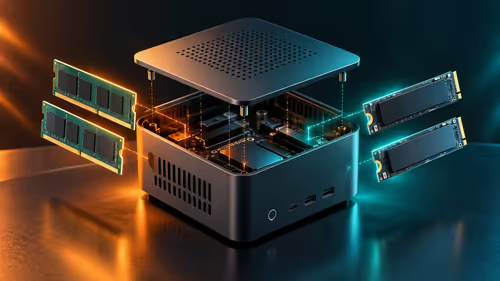
The 16GB memory requirement is a capacity floor, not a reason to discard a working 32GB kit. Confirm that memory runs in dual-channel mode and close heavy background tools before launch. For a platform refresh, compare current upgrade kits against the motherboard, cooler, memory and power supply you already own.
💾 Make the 60GB SSD Requirement Practical
Sixty gigabytes available does not mean a 60GB partition is comfortable. The launcher, shader cache, updates, save data and Windows all need working room. Install on an SSD with a useful free-space margin and avoid filling it to the final few gigabytes. If storage is the only missing requirement, browse internal SSD choices rather than changing unrelated hardware.
Before buying, check the motherboard's spare M.2 slots, supported PCIe generation and whether using another slot disables a SATA connector. A 1TB drive is often easier to manage than moving one large release at a time, but capacity should follow your library and Rand budget rather than a universal rule.
🛠️ Build a Launch-Day Baseline
Update the graphics driver, confirm Windows sees all memory, and leave enough time for shader compilation. Begin with motion blur and depth-of-field set to preference, then focus performance tuning on resolution scale, shadows, reflections and ray-tracing options if present. Change one setting group at a time so the effect is measurable.
Use an in-game benchmark if Rebel Wolves provides one. Otherwise choose a repeatable busy location, record average performance and watch for sustained stutter rather than judging a quiet opening scene. The September 3 release gives buyers time to wait for measured results before making a large upgrade.
Frequently Asked Questions
How much RAM does The Blood of Dawnwalker need?
Both official tiers specify 16GB. A 32GB system already clears that capacity requirement and does not need a memory purchase for this reason alone.
Is a GTX 1060 enough for The Blood of Dawnwalker?
It appears on the minimum list with 6GB VRAM. No official resolution or frame-rate target accompanies that listing, so expect to tune conservatively.
Which graphics cards are recommended?
The named choices are the RTX 4060, RX 7600 XT and Intel Arc B580, with 8GB VRAM as the recommended target.
Does Dawnwalker need an SSD?
Yes. The official minimum and recommended configurations both specify 60GB available on an SSD.
Should I upgrade before independent performance tests arrive?
Only when your PC is clearly below an official requirement. If it meets the list, launch measurements are more useful than speculative replacement.
Ready to prepare your PC for Vale Sangora?
Compare the component that actually misses the official Dawnwalker tier, keep the rest of your working build, and leave enough SSD headroom for launch.