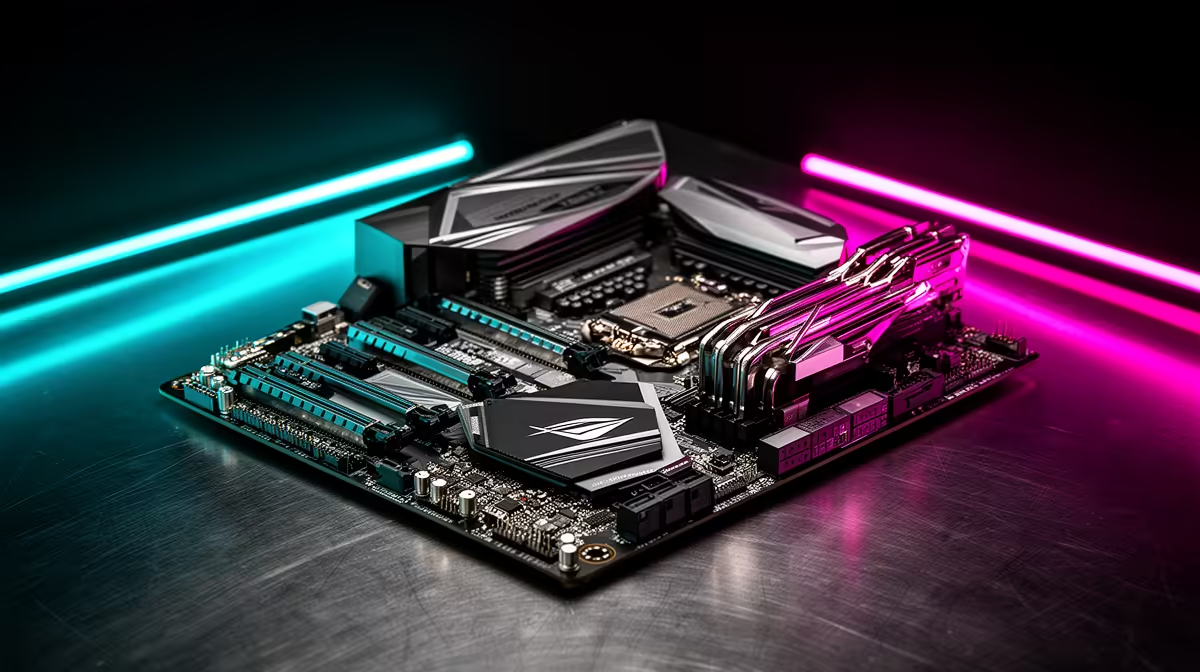
Ever been in the final circle in Apex Legends, only for your game to stutter and freeze? You blame your GPU, maybe your CPU... but what if the real culprit is hiding in plain sight? Your motherboard. Neglecting gaming motherboard cooling is one of the biggest mistakes South African builders make, silently robbing you of the performance you paid for. A hot motherboard doesn't just crash your PC; it throttles your components, making your rig feel sluggish.
Let’s fix that. 🚀
Why Gaming Motherboard Cooling is a Performance Pillar
Think of your motherboard as your PC's central nervous system. It connects every single component, from your CPU and RAM to your graphics card and storage. When this system overheats, communication breaks down. The most common victim is performance, thanks to a nasty process called thermal throttling.
When key motherboard components get too hot, they automatically slow down to protect themselves from damage. This means your multi-thousand-Rand CPU might suddenly perform like a budget chip, all because the components feeding it power are struggling to keep cool. Effective gaming motherboard cooling isn't a luxury; it's the foundation for consistent, reliable performance, especially during those long gaming sessions.
The Hotspots: Key Zones for Motherboard Cooling
Not all parts of your motherboard generate the same amount of heat. Focusing on three key areas will give you the biggest performance and stability gains.
VRMs: The Powerhouse Protectors
The Voltage Regulator Modules (VRMs) are a set of tiny components near your CPU socket. Their job is crucial: to take the power from your PSU and deliver a clean, stable voltage to your processor. This process generates a lot of heat, especially when you're pushing a high-core-count CPU. Without proper cooling, VRMs can overheat and throttle your CPU to prevent damage. This is why many modern Intel motherboards now come with seriously beefy heatsinks covering this area.
The Chipset: Your PC's Traffic Controller
The chipset is the main traffic controller, managing data flow between your CPU, RAM, storage drives, and USB ports. As chipsets have become more powerful to support faster technologies like PCIe 5.0, they've also started to generate more heat. While most modern chipsets use passive heatsinks, ensuring they get some airflow is vital for system stability, especially on high-end platforms like the latest AMD motherboards designed for cutting-edge performance.
M.2 NVMe SSDs: Speedy Storage, Serious Heat ✨
Blazing-fast M.2 NVMe SSDs are incredible, but that speed comes at a thermal cost. These little sticks of storage can get surprisingly hot under sustained use, and just like other components, they will throttle their read/write speeds to cool down. Most quality gaming motherboards now include dedicated M.2 heatsinks or "shields" to wick heat away and keep your drive running at peak speed when you need it most.
Quick Temp Check 🌡️
Download a free tool like HWMonitor or HWiNFO64. Run a demanding game or benchmark for 15-20 minutes and check the 'Motherboard' or 'VRM MOS' temperatures. Anything consistently over 85-90°C under load might indicate a cooling issue that needs attention.
Simple Steps to Optimise Your Motherboard's Temperature
You don't need a custom water loop to achieve great motherboard temperatures. The most important factor is good, old-fashioned case airflow.
Ensure your case fans are configured for a clear intake-to-exhaust path—typically in at the front, out at the back and top. Tidy cable management also plays a huge role by preventing bundles of cables from obstructing airflow over your motherboard's critical components. Even if you're building on a budget with one of our cheap Intel & AMD based motherboards, smart airflow can make a world of difference and unlock hidden performance.
Ultimately, a motherboard that runs cool is a motherboard that runs fast and lasts longer. It's the unsung hero of your gaming rig's performance.
Ready to Build a Cooler, Faster Rig?
Don't let thermal throttling be the final boss. A motherboard with solid cooling is the foundation of a stable, high-performance gaming PC. Explore our massive range of motherboards and find the perfect backbone for your next build.